SmartSDR v4.2.20 | SmartSDR v4.2.20 Release Notes
SmartSDR v3.10.15 | SmartSDR v3.10.15 Release Notes
The latest 4O3A Genius Product Software:
The latest 4O3A Genius Product Software and Firmware
If you are needing assistance with FlexRadio products, please refer to the product documentation or check the Help Center for known solutions. Need technical support from FlexRadio? It's as simple as creating a HelpDesk ticket.
4.2.18 No RX Stream?

Comments
-
 Mike-VA3MW Administrator, FlexRadio Employee, Community Manager, Super Elmer, Moderator adminOptions
It doesn't look like you have the receiver slice assigned to a DAX port.
Check this:
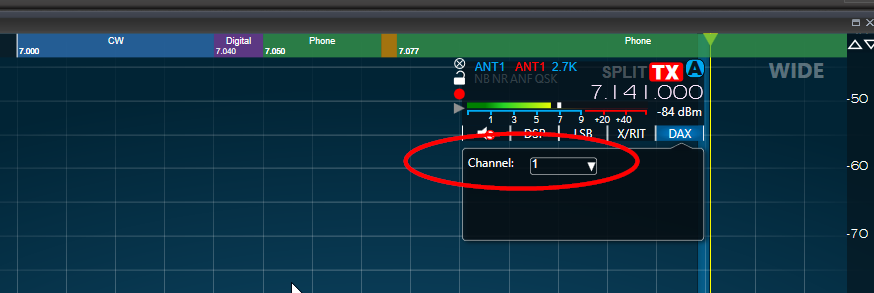 0
0 -
Also, in the AUDIO settings TAB inside WSJT-X, ensure that you have DAX RX 1 for receive and DAX TX for transmit.
Neal
0 -
thank you! I knew i must have missed something !
0 -
Mike, Thank you again for your reply. I had read the instructions and setup the new DAX. The fix was rebooting, again, PC and Radio. When I relaunched everything it just worked? More time needed. Maybe, it the order that I bring thing up? Thanks!
0 -
I've now installed everything on the AU-510M using version 4.2.18. Unfortunately, the DAX application isn't working properly. The RX streams aren't working. If I switch back to 4.1.5, everything works as usual. What can I do about this? Also, the Slicemaster doesn't work with 4.2.18 either. I hope this can be fixed?
0 -
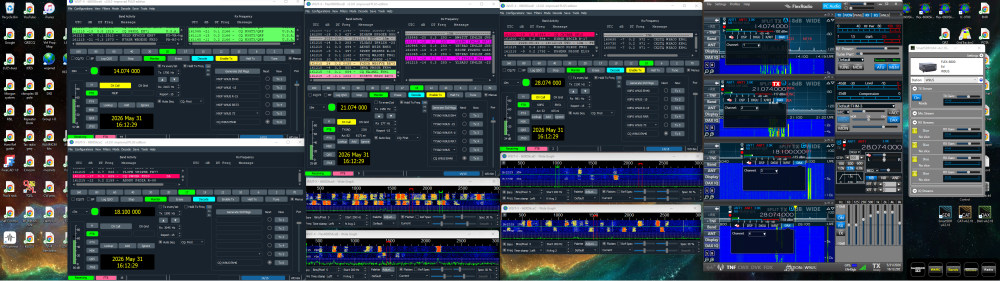
I done the update this morning and have restarted my computer 3 times wsjt-x is working but DAX does not state that each slice is streaming or show that there is any RX coming from the radio???
0 -
Figured out my problem it was just a hang up with ssdr or DAX what I did
with ssdr running 4 slices and wsjt-x closed down I closed out all the slices then brought them back up 1 by 1 and when I did this DAX showed each slice ready then I started wsjt-x up slice A thru D and DAX went to streaming showing RX gain to each slice so it was ssdr or DAx with a hang up not sure but this got everything going like it should.
0


Leave a Comment
Categories
- All Categories
- 401 Community Topics
- 2.2K New Ideas
- 685 The Flea Market
- 8.6K Software
- 195 SmartSDR+
- 6.6K SmartSDR for Windows
- 200 SmartSDR for Maestro and M models
- 456 SmartSDR for Mac
- 278 SmartSDR for iOS
- 268 SmartSDR CAT
- 220 DAX
- 395 SmartSDR API
- 9.6K Radios and Accessories
- 102 Aurora
- 348 FLEX-8000 Signature Series
- 7.2K FLEX-6000 Signature Series
- 994 Maestro
- 58 FlexControl
- 872 FLEX Series (Legacy) Radios
- 971 Genius Products
- 481 Power Genius XL Amplifier
- 357 Tuner Genius XL
- 133 Antenna Genius
- 321 Shack Infrastructure
- 226 Networking
- 482 Remote Operation (SmartLink)
- 144 Contesting
- 845 Peripherals & Station Integration
- 147 Amateur Radio Interests
- 1.1K Third-Party Software