SmartSDR v4.2.20 | SmartSDR v4.2.20 Release Notes
SmartSDR v3.10.15 | SmartSDR v3.10.15 Release Notes
The latest 4O3A Genius Product Software:
The latest 4O3A Genius Product Software and Firmware
If you are needing assistance with FlexRadio products, please refer to the product documentation or check the Help Center for known solutions. Need technical support from FlexRadio? It's as simple as creating a HelpDesk ticket.
CONTEST OR GENERAL LOGGING PROGRAMS FOR FLEX RADIOS

Looking for a logging program that will allow the use of more then two active slices. As a work around a logging program that will allow more then one instance to run on the same computer. MMTTY my RTTY digital decoding program allows this. Another possibility to run two or three different logging programs on the same computer. I am hoping to get some guidance before having to experiment. I am currently using N1MM with MMTTY to decode RTTY. The N1MM program is limited to two slices and only one instance of the N1MM program to run. AA2MF
Comments
-
 Mike-VA3MW Administrator, FlexRadio Employee, Community Manager, Super Elmer, Moderator adminOptions
 -
SDC Contest, a N1MM type contest log on steroids, will allow for as many Slices as you have access to. No need for other s/w as it has Flex API interfacing, its own RTTY module that is better than MMTTY and pretty quick support if you need it.
1 -
Hmm, decided to try this program.
Couple questions: Where is the settings for a dark mode?
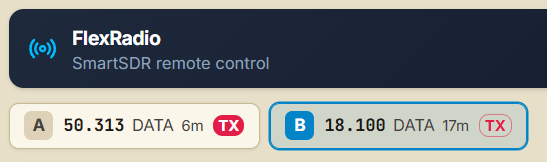
Under FlexRadio i can see 2 panadapters open
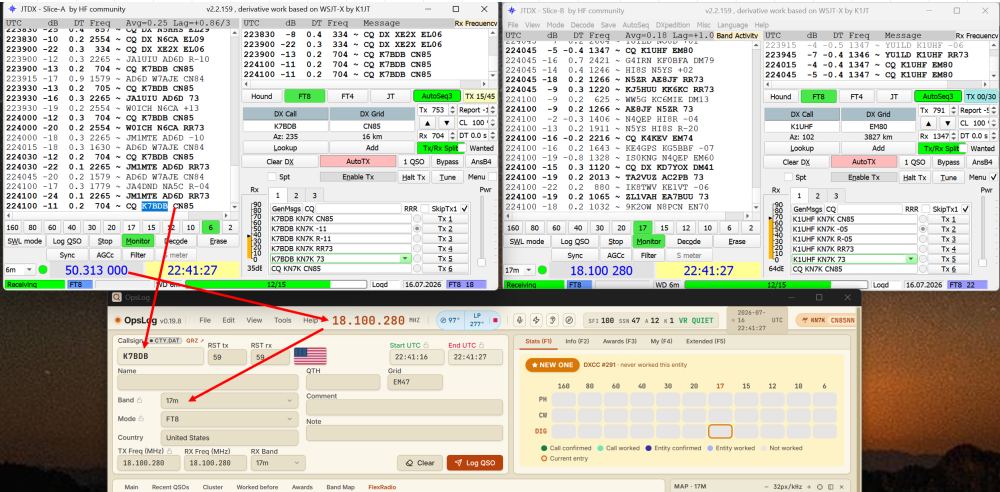
I have 2 JTDX opened and when click on the callsign on this example 50 or 18Mhz, callsign going to a "Callsign" field , but Frequency on the top stays on 18Mhz.
What do I miss?
Thanks
0 -
Mike-VA3MW Administrator, FlexRadio Employee, Community Manager, Super Elmer, Moderator adminOptions
Edit, Preferences, General
0



Leave a Comment
Categories
- All Categories
- 401 Community Topics
- 2.2K New Ideas
- 688 The Flea Market
- 8.6K Software
- 196 SmartSDR+
- 6.6K SmartSDR for Windows
- 200 SmartSDR for Maestro and M models
- 457 SmartSDR for Mac
- 278 SmartSDR for iOS
- 268 SmartSDR CAT
- 220 DAX
- 395 SmartSDR API
- 9.6K Radios and Accessories
- 105 Aurora
- 348 FLEX-8000 Signature Series
- 7.2K FLEX-6000 Signature Series
- 998 Maestro
- 58 FlexControl
- 872 FLEX Series (Legacy) Radios
- 972 Genius Products
- 481 Power Genius XL Amplifier
- 358 Tuner Genius XL
- 133 Antenna Genius
- 321 Shack Infrastructure
- 226 Networking
- 483 Remote Operation (SmartLink)
- 145 Contesting
- 846 Peripherals & Station Integration
- 147 Amateur Radio Interests
- 1.1K Third-Party Software