SmartSDR v4.2.20 | SmartSDR v4.2.20 Release Notes
SmartSDR v3.10.15 | SmartSDR v3.10.15 Release Notes
The latest 4O3A Genius Product Software:
The latest 4O3A Genius Product Software and Firmware
If you are needing assistance with FlexRadio products, please refer to the product documentation or check the Help Center for known solutions. Need technical support from FlexRadio? It's as simple as creating a HelpDesk ticket.
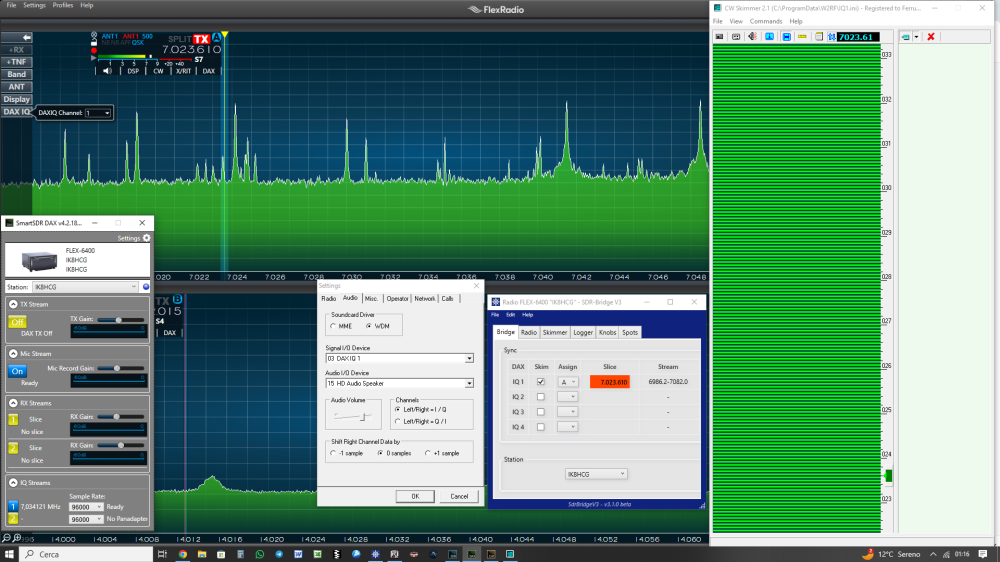
no streming DAX v.4.2


Comments
-
You need to use it in a program like MMTTY. Then it will turn green and you will see level. This must be a change in the new DAX, Experts please comment.
0 -
There's no way with SDR Bridge. I spoke to Ed W2RF who will try to make some changes.
 0
0 -
Hi Guys, i had the same issue. i set up a new PC with win11. completly new. everything runs ok, only dax was not working. i found that if i put in my log program (UCX log) a receive channel in the soundcard tab, the channel maybe DAXRX1 was streaming. If i change to DAXIQ1, What makes no sense for the logprogram, the skimmer works, also the mtty machine runs. So for me it seem that the DAX is only streaming if a secondary program calls the channel from DAX. But that did not work with mtty and cw skimmer. Maybe that could be a hint. Mikel, DL9eca0
-
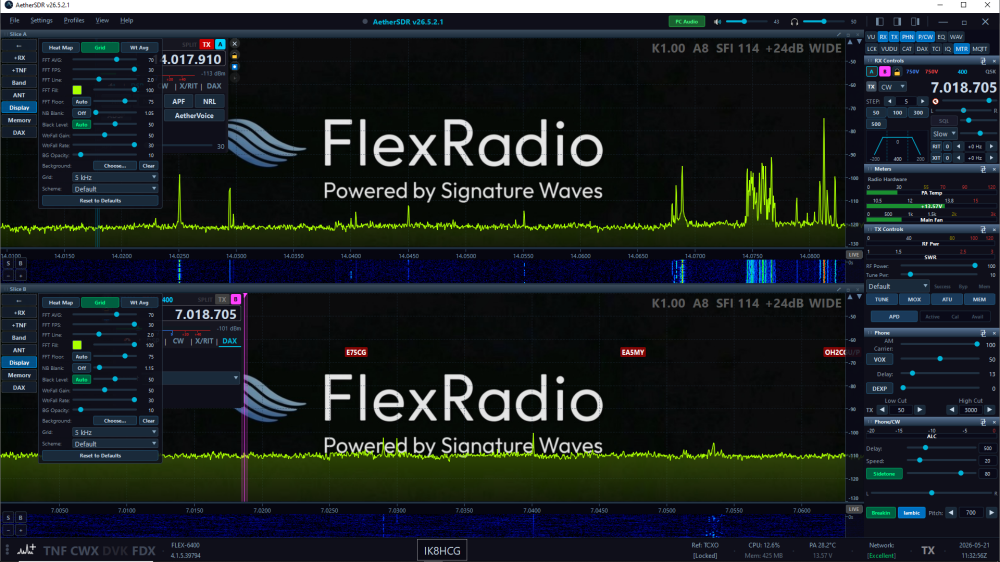
I downgraded to 4.1.5 and everything works again with sdrBridge and slicemaster, especially AetherSDR.
 0
0 -
Just like to add my penny worth that i am having problem with my mic input reading on dax shows nothing but when i put into data mode it works with my data programs in win 11 just cant get my mic input to work so i dont know whats happening?
0 -
not sure I understand he situation very well, but DAX is Digital Audio Exchange, digital audio only. Not used with Mic audio.
1 -
I was talking about the mic stream as i get no meter reading on that one but when i use for data like sstv/rtty/varac the meters work for all of the other meters for data
0





Leave a Comment
Categories
- All Categories
- 401 Community Topics
- 2.2K New Ideas
- 689 The Flea Market
- 8.6K Software
- 196 SmartSDR+
- 6.6K SmartSDR for Windows
- 200 SmartSDR for Maestro and M models
- 460 SmartSDR for Mac
- 279 SmartSDR for iOS
- 268 SmartSDR CAT
- 220 DAX
- 395 SmartSDR API
- 9.6K Radios and Accessories
- 109 Aurora
- 348 FLEX-8000 Signature Series
- 7.2K FLEX-6000 Signature Series
- 999 Maestro
- 58 FlexControl
- 872 FLEX Series (Legacy) Radios
- 975 Genius Products
- 482 Power Genius XL Amplifier
- 358 Tuner Genius XL
- 135 Antenna Genius
- 321 Shack Infrastructure
- 226 Networking
- 483 Remote Operation (SmartLink)
- 145 Contesting
- 847 Peripherals & Station Integration
- 147 Amateur Radio Interests
- 1.1K Third-Party Software