SmartSDR v4.2.20 | SmartSDR v4.2.20 Release Notes
SmartSDR v3.10.15 | SmartSDR v3.10.15 Release Notes
The latest 4O3A Genius Product Software:
The latest 4O3A Genius Product Software and Firmware
If you are needing assistance with FlexRadio products, please refer to the product documentation or check the Help Center for known solutions. Need technical support from FlexRadio? It's as simple as creating a HelpDesk ticket.
60m with WSJT-X / FT-8

Today I tried to use FT-8 on 60m. I successfully added the frequency to WSJT-X and tried both Region 2 and All. In both cases, if I click on it in WSJT-X, WSJT-X shows a frequency in black of 5.357.0 OK but the Flex 6500 goes to 10.713 MHz. If I move the frequency in the Flex, I get a long string of numbers and commas in WSJT-X. If I set the Flex to 5.357.0, the frequency field in WSJT-X goes to all zeroes in red. WSJT-X and the Flex work fine on all other frequencies. I am using the latest version of WSJT-X and SmartSDR. Confused.
Answers
-
 Mike-VA3MW Administrator, FlexRadio Employee, Community Manager, Super Elmer, Moderator adminOptions
Hi John
That is very strange and I would suggest that you do a 100% review of your WSJT setup as it is not communicating correctly to the radio.
You may find that using SliceMaster may help you out.
73
0 -
It is strange because WSJT works perfectly on every other band. I have SliceMaster, but am not familiar with it. Last I changed the checkmark in the setup menu for Use TCP but it didn't make any difference.
There is a possibility that there is some RF problem at the remote site, but the problem is perfectly repeatable. I will use my RF sniffer and play with some toroids, etc. next time I get out there.
0 -
Mike-VA3MW Administrator, FlexRadio Employee, Community Manager, Super Elmer, Moderator adminOptions
This is not an RF issue, but more likely that WSJTx is sending a command for the radio to change frequency.
Make sure that 'fake it is off' in WSJTx settings.
It would help if you post a screen shot of WSJTx while on 60M as that would allow for a more detailed review. Also, if you have any other programs connected to the radio, like FRStack, you may want to shut those down.
0 -
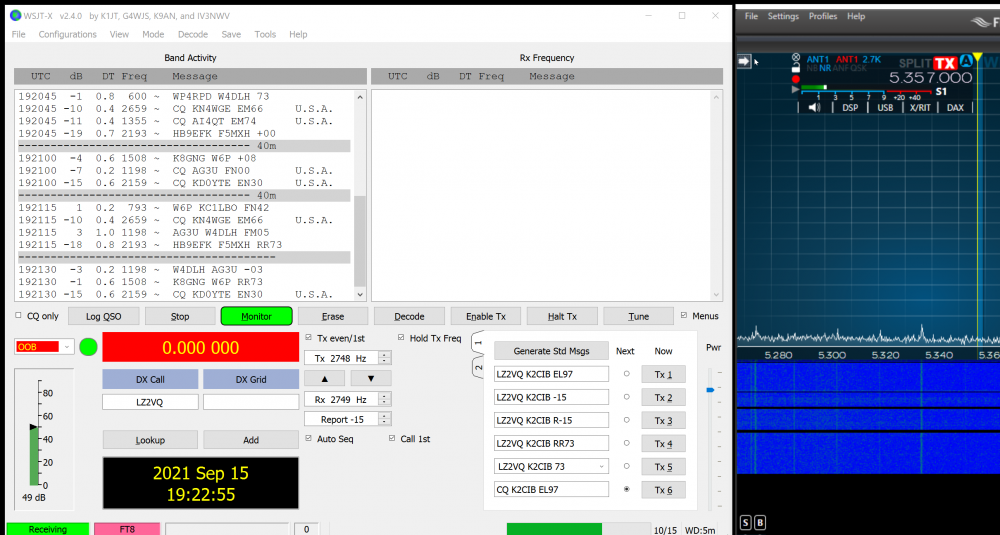
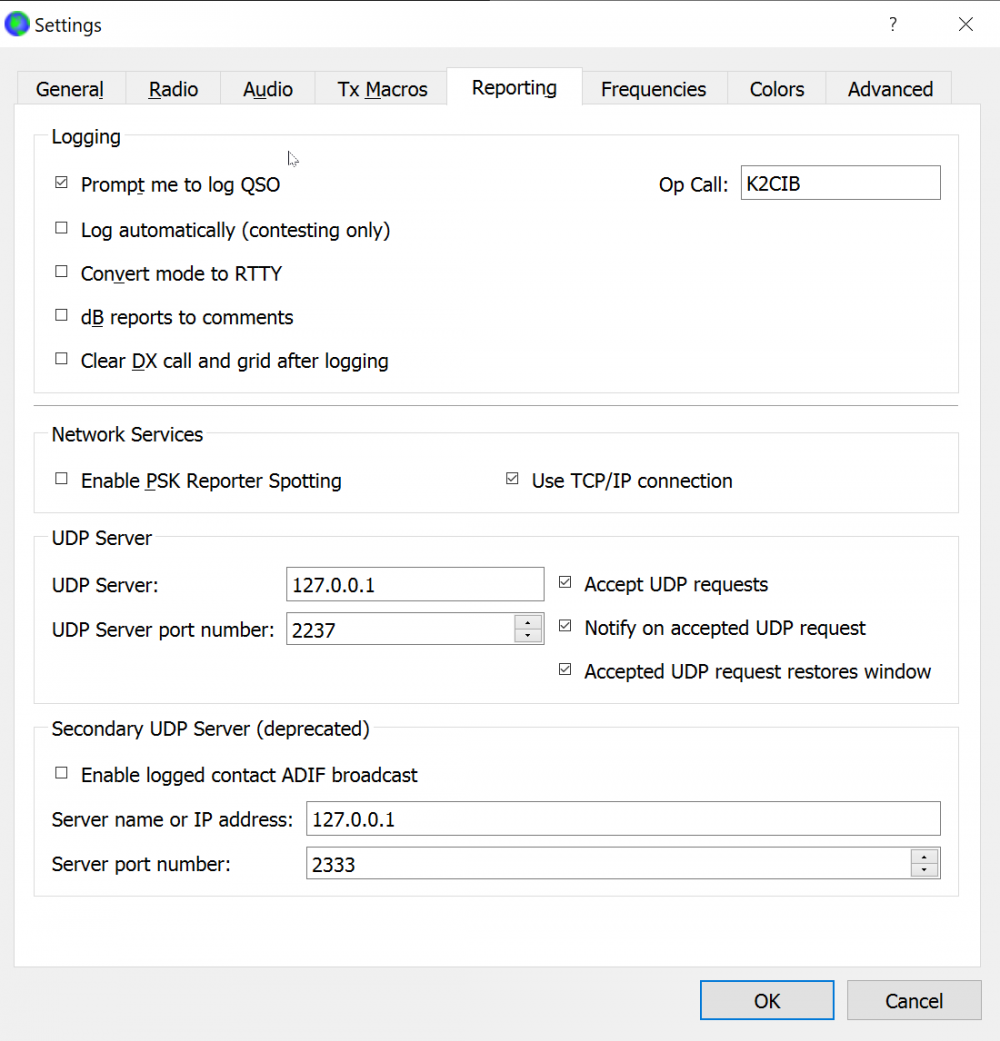
Here are my screen shots:




 0
0 -
Hi John,
Looks like your TX and RX frequencies are above the Bandwidth of your carrier (2700).
Also, have you seen the other Forum comments on this?
73,
Bill, NE1B
0 -
Hi Bill -
No that is not the problem. There is a communication failure between the Flex and WSJT-X but only on 60m for some reason. Today I fired up SliceMaster, which, I think, intercepts that communications, and 60m worked fine! Not sure I will leave SliceMaster in there, but it does have some benefits.
I am off to Northern Vermont for a couple of weeks at the end of the month. Wouldn't it be nice to have lunch together? Guess it would be too long a drive for that, though. Next time.
73 and best to you and yours, John
0


Leave a Comment
Categories
- All Categories
- 401 Community Topics
- 2.2K New Ideas
- 690 The Flea Market
- 8.6K Software
- 197 SmartSDR+
- 6.6K SmartSDR for Windows
- 200 SmartSDR for Maestro and M models
- 460 SmartSDR for Mac
- 279 SmartSDR for iOS
- 268 SmartSDR CAT
- 220 DAX
- 395 SmartSDR API
- 9.6K Radios and Accessories
- 112 Aurora
- 348 FLEX-8000 Signature Series
- 7.2K FLEX-6000 Signature Series
- 999 Maestro
- 58 FlexControl
- 872 FLEX Series (Legacy) Radios
- 975 Genius Products
- 482 Power Genius XL Amplifier
- 358 Tuner Genius XL
- 135 Antenna Genius
- 322 Shack Infrastructure
- 227 Networking
- 483 Remote Operation (SmartLink)
- 146 Contesting
- 847 Peripherals & Station Integration
- 147 Amateur Radio Interests
- 1.1K Third-Party Software