SmartSDR v4.2.20 | SmartSDR v4.2.20 Release Notes
SmartSDR v3.10.15 | SmartSDR v3.10.15 Release Notes
The latest 4O3A Genius Product Software:
The latest 4O3A Genius Product Software and Firmware
If you are needing assistance with FlexRadio products, please refer to the product documentation or check the Help Center for known solutions. Need technical support from FlexRadio? It's as simple as creating a HelpDesk ticket.
Removing slices in Maestro C

I cannot figure out a way to remove a slice in my Maestro C, running the latest 4.x software (paid version). I can open up my Mac SSDR and open and close slices, but this has no effect on the Maestro. In fact, slices opened in the Maestro do not show up when opening up SSDR, and likewise slices set up in SSDR do not show up on the Maestro. I can add slices on the Maestro, but not remove them. The radio connected to the Maestro is a Flex 8400. I used to be able to add and remove slices, but something has changed? What's up? — 73 de Carl N8VZ
Best Answers
-
Carl,
You can use the Maestro and Mac SSDR together if the Maestro is connected in SmartControl mode. You won't have the waterfall display on the Maestro but you can use all the knobs and buttons to control Mac SSDR.
I don't have a Mac but I can do this with my IPad.
73, Pat KØPC
1 -
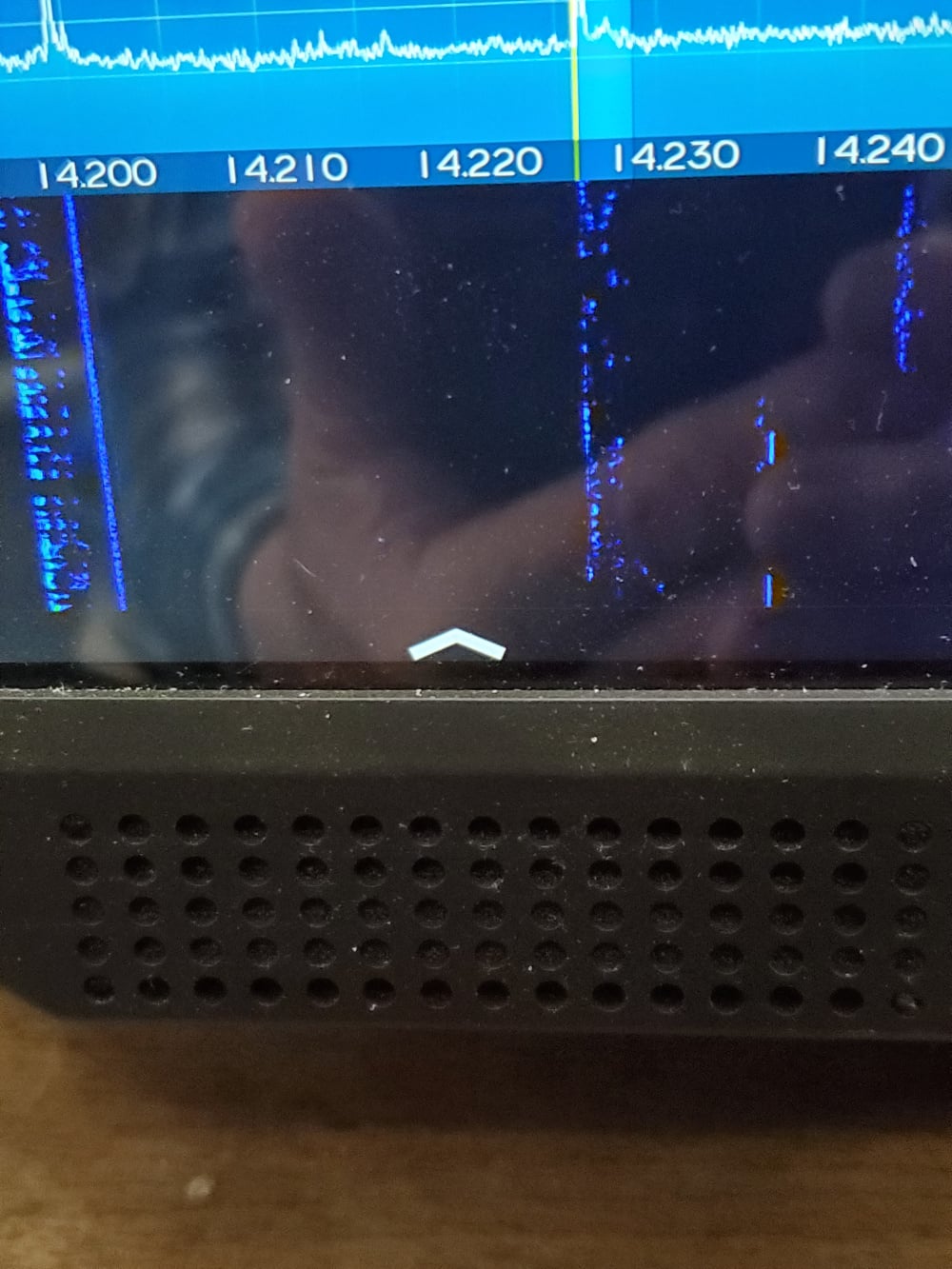
Touching the up arrow button adds a panadapter. Touching the down arrow removes it. If you simply want a Slice receiver on the same panadapter ( working split or just listening to two different conversations on the same band) then doing like Mike pointed out will work.
James
WD5GWY
0 -
 Mike-VA3MW Administrator, FlexRadio Employee, Community Manager, Super Elmer, Moderator adminOptions
Mark: Thanks for your response. That button appears to me to activate and deactivate the slice. It does not appear to actually remove the slice, which still much be hidden, if you don't want to deal with it at that time. Maybe that's splitting hairs, but activation and removing appear to me to be two different concepts. On my computer, it appears that I can actually remove slices that I don't want at the moment. Am I missing something here? — 73 de Carl N8VZ
Yes, it does remove the slice as there is no reason to have a hidden slice since there would be no way to control the VFO, etc.
Mike
0


Answers
-
Mike-VA3MW Administrator, FlexRadio Employee, Community Manager, Super Elmer, Moderator adminOptions
Each client is unique meaning what you do on the Maestro is not reflected on your MAC. This is because the radio has the entire radio spectrum available 100% of the time from 30Khz to 54Mhz.
It has always been like this. The Maestro can only have 2 slices, so to **** one, press the Green RX button on the Maestro button to **** it.
0 -
Well, you answered the question about the Mac and Maestro being totally independent. I guess I never paid much attention to that in the past, as my SSDR sessions and Maestro sessions were not consecutive. However, you did not answer the question about closing the second slice on the Maestro. It appears all you can do is to hide that second slice. Perhaps, that's not important, but it does seem very odd to me, and I thought in a previous version of the OS that I could remove the second slice by pressing on a small "X" associated with that slice. Am I remembering wrong? Again, this is not a huge deal, just an oddity at this point. — 73 de Carl N8VZ
0 -
Mike-VA3MW Administrator, FlexRadio Employee, Community Manager, Super Elmer, Moderator adminOptions
Hi Mark
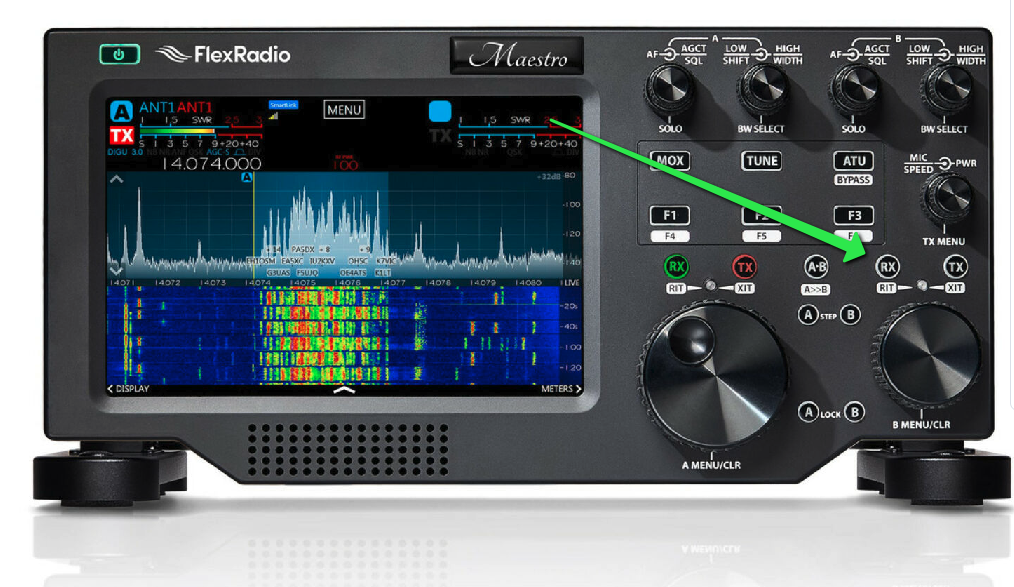
You close the 2nd slice by pressing the Green RX button above the small VFO knob. This button creates and destroys the slide. There is no X to press on the screen.
 1
1 -
Mark: Thanks for your response. That button appears to me to activate and deactivate the slice. It does not appear to actually remove the slice, which still much be hidden, if you don't want to deal with it at that time. Maybe that's splitting hairs, but activation and removing appear to me to be two different concepts. On my computer, it appears that I can actually remove slices that I don't want at the moment. Am I missing something here? — 73 de Carl N8VZ
0 -
When you deactivate the second slice, it becomes a meter that you can set for different functions. You can cycle through the different options by repeatedly touching it to get the function you want.
James
WD5GWY
0

Leave a Comment
Categories
- All Categories
- 401 Community Topics
- 2.2K New Ideas
- 689 The Flea Market
- 8.6K Software
- 196 SmartSDR+
- 6.6K SmartSDR for Windows
- 200 SmartSDR for Maestro and M models
- 460 SmartSDR for Mac
- 279 SmartSDR for iOS
- 268 SmartSDR CAT
- 220 DAX
- 395 SmartSDR API
- 9.6K Radios and Accessories
- 109 Aurora
- 348 FLEX-8000 Signature Series
- 7.2K FLEX-6000 Signature Series
- 999 Maestro
- 58 FlexControl
- 872 FLEX Series (Legacy) Radios
- 975 Genius Products
- 482 Power Genius XL Amplifier
- 358 Tuner Genius XL
- 135 Antenna Genius
- 321 Shack Infrastructure
- 226 Networking
- 483 Remote Operation (SmartLink)
- 145 Contesting
- 847 Peripherals & Station Integration
- 147 Amateur Radio Interests
- 1.1K Third-Party Software