SmartSDR v4.1.5 | SmartSDR v4.1.5 Release Notes
SmartSDR v3.10.15 | SmartSDR v3.10.15 Release Notes
The latest 4O3A Genius Product Software:
The latest 4O3A Genius Product Software and Firmware
If you are needing assistance with FlexRadio products, please refer to the product documentation or check the Help Center for known solutions. Need technical support from FlexRadio? It's as simple as creating a HelpDesk ticket.
Version 4 CW: Return to Receive Issue
Comments
-
I think I may have discovered the cause of the extended TX>RX delay, which is still apparent on 4.1.3.
In the radio set up there is a TX delay parameter. My understanding (and I think they way it used to work) is that this is a delay to the start of RF output on the RX>TX transition. Separately, in the P/CW panel there is the Delay slider, which should be the TX>RX transition delay, aka breakin delay.
I set the P/CW Delay slider to zero and noted that there was still a significant delay in the TX>RX transition. I then reduced the TX delay parameter in radio setup and sure enough the TX>RX delay also reduced. By setting the TX delay slider to 0 I got near enough full break-in.
So the TX delay value in setup is being added to the break-in delay. This I think is wrong: the TX delay should only be on the RX>TX transition, to permit relays, etc. to settle before RF is produced.
Perhaps the community could explore this further and check out my observations/reasoning.
73, John, G3WGV
1 -
I now have 4.1.3 and the delay has only been masked. It is still there and annoying. I also have the slurred dots problem which John G3WGV also has. This is even more annoying. It makes the Flex sound like an old mechanical bug key which is badly adjusted. In my opinion it is not fit for purpose and is very embarrassing to use now on CW. Has nobody else complained about this? Ihave opened a ticket and Ken Wells is kindly helping get to the root of this. Unfortunately I cannot record it off air. Audacity does not seem to work. I am using a Logikeyer Cmos 4 as my main keyer.
73 de Roger, G3LDI
0 -
Interesting. Roger, which radio is this on? Can you describe your setup please. Is there any 4O3A devices involved? Do you think the radio is slow going into TX or slow coming out of TX?
Since you asked, I can share this.
VE3RZ just ran 2 CW contests on the AU-520, Aurora at full power at somewhere north of 30wpm. He ran remotely using a Maestro and SmartLink to my remote station and not one complaint about the CW. This was CQWW CW and the 160M CW contest. The AU-520 is a FLEX-8600 with the transmitter replaced. I checked his settings and TXD was 20ms and CW delay was at 10ms.
It might be worth comparing what others are hearing, both good and bad and if they comment, please share you station setup.
0 -
Mike (VA3MW),
He probably would not have noticed the delay from TX to RX as he had the cw delay set to 10ms. The issue is when you set the cw delay to say 200 to 250, or more. When I'm not contesting, I normally set the cw delay to 250 so I don't have to listen to the clackety clack of relays between characters.
What contesting software was VE3RZ using. If I set the cw delay to 0 while using N1MM the delay is not there. For some reason N1MM can place the rig into TX, send the canned message, without the clackety clack of the relays, then return from TX to RX without delay.
I'm running an 8600 non-M
I can't speak to the slurred dots as I'm not seeing it here as of yet.
Rich - N5ZC
0 -
Hi Rich,
Yes I report it and opened up a ticket back on Nov 3 2025. I hope they get it fixed soon. Super glad they are working on it! 73 de w5jay/jay..0 -
VE3RZ was using my station, which is pretty vanilla. It is N1MM setup as we describe in the SO2R setup in the helpdesk article. How are you keying?
Jay, you may wish to follow up if you are still seeing the issue in v4.1.3 and make sure it is still an open issue.
Mike va3mw
0 -
Mike,
After I typed my earlier message, I got to thinking, how is N1MM keying the rig and not causing a TX to RX delay?
I have PTT setup in SmartSDR Cat and I use the winkey built into the rig or is it SmartSDR.
If I send a CQ via F1, via N1MM, the rig goes into transmit, and stays in transmit, until the message is complete. The rig immediately goes into RX without delay.
I'm going to bring up N1MM this evening and do some experimenting.
Is N1MM keying the rig in a different way as compared to a foot switch or a key?
Rich - N5ZC
0 -
Yes. N1MM sends a CAT command to the radio first to go into TX.
0 -
I played around with N1MM, the delay is still present.
Bottom line, the TX to RX delay is two times the setting of the CW delay.
If you have CW delay set to 250ms in the Radio Panel
- It takes 250ms for the relay to click and place the 8600 back to receive
- It takes another 250ms for the receive audio to appear.
I set the delay so that when I'm having a non-contest qso, I can send with my paddle and not hear the relay clicking between characters, maybe between words, but not characters.
The transmit delay found under the TX tab in radio setup has no bearing on the issue.
The CW delay introduced in 4.x.x still needs to be resolved. Hopefully its near the top of the list.
Rich - N5ZC
1 -
Just loaded 4.1.5. The delay is still there. Hopefully the software folks will get SMART-11996 resolved in the next release.
Rich - N5ZC
0 -
Without breaking out any measuring tools, it appears to be working on my end with 4.1.5
0 -
From this thread
https://community.flexradio.com/discussion/8032580/smartsdr-v4-0-1-basic-how-do-you-adjust-nb-nr-settings#latest
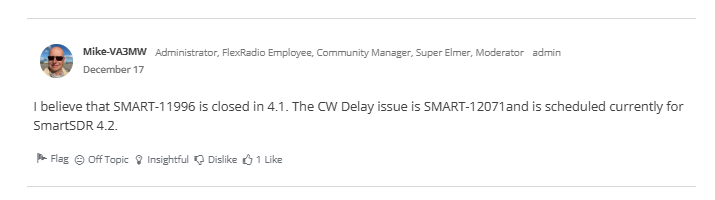
It's due to be fixed in 4.2
 0
0 -
Thanks for the update Rich and Mike, I missed that one.
Rich - N5ZC
0 -
OK, I stand corrected. I set up channel 1 on an oscilloscope to trigger on the positive going edge of the voltage across the key.
Channel 2 was connected to one channel of the haedphone audio output.
Here's what I measured:
Delay setting Output Delay (ms)
0 280
50 360
100 460
200 670
400 1060
0








Leave a Comment
Categories
- All Categories
- 388 Community Topics
- 2.2K New Ideas
- 658 The Flea Market
- 8.4K Software
- 156 SmartSDR+
- 6.5K SmartSDR for Windows
- 186 SmartSDR for Maestro and M models
- 439 SmartSDR for Mac
- 275 SmartSDR for iOS
- 265 SmartSDR CAT
- 204 DAX
- 386 SmartSDR API
- 9.4K Radios and Accessories
- 53 Aurora
- 297 FLEX-8000 Signature Series
- 7.2K FLEX-6000 Signature Series
- 970 Maestro
- 58 FlexControl
- 866 FLEX Series (Legacy) Radios
- 944 Genius Products
- 471 Power Genius XL Amplifier
- 347 Tuner Genius XL
- 126 Antenna Genius
- 306 Shack Infrastructure
- 215 Networking
- 468 Remote Operation (SmartLink)
- 142 Contesting
- 811 Peripherals & Station Integration
- 144 Amateur Radio Interests
- 1.1K Third-Party Software