Welcome to the FlexRadio Community! Please review the new Community Rules and other important new Community information on the Message Board.
The latest SmartSDR Software:
SmartSDR v4.2.20 | SmartSDR v4.2.20 Release Notes
SmartSDR v3.10.15 | SmartSDR v3.10.15 Release Notes
The latest 4O3A Genius Product Software:
The latest 4O3A Genius Product Software and Firmware
SmartSDR v4.2.20 | SmartSDR v4.2.20 Release Notes
SmartSDR v3.10.15 | SmartSDR v3.10.15 Release Notes
The latest 4O3A Genius Product Software:
The latest 4O3A Genius Product Software and Firmware
How to Receive Technical Support::
If you are needing assistance with FlexRadio products, please refer to the product documentation or check the Help Center for known solutions. Need technical support from FlexRadio? It's as simple as creating a HelpDesk ticket.
If you are needing assistance with FlexRadio products, please refer to the product documentation or check the Help Center for known solutions. Need technical support from FlexRadio? It's as simple as creating a HelpDesk ticket.
Change the weird Solo mute options on Maestro and M to SSB squelch
Options

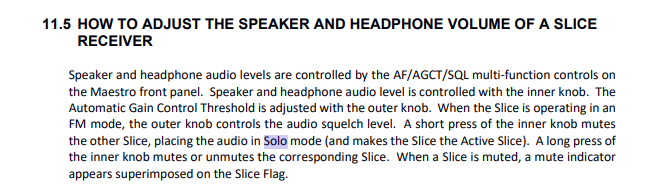
Maestro: I find the press or press and hold "Solo" mute options very odd. Why not simply press the A volume control to mute slice receiver A, and press the B volume control to mute slice receiver B. Then you would be able to make a long press change AGCT to SSB squelch. The front panel already has 'SQL' marked on this control, so it is only a very minor software tweak. The short press A volume to mute the slice receiver B and long press mutes slice receiver A is very confusing and totally unnecessary.
Tagged:
3
Comments
-
Agree... It feels very counter intuitive.0
-
 Mike-VA3MW Administrator, FlexRadio Employee, Community Manager, Super Elmer, Moderator adminOptions
I thought the same thing, but it is the way it is done in the Audio world as it was explained to my 10 years ago. You touch the button to bring focus to that device and thereby mute the opposite.
0 -
I think the solo option was added by popular demand and is indeed redundant with the mute (which I use all the time). This was before we had SSB Squelch, so we can certainly consider changing this or making it an option. I added this to our system for tracking as SMART-11465.
1 -
Mike-VA3MW Administrator, FlexRadio Employee, Community Manager, Super Elmer, Moderator adminOptions
Thanks Eric
If you look at the Maestro, the panel is labeled SOLO (not Mute) which was designed to be go SOLO on this slice which then mutes the opposite slice.
Eric and the team will discuss this internally.
73
0 -
Mike-VA3MW Administrator, FlexRadio Employee, Community Manager, Super Elmer, Moderator adminOptions
 0
0


Leave a Comment
Categories
- All Categories
- 401 Community Topics
- 2.2K New Ideas
- 689 The Flea Market
- 8.6K Software
- 196 SmartSDR+
- 6.6K SmartSDR for Windows
- 200 SmartSDR for Maestro and M models
- 460 SmartSDR for Mac
- 279 SmartSDR for iOS
- 268 SmartSDR CAT
- 220 DAX
- 395 SmartSDR API
- 9.6K Radios and Accessories
- 109 Aurora
- 348 FLEX-8000 Signature Series
- 7.2K FLEX-6000 Signature Series
- 999 Maestro
- 58 FlexControl
- 872 FLEX Series (Legacy) Radios
- 975 Genius Products
- 482 Power Genius XL Amplifier
- 358 Tuner Genius XL
- 135 Antenna Genius
- 321 Shack Infrastructure
- 226 Networking
- 483 Remote Operation (SmartLink)
- 145 Contesting
- 847 Peripherals & Station Integration
- 147 Amateur Radio Interests
- 1.1K Third-Party Software