Welcome to the FlexRadio Community! Please review the new Community Rules and other important new Community information on the Message Board.
The latest SmartSDR Software:
SmartSDR v4.2.20 | SmartSDR v4.2.20 Release Notes
SmartSDR v3.10.15 | SmartSDR v3.10.15 Release Notes
The latest 4O3A Genius Product Software:
The latest 4O3A Genius Product Software and Firmware
SmartSDR v4.2.20 | SmartSDR v4.2.20 Release Notes
SmartSDR v3.10.15 | SmartSDR v3.10.15 Release Notes
The latest 4O3A Genius Product Software:
The latest 4O3A Genius Product Software and Firmware
How to Receive Technical Support::
If you are needing assistance with FlexRadio products, please refer to the product documentation or check the Help Center for known solutions. Need technical support from FlexRadio? It's as simple as creating a HelpDesk ticket.
If you are needing assistance with FlexRadio products, please refer to the product documentation or check the Help Center for known solutions. Need technical support from FlexRadio? It's as simple as creating a HelpDesk ticket.
Frequency step setting - different results with mouse wheel vs. dragging cursor

Jim Branson
Member ✭✭
My step tuning is set for 100. When I rotate the mouse wheel the radio will tune in 100 Hz steps. If I place my mouse cursor in the pan adapter and drag the mouse I get random steps. This is something that just started in the past few days. I would like to have 100 Hz steps when dragging the mouse in the pan adapter. Is there a setting to change this behavior?
Thanks,
Jim N0LBY
Flex 6600
SmartSDR v2.39
Windows 10
https://youtu.be/MTwfj9mWQfE
Thanks,
Jim N0LBY
Flex 6600
SmartSDR v2.39
Windows 10
https://youtu.be/MTwfj9mWQfE
0
Comments
-
Sounds to me it has to do with the accuracy of your mouse and the surface it is being dragged across. Maybe try putting it on an unused piece of paper and see what happens. Also is it a wireless or wired mouse? Could be latency in the mouse communications.
73, Bob
WK2Y0 -
I just tried a wired USB mouse on a different surface. Same result. 100 Hz steps with mouse wheel and random steps by dragging cursor.
Thanks,
Jim N0LBY0 -
Can your mouse be set up in the same 100hz steps? otherwise it would be random due to how fast or slow or jerky you have set the mouse response to.
1 -
An easy test would be hit the + a few times to zoom in and then try your test again. That will give you the finer resolution you need for your mouse to do the 100hz steps.
Peter0 -
Bob,
Thanks for the input. I tried wired mouse and piece of paper. No change. New computer and mouse no change.
Jim0 -
Here are my troubleshooting steps so far. I have changed to a wired mouse and different surface (mouse pad) No change in behavior. I connected my Flex 6600 to a different computer. Same result. I have clicked the + a few times and my pan adapter is magnified to less than 10 Mhz. At that point it acts the same. Rolling the mouse wheel gets me 100 Hz steps. If I click and drag, get lucky and try for 5 seconds or more, I can get back to the even 100 Hz frequency. That's only if my pan adapter is magnified to an enormous range. See demo of issue on youtube.
0 -
I would love to be able to find that setting if it exists.0
-
Peter,
Great point. Here is the video below.
Jim0 -
Same issue is happening with Maestro. Impossible to get VFO tuned to correct frequency.0
-
John - K3MA,
Thanks for the reply. After experiencing the problem with three computers and a Maestro the problem was fixed. I did a factory reset on the radio.
Jim N0LBY0 -
I rain into this problem several months ago, make sure in Radio Setup, RX, that snap to tune step is enabled. Jim K4JAF0
-
I bet that was the problem. The factory reset probably defaulted back to default. Thanks for the help!!
73,
Jim N0LBY0 -
Probably was. It drove me crazy for a few days until I found out what was causing it.
Enjoy..0



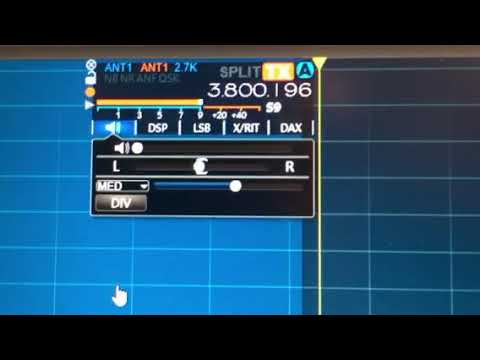 https://www.youtube.com/watch?v=WSsVKW_eIq8
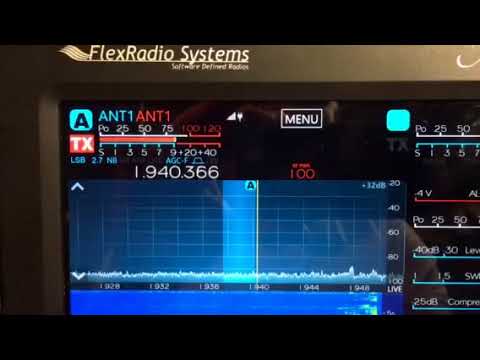 https://www.youtube.com/watch?v=hn3TnugTmY4
Leave a Comment
Categories
- All Categories
- 398 Community Topics
- 2.2K New Ideas
- 678 The Flea Market
- 8.6K Software
- 192 SmartSDR+
- 6.6K SmartSDR for Windows
- 197 SmartSDR for Maestro and M models
- 456 SmartSDR for Mac
- 278 SmartSDR for iOS
- 268 SmartSDR CAT
- 218 DAX
- 392 SmartSDR API
- 9.6K Radios and Accessories
- 96 Aurora
- 335 FLEX-8000 Signature Series
- 7.2K FLEX-6000 Signature Series
- 988 Maestro
- 58 FlexControl
- 872 FLEX Series (Legacy) Radios
- 963 Genius Products
- 478 Power Genius XL Amplifier
- 353 Tuner Genius XL
- 132 Antenna Genius
- 317 Shack Infrastructure
- 222 Networking
- 480 Remote Operation (SmartLink)
- 143 Contesting
- 845 Peripherals & Station Integration
- 147 Amateur Radio Interests
- 1.1K Third-Party Software