SmartSDR v4.2.20 | SmartSDR v4.2.20 Release Notes
SmartSDR v3.10.15 | SmartSDR v3.10.15 Release Notes
The latest 4O3A Genius Product Software:
The latest 4O3A Genius Product Software and Firmware
If you are needing assistance with FlexRadio products, please refer to the product documentation or check the Help Center for known solutions. Need technical support from FlexRadio? It's as simple as creating a HelpDesk ticket.
New Flex 8400 not transmitting anymore...

My new Flex 8400 will no longer transmit properly. I am experiencing the same problem on the Smartlink, on my Apple Ipad, and also on Aether.
I key the mic [MOX] but no longer moving the watt meter…
Is it possible I accidently hit a wrong button on the screen?
Comments
-
Can you post a screenshot of your entire SmartSDR screen?
1 -
 Mike-VA3MW Administrator, FlexRadio Employee, Community Manager, Super Elmer, Moderator adminOptions
It sounds like you do not have a slice with a Transmitter assigned. Make the TX part is Red.
0 -
When I attempt to post a screen shot, I receive a message that says permission problem!
How might I obtain "permission" to post screen shots?
Come on!
0 -
When I click the tune button and increase the wattage rating it sure enough does the full 100 watts. Yet, when I click the MOX button, no power, or intermittent power, jumping a little here a little there.
Really strange…How can I post a screenshot?
0 -
And how can someone "confirm" me here?
0 -
In SSB there is no power out without voice (or other modulating signal). The tune button produces a full carrier, like AM or one of the digital modes, but with MOX if you are not speaking there will be no output.
0 -
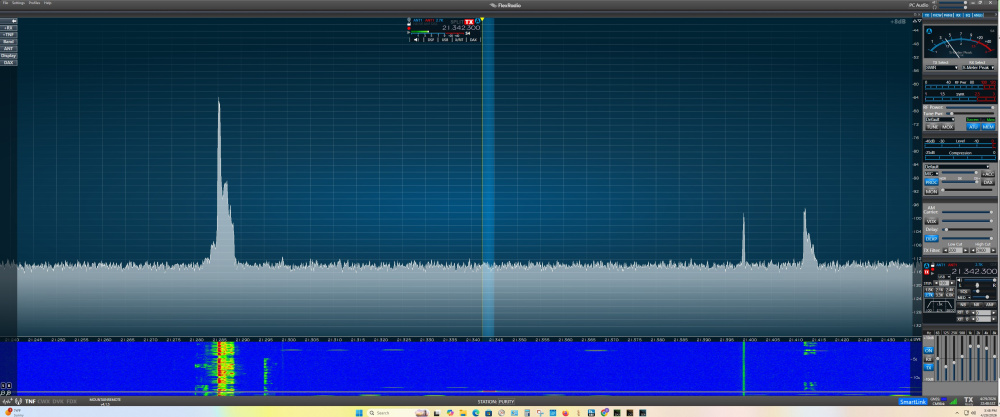
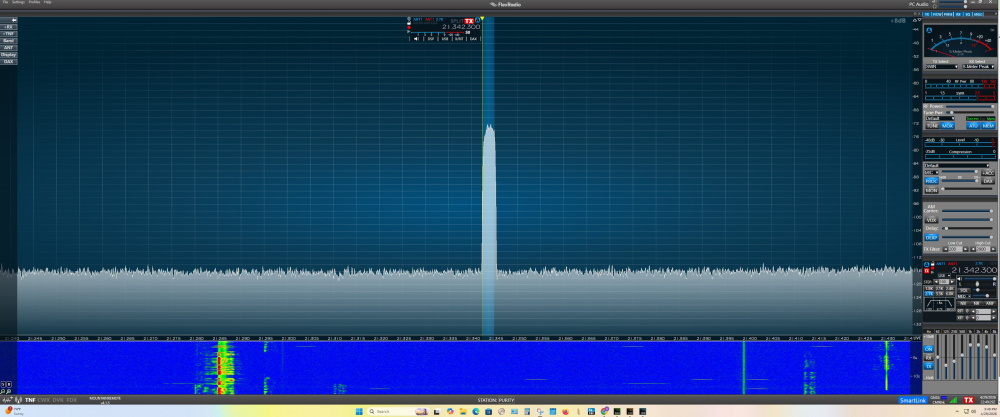
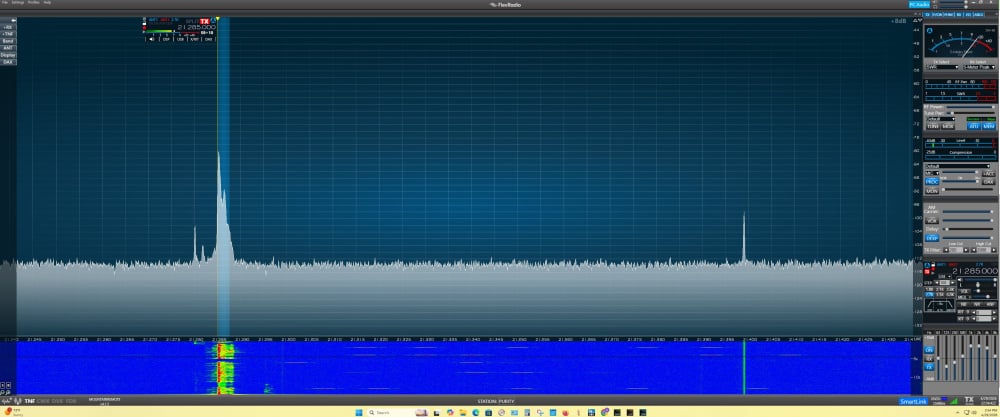
Here's some screen shots. Did I accidently change the wrong settings?
 0
0 -
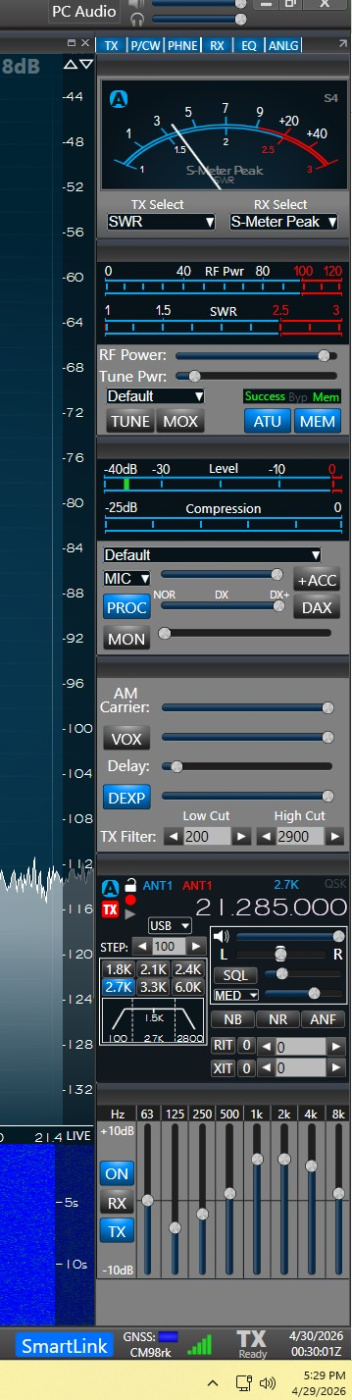
Here's a screen shot of the settings on the right side of the screen…
0 -
That's it… You are connected over SmartLink (i.e. remotely), but you have MIC selected instead of PC. Try selecting PC Audio for receive audio, and PC as a mic source and I think it will work.
You are operating remotely, correct?
1 -
Len,
Well, I sure feel kind of dumb now. My bad! Sure enough, it was as simple as switching from MIC to PC.
Works like a charm again.
I think I got confused after trying the Apple Ipad and then trying the Aether software on the PC.
Thank you for your kindness and patience in helping me Len.
Well, I hope you don't mind another question.
I purchased Mercury Lux's band data cable to connect the Lux with the Flex 8400. I plug it in, the Flex recognizes the cable, but I still cannot operate the Lux. I also went into Lux's settings and chose the Flex option. Any ideas?
0 -
Mike-VA3MW Administrator, FlexRadio Employee, Community Manager, Super Elmer, Moderator adminOptions
I answered this in a different thread. You do have to configure the amplifier and the radio.
0



Leave a Comment
Categories
- All Categories
- 401 Community Topics
- 2.2K New Ideas
- 689 The Flea Market
- 8.6K Software
- 196 SmartSDR+
- 6.6K SmartSDR for Windows
- 200 SmartSDR for Maestro and M models
- 460 SmartSDR for Mac
- 279 SmartSDR for iOS
- 268 SmartSDR CAT
- 220 DAX
- 395 SmartSDR API
- 9.6K Radios and Accessories
- 109 Aurora
- 348 FLEX-8000 Signature Series
- 7.2K FLEX-6000 Signature Series
- 999 Maestro
- 58 FlexControl
- 872 FLEX Series (Legacy) Radios
- 975 Genius Products
- 482 Power Genius XL Amplifier
- 358 Tuner Genius XL
- 135 Antenna Genius
- 321 Shack Infrastructure
- 226 Networking
- 483 Remote Operation (SmartLink)
- 145 Contesting
- 847 Peripherals & Station Integration
- 147 Amateur Radio Interests
- 1.1K Third-Party Software