SmartSDR v4.2.20 | SmartSDR v4.2.20 Release Notes
SmartSDR v3.10.15 | SmartSDR v3.10.15 Release Notes
The latest 4O3A Genius Product Software:
The latest 4O3A Genius Product Software and Firmware
If you are needing assistance with FlexRadio products, please refer to the product documentation or check the Help Center for known solutions. Need technical support from FlexRadio? It's as simple as creating a HelpDesk ticket.
Aurora Power Slider Bar

Answers
-
Interesting; I will be anxious to hear about this.
0 -
Are you talking about the RF Pwr meter with is right above the SWR meter?
But you mention the slider bar, which sets the max power, which is in percent, so I am a bit confused by your question.
Also, what is your SWR? If it is above 1.7:1 the power will automatically fold back to protect the amp. But in such a situation I would assume you are using the ATU. Note the ATU can be used at full power up to uncorrected SWR of 3:1; after that you should not run full power.
Max transmit and tune power can be set in the TX Band settings; are these set for less than full power?
0 -
Hi Rod, can you check to see what your Max Power is set to?
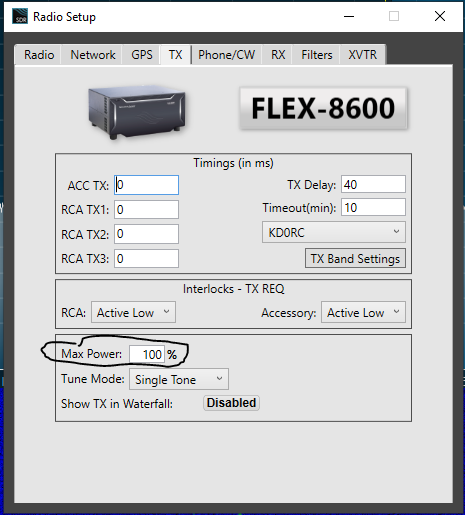 1
1 -
My power out seems to indicate total watts…adjustment slider is percent though.
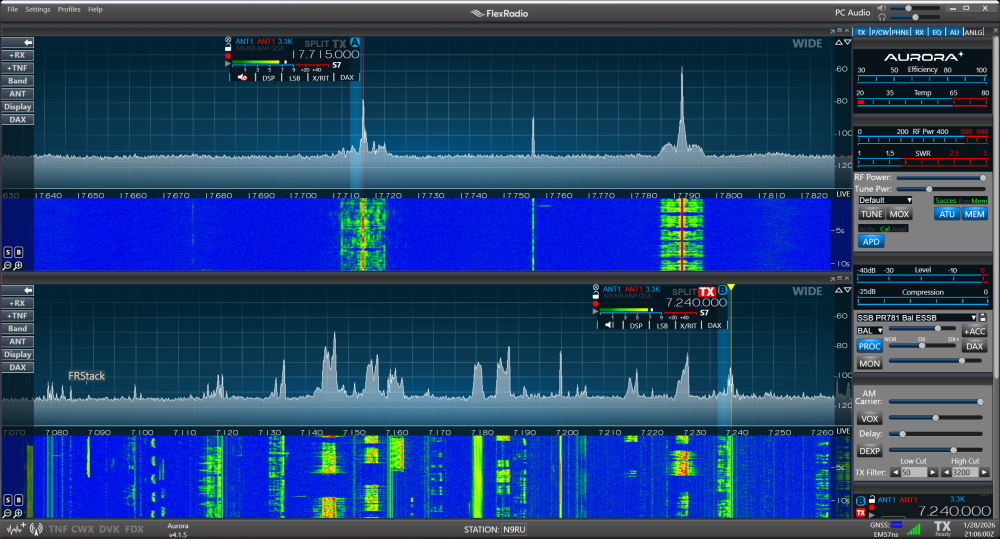
Tom
N9RU
0 -
Hi Len,
It won't let me paste the screen shot, but yes, Max Power is 100%
Yes, I'm talking about the RF Power Meter. I have a screen shot that shows SWR about 1.2.
Max transmit power is 100% and Tune power is 10%.
Wish I could paste a screenshot!!!!!!!!
Thanks,
-Rod KU0W0 -
Rod:
Slider to set power is in percent
Meter to read power output is in watts.
If you set Tune Power to the highest setting, what power are you getting?
Is the ATU able to tune your antenna for low SWR? What is the SWR when the tuner is not active?
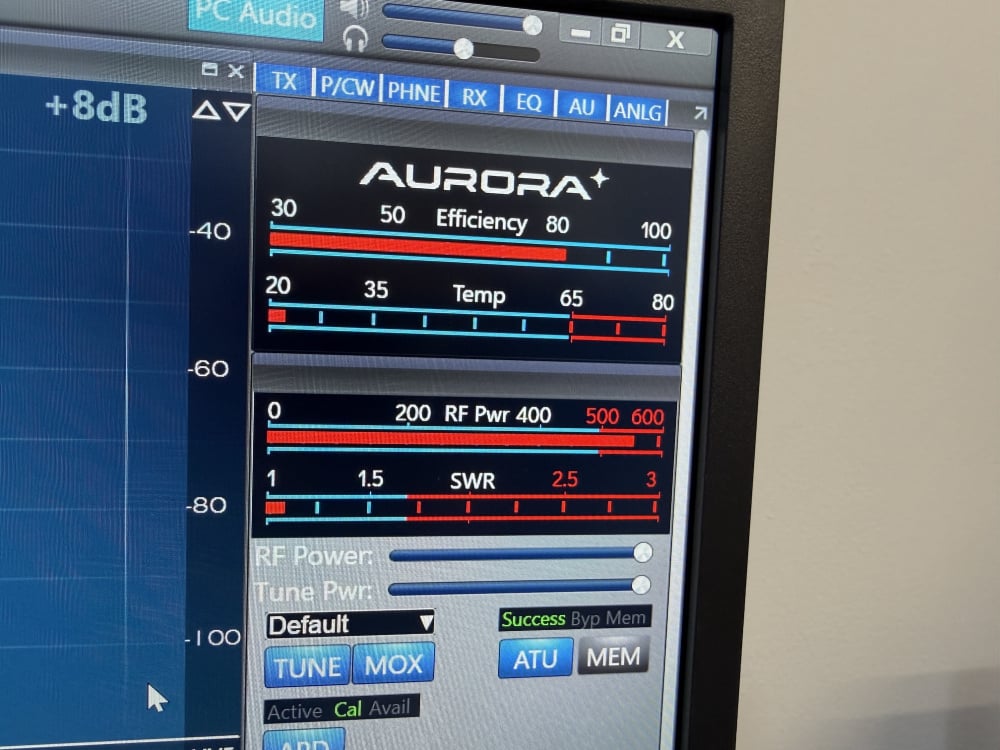 0
0 -
Hi Rod, If your Max Power is OK, set the tune power up to 100% and click the Tune button (not the ATU or MEM button). If your power is still limited, you should submit a help desk ticket. Don't forget to set Tune Power back down to 2% (or where ever you normally have it).
0 -
Hi Eric,
I guess I can't paste a screenshot because I'm the author? Very frustrating....
I set Tune power to 100% and clicked the Tune button, max watts is still less than 150w.
-Rod KU0W0 -
Is Max power (screen shot above) and in TX band settings set to 100%.
0 -
Hi Rod, you will be able to post pics after you have some more activity here. It is apparently how the Vanilla forum software works.
It is time to submit a helpdesk ticket.
0 -
 Mike-VA3MW Administrator, FlexRadio Employee, Community Manager, Super Elmer, Moderator adminOptions
A few thoughts:
- Makes sure your Mic Level Meter is peaking at -5dBm when in digital modes
- Use your TX Mic Gain to adjust accordingly
- Does the radio produce full power in TUNE mode with the TUNE bar at 100% - this will show you that the radio is able to produce 100%
Let us know, Mike
0 -
If you are using an external tuner, this is a post from Mike VA3MW
"You can use an external antenna tuner with an Aurora.
- Put the Aurora Tuner in Bypass mode (must be off 100% of the time when using an external tuner)
- Set your TUNE slider to about 5% to provide about 10 watts drive. You can use lower if required.
- Put the Radio in TUNE
- Follow the procedure to TUNE your external Tuner"
Mike
N9ZX
0 -
Hi Mike-VA3MW,
No, the radio only produces ~150 watts when the tune slider is set to 100% and I click the tune button.
I've watched a ton of your videos, thanks for all you do.
-Rod KU0W0 -
Curious if this happens on all bands for which you have antennae or all bands if you have a dummy load?
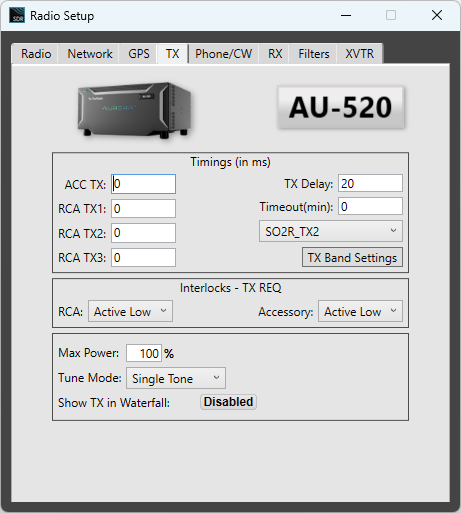
You still have not confirmed you have max TX power set to 100% in the TX Band Settings (separate from the Radio Setup). You set it there for each band, and in the Radio Setup (TX tab) you set the it for the overall max TX power.
0 -
I have posting privileges now! These screenshots show RF Power slider at 100%, radio setup Max power setup at 100%. The Tune button is clicked "on".
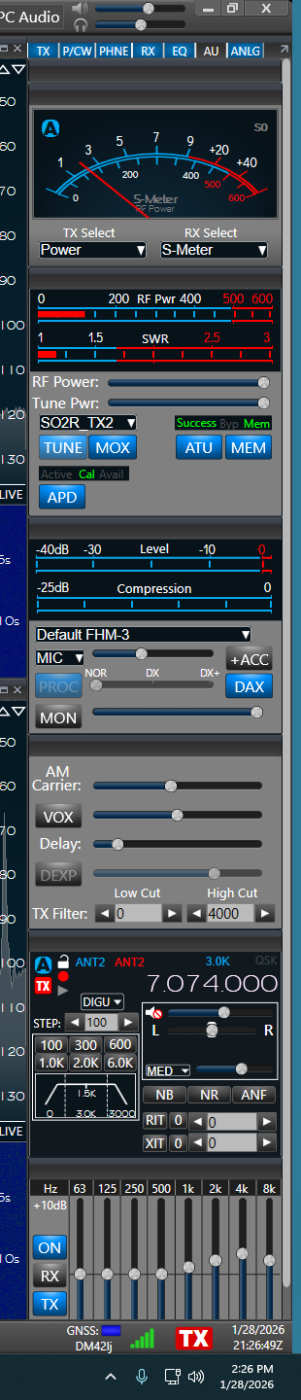
 0
0 -
Mike-VA3MW Administrator, FlexRadio Employee, Community Manager, Super Elmer, Moderator adminOptions
Thanks, the TUNE test is a good test.
Can you test into a dummy load? I opened a support ticket for you.
1 -
you still have not confirmed that Max power is set to 100% in the TX band settings which is separate from the set up. I know it’s a long shot, but it would be nice to see that that is not the issue.
0 -
Thanks for everyone's comments, a ticket was created and we're working the problem.
-Rod KU0W
0







Leave a Comment
Categories
- All Categories
- 401 Community Topics
- 2.2K New Ideas
- 689 The Flea Market
- 8.6K Software
- 196 SmartSDR+
- 6.6K SmartSDR for Windows
- 200 SmartSDR for Maestro and M models
- 460 SmartSDR for Mac
- 279 SmartSDR for iOS
- 268 SmartSDR CAT
- 220 DAX
- 395 SmartSDR API
- 9.6K Radios and Accessories
- 109 Aurora
- 348 FLEX-8000 Signature Series
- 7.2K FLEX-6000 Signature Series
- 999 Maestro
- 58 FlexControl
- 872 FLEX Series (Legacy) Radios
- 975 Genius Products
- 482 Power Genius XL Amplifier
- 358 Tuner Genius XL
- 135 Antenna Genius
- 322 Shack Infrastructure
- 227 Networking
- 483 Remote Operation (SmartLink)
- 145 Contesting
- 847 Peripherals & Station Integration
- 147 Amateur Radio Interests
- 1.1K Third-Party Software