SmartSDR v4.2.20 | SmartSDR v4.2.20 Release Notes
SmartSDR v3.10.15 | SmartSDR v3.10.15 Release Notes
The latest 4O3A Genius Product Software:
The latest 4O3A Genius Product Software and Firmware
If you are needing assistance with FlexRadio products, please refer to the product documentation or check the Help Center for known solutions. Need technical support from FlexRadio? It's as simple as creating a HelpDesk ticket.
SolidSDR: Web-based FlexRadio client (open source, cross-platform)

For about the past year, I've been working on a cross-platform FlexRadio client that runs in a web browser that I'm calling SolidSDR. My goal was to be able to use my radio from basically any device that can run a web browser. I'm shooting for as close as I can get to feature parity with SmartSDR, and I've made some great progress, especially so far this year. Although it's far from complete, I've been enjoying using it for several months and decided it was time to get some other people testing it.
I'm providing builds for Mac/Linux/Windows, and the server can run on just about anything, the resource requirements are very low, it just needs a good network connection. The easiest way to try it out is to go to the GitHub page, download the build your platform, run the server and just navigate to http://localhost:8080. There are more detailed instructions on the GitHub page.
Many, many things are working today, including DAX of a sort... you can pass DAX streams through any audio devices that are visible to your web browser. Latency is surprisingly good, and I've been very successful using FT8/FT4/FT2 this way with VB Audio Cable on an M1 Mac.
The usual warnings apply, of course. I've only been able to test this with my radio, so you may run into some problems that I haven't been able to anticipate. If you do, please let me know. I can't promise it will work on firmwares other than the 4.x series. There are some... caveats due to this not being a "native" app, but I'll discuss more of those in a follow-up post, along with some more information about the project.
GitHub: https://github.com/daveisadork/solid-sdr
Comments
-
SolidSDR works as a server which bridges the connection to the radio over WebRTC (the same technology that powers things like Google Meet), and a web application that uses that to talk to the radio. As it turns out, WebRTC works *extremely* well for the type of network communication one needs to have with a FlexRadio, but it's not without drawbacks. The biggest one is that it requires HTTPS. If you're running solid-sdr-server on the same machine you're using to connect to it (i.e. you're accessing it through http://localhost:8080), then you'll be able to use it no problem.
However, if you want to access it from a different computer, or over the internet, then you'll have to find a way to make that connection happen over HTTPS. Hopefully in the future I can find a way to make setting that up relatively painless, but for now the best advice I can give you is to try something that can do automatic HTTPS like Caddy (https://caddyserver.com/docs/automatic-https). If you want to access it over the internet, you'll also need to forward UDP port 50313 to solid-sdr-server for the WebRTC connection.
The other annoying drawback of browser security is that with the current model, there's no way to implement support for SmartLink. But, it wouldn't really make sense to use it with something like SolidSDR anyway... you'd run the solid-sdr-server on the same network as your radio, and then connect to it over the internet directly rather than using SmartLink. The big exception would be if your ISP uses CGNAT or something that prevents you from opening ports up to the internet.
While we're on the subject of limitations, the other big one is that there isn't a way to do CAT or VSP through just a web browser. We may have a way to work around some of these things in the future by packaging SolidSDR up as a desktop app, but I don't have any immediate plans for that yet.
Most of the command/control, configuration, audio, etc is working today. Some of the remaining things that aren't yet implemented but should be possible include:
- FlexControl. I don't have one so I can't really test it... we do have *excellent* support for MIDI controllers, though.
- DAX IQ. I just haven't found a use-case to be able to test it. I suspect it'll be finicky due to the high sample rates involved and the lack of direct control over audio hardware we get with a web browser, but it might work.
- TGXL/PGXL/etc there shouldn't be any reason these can't be supported, I just don't have access to units to develop against
- CWX and DVK I just haven't got around to yet
- Same with USB cables
- Waveform/WFP, RapidM, etc I haven't looked at yet. I don't even know if my radio supports them.
- Multiple panadapters technically works, but the UX is not great. If you are someone that makes heavy use of that feature, I'd be interested to hear how you use it.1 -
v0.1.1 is out with a waveform manager, better handling of FDV modes, and a new modal for viewing all available meters.0
-
SolidSDR v0.1.2 is out!
https://github.com/daveisadork/solid-sdr/releases/tag/v0.1.2
- Adds a new Profile Manager Dialog
- Adds a new Profiles section in the panafall context menu for saving, creating, or selecting global profiles. The panafall context menu is accessed by right clicking (or long-pressing on touch devices) in the panadapter or waterfall.
- Adds dropdown menus next to the TX and Mic profile selections in the radio sidebar for profile management, along with a new indicator when a profile has unsaved changes.0 -
Thank you for your effort on this, Dave (?). I've often thought that FlexRadios ought to have implemented and included a web-interface for operating, in addition to the API. My printers have had this feature (web-management-interface) for decades 😁
I've got a lot on my plate right now, but I'm keeping a close eye on your GitHub, and also reading here.
At this moment, my basic idea (for August time-frame) is to spin up a Debian virtual-machine (alongside the 7 others on my Gentoo host), just to host your solid-sdr. This'll make sure things are as un-complicated and de-coupled as possible. For remote access, I already have an HTTPS proxy/reverse proxy (using Apache), with both LDAP-backed authentication / authourization. . . so I am comfortable that I have a great foundation for secure webRTC interaction with my Flex 6400.
0 -
That was my thinking as well :D I chose the MIT license intentionally in case someone ever felt like including this or something like it in the radio firmware (wink wink, nudge nudge).
>I already have an HTTPS proxy/reverse proxy (using Apache), with both LDAP-backed authentication / authourization. . . so I am comfortable that I have a great foundation for secure webRTC interaction with my Flex 6400.
Yeah, that will work great. I'm doing something similar (Docker+nginx for TLS termination). When you set up your port forwarding, you need 8080 or whatever you use for the HTTP server as well as UDP 50313 for WebRTC. Let me know how it goes when you try it out!0 -
Hi Dave, thanks for producing this program. I've always wanted to be able to operate my Flex radio via a web browser on my local network.
I've successfully used it on the local machine running SolidSDR. The next task is to get it working over my local network. I've downloaded Caddy, and started reading up on its tutorial. From what I can understand, I just need to create a file called Caddyfile and add the IP address of the machine I'm running SolidSDR on. I think that's all I need to do?
I'll let you know how I get on.
Regards,
Ian G4ZJH.
0 -
Yeah, ideally you'd just run Caddy on the same machine as the server. You just need the hostname/domain name you'll use to access it. For example, my laptop's hostname is "MacBook-Pro" and other machines on my network can access it as "macbook-pro.local" so all that's needed in the Caddyfile is something like this:
macbook-pro.local {
reverse_proxy localhost:8080
}
Then other machines can go to https://macbook-pro.local which will probably give you a warning about the self-signed certificate, but if you continue on everything should work.
Good luck!
Dave KF0SMY0 -
I think i'm nearly there… Installed both SolidSDR and Caddy on my Debian machine. Caddy seems to run fine, but on another pc's web browser I don't get the radio display. I think the server isn't running properly. This is its output when I run it:
ian@debian:~/Desktop/solid-sdr-server_0.1.2_linux_amd64$ ./solid-sdr-server
2026/05/15 11:54:15 [config] http=:8080 static="" ice=50313..50313 api-log="messages.txt" file=""
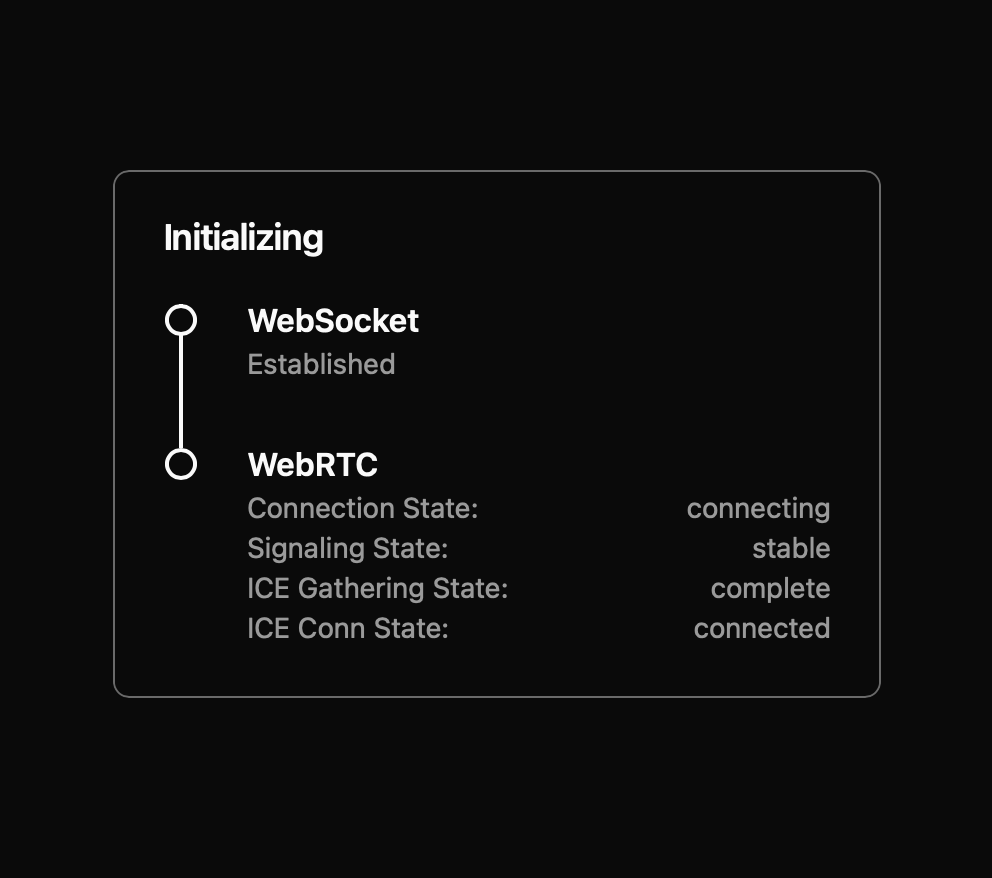
2026/05/15 11:54:15 [rtc] failed to create UDP mux on port 50313: listen udp 192.168.1.136:50313: bind: address already in useI think Caddy is running, as on another pc, when I enter debian.local:8080 I get a black web page with a test box in the middle stating its 'initializing' - Websocket is established, but for WebRTC the connection state: is connecting. The web page title says 'SolidSDR'.
I'm sure my issue is a typo, or that I just don't know enough Linux to see where the problem is!
The server must be running as I can see the radio display on the web browser of the machine running the server when I just type in localhost:8080.
Maybe I'll just wait until this issue of serving the webpage via https is resolved in a later release - as for my use case, I would like to access the radio on machines other than the local one.
Anyway, thanks again for bringing this to fruition - I'm sure I will solve this issue eventually!
Regards,
Ian G4ZJH.
0 -
This is a screen shot of the web page I see on other PC's on my local network:
Ian G4ZJH.
 0
0 -
It sounds like you already have an instance of solid-sdr-server running (otherwise you wouldn't get anything from http://debian.local:8080), and it's just failing to start up a second copy because the port is already being used. If you have Caddy running, you should be able to get to it at https://debian.local (without the :8080, as that will just hit solid-sdr-server directly and not go through Caddy).0
-
SolidSDR v0.1.3 is released!
https://github.com/daveisadork/solid-sdr/releases/tag/v0.1.3
New in this release is the import/export dialog for backing up and restoring radio data.0 -
Right, I've rebooted my Debian box, and checked both caddy and Solid SDR are running without errors.
On this same machine I can access the radio going to localhost:8080.
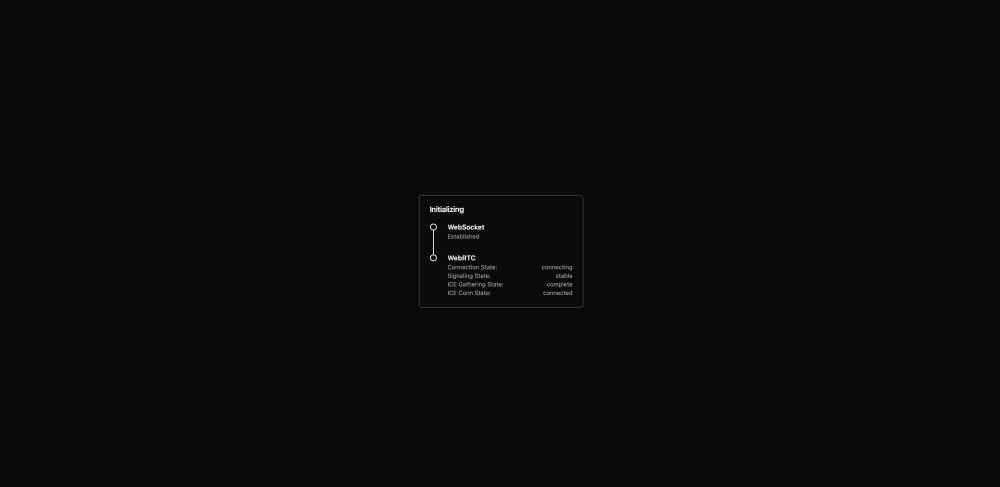
Typing in http://debian.local:8080 on another pc gives me this result:
Typing in https://debian.local:8080 returns this screen:
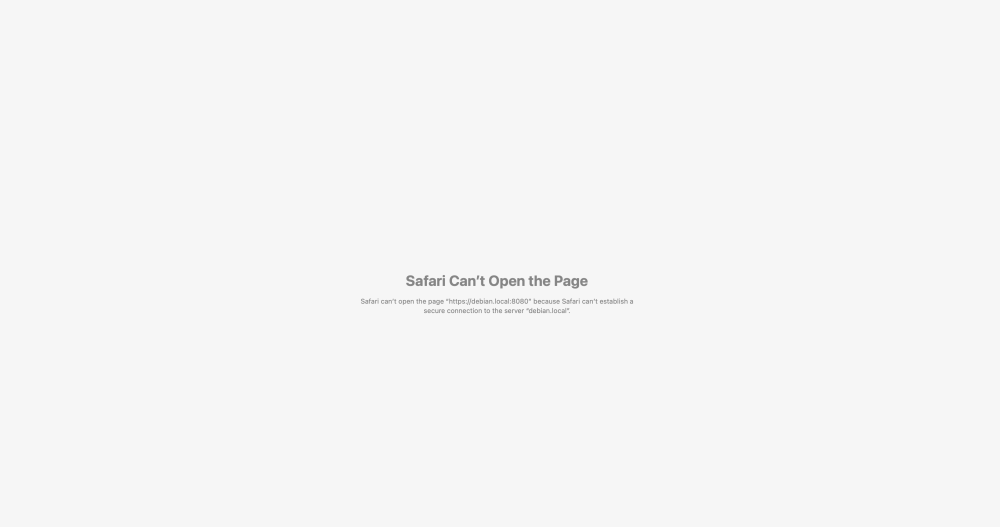
https://debian.local also returns the same screen as above.
I'm at a loss to know what to do next, so unless I discover my error, I'll just have to accept this won't be working for me until you add a way to make serving the page as a https:// built-in, unless anyone out there has managed to get this working for them….I would love to know how you did it!
Regards,
Ian G4ZJH.
0 -
Don't use the :8080, just https://debian.local0
-
unfortunately typing in https://debian.local still returns the same message as https://debian.local:8080
Like I said, I’ll just wait until you have come up with a built-in solution to make this work, or someone else who has made this work, might share their knowledge on this forum.
Ian G4ZJH
0 -
Sorry, I missed that you tried that in your last message. I think you’re close, is caddy running on your Debian machine? Can you share your caddyfile and the terminal output when you run caddy?0
-
Caddy is running on my debian pc, along with Solid SDR.
The caddyfile I'm using is:
debian.local {
reverse_proxy localhost:8080
}
The terminal output when I start caddy is:
ian@debian:~$ caddy start
2026/05/15 15:48:52.342 INFO maxprocs: Leaving GOMAXPROCS=16: CPU quota undefined
2026/05/15 15:48:52.342 INFO GOMEMLIMIT is updated {"GOMEMLIMIT": 26274926592, "previous": 92233720368547
75807}
2026/05/15 15:48:52.343 INFO admin admin endpoint started {"address": "localhost:2019", "enforce_origin"
: false, "origins": ["//localhost:2019", "//[::1]:2019", "//127.0.0.1:2019"]}
2026/05/15 15:48:52.343 INFO serving initial configuration
Successfully started Caddy (pid=37238) - Caddy is running in the background
ian@debian:~$
Ian G4ZJH.0 -
Your caddyfile looks correct, but I think caddy isn’t using it. You may need to explicitly give it the path with:
caddy start --config /path/to/caddyfile0 -
Oh dear…
Now caddy exits with error:
an@debian:~$ caddy start --config /etc/caddy/Caddyfile
2026/05/15 18:19:21.201 INFO maxprocs: Leaving GOMAXPROCS=16: CPU quota undefined
2026/05/15 18:19:21.201 INFO GOMEMLIMIT is updated {"GOMEMLIMIT": 26274926592, "previous": 9223372036854775807}
2026/05/15 18:19:21.201 INFO using config from file {"file": "/etc/caddy/Caddyfile"}
2026/05/15 18:19:21.201 INFO adapted config to JSON {"adapter": "caddyfile"}
2026/05/15 18:19:21.201 WARN Caddyfile input is not formatted; run 'caddy fmt --overwrite' to fix inconsistencies {"adapter": "caddyfile", "file": "/etc/caddy/Ca
ddyfile", "line": 12}
2026/05/15 18:19:21.202 INFO admin admin endpoint started {"address": "localhost:2019", "enforce_origin": false, "origins": ["//[::1]:2019", "//127.0.0.1:2019"
, "//localhost:2019"]}
2026/05/15 18:19:21.202 INFO http.auto_https server is listening only on the HTTPS port but has no TLS connection policies; adding one to enable TLS {"serve
r_name": "srv0", "https_port": 443}
2026/05/15 18:19:21.202 INFO http.auto_https enabling automatic HTTP->HTTPS redirects {"server_name": "srv0"}
2026/05/15 18:19:21.203 INFO tls.cache.maintenance started background certificate maintenance {"cache": "0x2ac184121c00"}
2026/05/15 18:19:21.227 WARN pki.ca.local installing root certificate (you might be prompted for password) {"path": "storage:pki/authorities/local/root.cr
t"}
2026/05/15 18:19:21.227 INFO warning: "certutil" is not available, install "certutil" with "apt install libnss3-tools" or "yum install nss-tools" and try again
2026/05/15 18:19:21.227 INFO define JAVA_HOME environment variable to use the Java trust
[sudo] password for ian:
2026/05/15 18:19:39.458 INFO certificate installed properly in linux trusts
2026/05/15 18:19:39.460 INFO http servers shutting down with eternal grace period
2026/05/15 18:19:39.460 INFO tls.cache.maintenance stopped background certificate maintenance {"cache": "0x2ac184121c00"}
Error: loading initial config: loading new config: http app module: start: listening on :443: listen tcp :443: bind: permission denied
Error: caddy process exited with error: exit status 1
ian@debian:~$
This seems to be going from bad to worse!Where does caddy reside on my machine? Perhaps I should copy the Caddyfile to that location.
0 -
That looks better! You may just need to run with sudo:
sudo caddy start --config /etc/caddy/Caddyfile0 -
Caddy now runs using sudo at the start:
ian@debian:~$ sudo caddy start --config /etc/caddy/Caddyfile
[sudo] password for ian:
2026/05/15 18:55:01.709 INFO maxprocs: Leaving GOMAXPROCS=16: CPU quota undefined
2026/05/15 18:55:01.709 INFO GOMEMLIMIT is updated {"GOMEMLIMIT": 26274926592, "previous": 9223372036854775807}
2026/05/15 18:55:01.709 INFO using config from file {"file": "/etc/caddy/Caddyfile"}
2026/05/15 18:55:01.709 INFO adapted config to JSON {"adapter": "caddyfile"}
2026/05/15 18:55:01.709 WARN Caddyfile input is not formatted; run 'caddy fmt --overwrite' to fix inconsistencies {"adapter": "caddyfile", "file": "/etc/caddy/Caddyfile", "line": 12}
2026/05/15 18:55:01.710 INFO admin admin endpoint started {"address": "localhost:2019", "enforce_origin": false, "origins": ["//localhost:2019", "//[::1]:2019", "//127.0.0.1:2019"]}
2026/05/15 18:55:01.710 INFO http.auto_https server is listening only on the HTTPS port but has no TLS connection policies; adding one to enable TLS {"server_name": "srv0", "https_port": 443}
2026/05/15 18:55:01.710 INFO http.auto_https enabling automatic HTTP->HTTPS redirects {"server_name": "srv0"}
2026/05/15 18:55:01.710 INFO tls.cache.maintenance started background certificate maintenance {"cache": "0x1bae0fd96d80"}
2026/05/15 18:55:01.733 WARN pki.ca.local installing root certificate (you might be prompted for password) {"path": "storage:pki/authorities/local/root.crt"}
2026/05/15 18:55:01.733 INFO warning: "certutil" is not available, install "certutil" with "apt install libnss3-tools" or "yum install nss-tools" and try again
2026/05/15 18:55:01.733 INFO define JAVA_HOME environment variable to use the Java trust
2026/05/15 18:55:02.905 INFO certificate installed properly in linux trusts
2026/05/15 18:55:02.905 INFO http enabling HTTP/3 listener {"addr": ":443"}
2026/05/15 18:55:02.905 INFO http.log server running {"name": "srv0", "protocols": ["h1", "h2", "h3"]}
2026/05/15 18:55:02.905 WARN http HTTP/2 skipped because it requires TLS {"network": "tcp", "addr": ":80"}
2026/05/15 18:55:02.905 WARN http HTTP/3 skipped because it requires TLS {"network": "tcp", "addr": ":80"}
2026/05/15 18:55:02.905 INFO http.log server running {"name": "remaining_auto_https_redirects", "protocols": ["h1", "h2", "h3"]}
2026/05/15 18:55:02.905 INFO http enabling automatic TLS certificate management {"domains": ["debian.local"]}
2026/05/15 18:55:02.905 INFO autosaved config (load with --resume flag) {"file": "/root/.config/caddy/autosave.json"}
2026/05/15 18:55:02.905 INFO serving initial configuration
Successfully started Caddy (pid=86637) - Caddy is running in the background
2026/05/15 18:55:02.907 INFO tls.obtain acquiring lock {"identifier": "debian.local"}
ian@debian:~$
However the web browser on another pc now reports it can't reach the page, saying debian.local server IP address cannot be found. (ERR_NAME_NOT_RESOLVED).I've also tried installing both SolidSDR and Caddy on a windows pc with very similar results, so it must be be doing something wrong. I wish I understood this program Caddy, and the whole concept of configuring it to turn your webservice into a https:// site.
Its been much appreciated Dave you helping me on this, but I feel I'm taking up too much of your time when you could be improving the program, so I'll understand if you want to finish helping me - like i've already said, I can wait until this issue of providing a https:// webpage is made easier, as I'm sure when it is a lot more people will want to use it.
73 Ian G4ZJH.
0 -
my and a buddy built out a similiar system earlier this year with flex, webrtc with google stun and aws turn servers and all,, it worked quite well.
happy to see you've managed to do the same, we got good audio reports even on the opus codec.
well done
0 -
> we got good audio reports even on the opus codec.
Yeah, Opus sound quality is great, latency is low, definitely big kudos to the FlexRadio team for choosing an open standard instead of something proprietary. I originally had a playback implementation using AudioDecoder (since Safari only very recently received Opus support), but performance wasn't really acceptable unless I used a Shared Array Buffer, which requires HTTPS. I tried everything I could think of to avoid the HTTPS requirement knowing it would be a big hurdle for a lot of people, but once it became clear it was unavoidable, and I confirmed the radio's Opus bitstream was directly compatible with WebRTC and vice-versa, that seemed like the obvious path forward.0 -
>However the web browser on another pc now reports it can't reach the page, saying debian.local server IP address cannot be found. (ERR_NAME_NOT_RESOLVED).
>I've also tried installing both SolidSDR and Caddy on a windows pc with very similar results, so it must be be doing something wrong.
It looks like you have things configured correctly (with Caddy), but the name resolution stopped working for some reason. That's puzzling, because it was working before. One thing you could try is using the IP address instead of the hostname, since the resolution seems to be the problem now. Maybe something like:
https://192.168.1.136
Or whatever the IP is for your Debian machine. If that works, then you just need to figure out name resolution on your network.
>I wish I understood this program Caddy, and the whole concept of configuring it to turn your webservice into a https:// site.
Yeah, this stuff can be very confusing. Once it all clicks it seems obvious, but until you have a mental model for what's happening it can be difficult to wrap your head around. The basic idea is that Caddy (or any other "reverse proxy") sits between your browser and solid-sdr-server and handles the HTTPS part. Essentially an HTTPS to HTTP adapter, something like this:
Browser ---HTTPS---> Caddy ---HTTP---> solid-sdr-server
You make your request to Caddy over HTTPS, Caddy then turns around and sends that request to solid-sdr-server. People prefer a setup like this because Caddy can automatically manage the certificate creation and HTTPS configuration for you. Without that, you'd have all the same challenges *plus* figuring out how to get a certificate created and installed, and you'd have to keep it renewed, which is a HUGE pain.
>but I feel I'm taking up too much of your time when you could be improving the program
No, don't worry about that at all. This is very helpful for everyone involved because it can help others that come after you and run into the same problems, and it'll help me when I finally get around to writing more complete documentation. I really appreciate your patience in trying to get it going, I know these things can be frustrating.0 -
"It looks like you have things configured correctly (with Caddy), but the name resolution stopped working for some reason. That's puzzling, because it was working before. One thing you could try is using the IP address instead of the hostname, since the resolution seems to be the problem now. Maybe something like:
Success!!!
Changing the hostname to the IP address works!
Thanks Dave for all your help in getting this to work for me.
Regards,
Ian G4ZJH.
1 -
Outstanding! That confirms you *do* have everything configured correctly as far as Caddy and solid-sdr-server. If you get the name resolution thing figured out, report back in case someone else has that same problem.
Otherwise, let us know how your experience with the app goes (good or bad, I'm grateful for the feedback).0 -
Hi Dave,
Works very well under Ubuntu server 24.04
I will for sure use it!1 -
SolidSDR v0.1.4. is released!
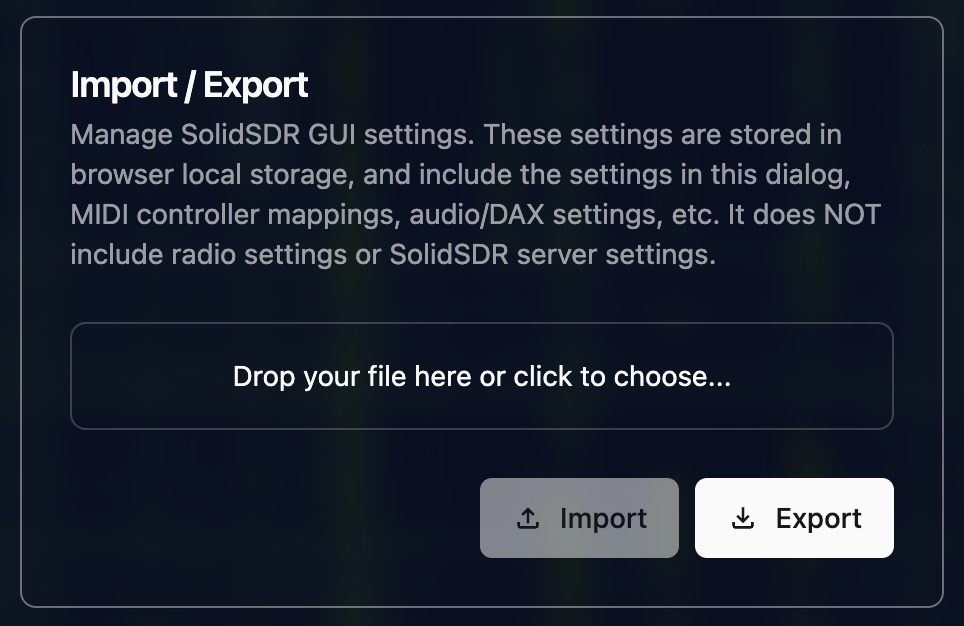
Adds a new import/export section to the app settings dialog
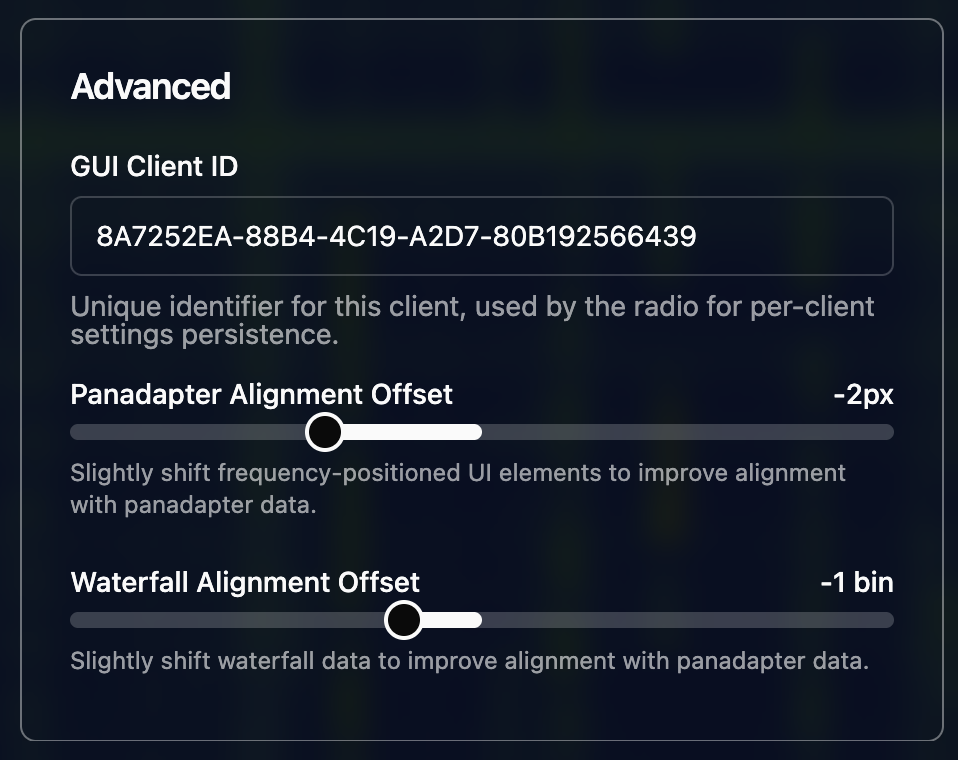
Adds a new "Advanced" section to the app settings dialog
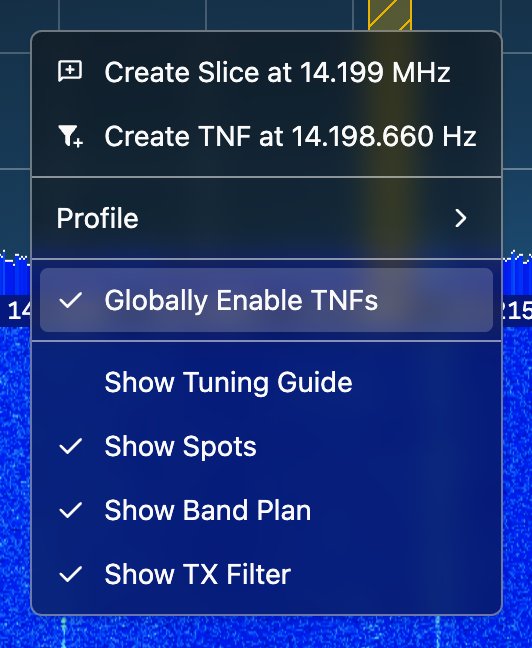
Adds a global TNF toggle to the panafall context menu
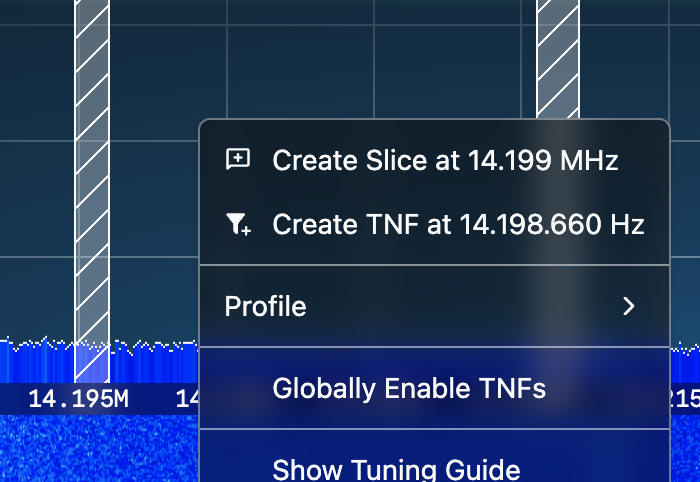
TNFs are now rendered with a distinct color when globally disabled.
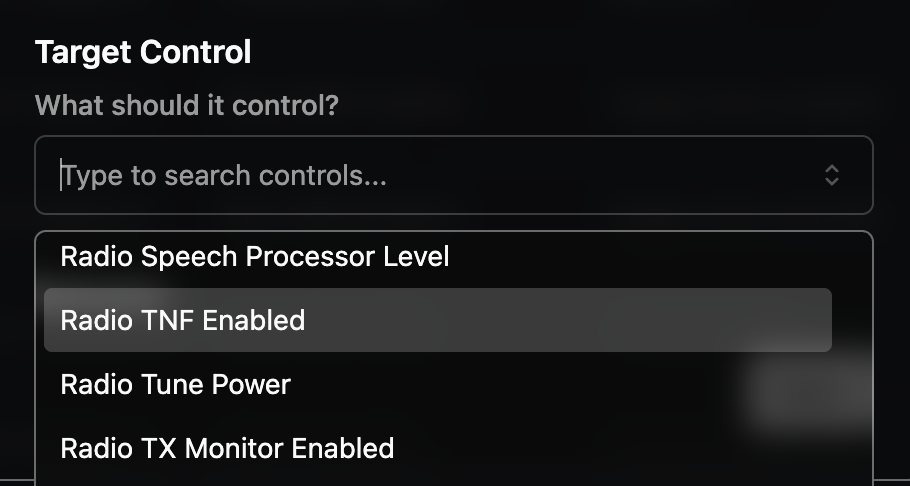
It's now possible to control TNF enablement with a MIDI controller.
 1
1 -
New in this version is some error messaging around Secure Contexts:
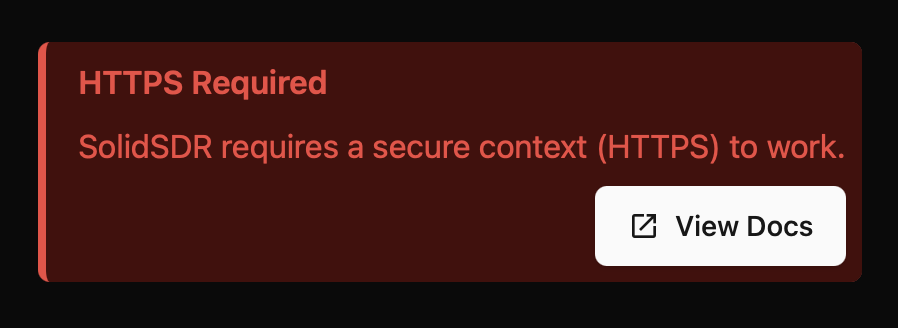
The message includes a link to the new Wiki pages:
73, Dave KF0SMY
0 -
New in this version is a notification when a new version is released:
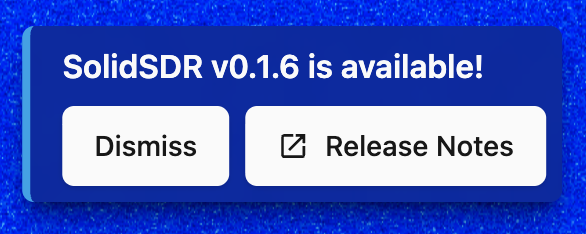
As well as a new "About SolidSDR" card in the App Settings dialog, which reports the client and server versions, and contains links to license information and the project page. New release notifications will also appear here when a new version is available:
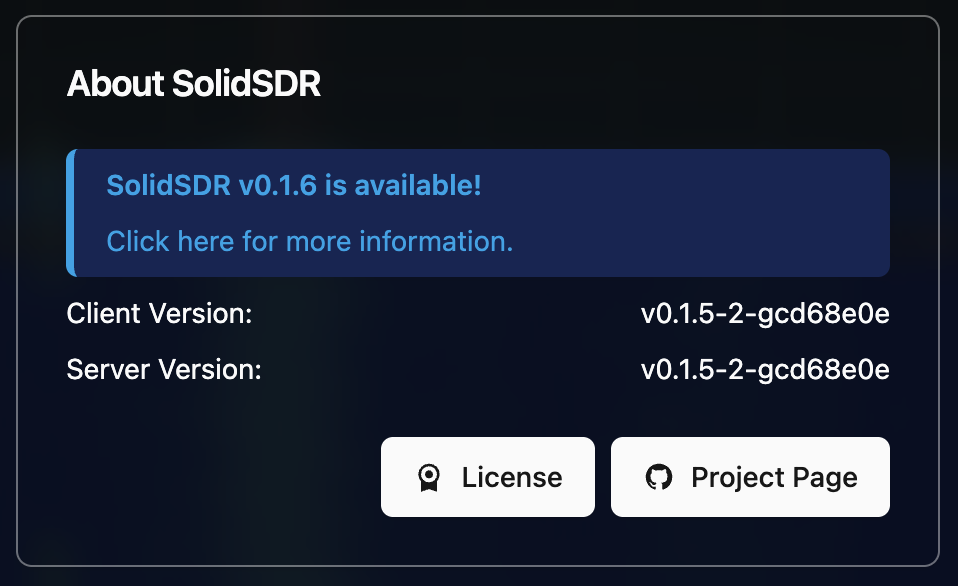
Since new release notifications now live in the app, going forward I won't repost release notifications here unless there are large new features or big changes.
1 -
Thanks for your development efforts. I have been enjoying the Solid-SDR web interface. I have the DAX audio working with WSJT-X, but cannot find any information on CAT control settings. Has CAT been implemented yet, and if so, where do I find it?
0


Leave a Comment
Categories
- All Categories
- 401 Community Topics
- 2.2K New Ideas
- 689 The Flea Market
- 8.6K Software
- 196 SmartSDR+
- 6.6K SmartSDR for Windows
- 200 SmartSDR for Maestro and M models
- 460 SmartSDR for Mac
- 279 SmartSDR for iOS
- 268 SmartSDR CAT
- 220 DAX
- 395 SmartSDR API
- 9.6K Radios and Accessories
- 109 Aurora
- 348 FLEX-8000 Signature Series
- 7.2K FLEX-6000 Signature Series
- 999 Maestro
- 58 FlexControl
- 872 FLEX Series (Legacy) Radios
- 975 Genius Products
- 482 Power Genius XL Amplifier
- 358 Tuner Genius XL
- 135 Antenna Genius
- 321 Shack Infrastructure
- 226 Networking
- 483 Remote Operation (SmartLink)
- 145 Contesting
- 847 Peripherals & Station Integration
- 147 Amateur Radio Interests
- 1.1K Third-Party Software