SmartSDR v4.1.5 | SmartSDR v4.1.5 Release Notes
SmartSDR v3.10.15 | SmartSDR v3.10.15 Release Notes
The latest 4O3A Genius Product Software:
The latest 4O3A Genius Product Software and Firmware
If you are needing assistance with FlexRadio products, please refer to the product documentation or check the Help Center for known solutions. Need technical support from FlexRadio? It's as simple as creating a HelpDesk ticket.
SmartSDR v4.2 - New features
Comments
-
As long as people actually read the release notes, etc. It shouldn't be. :)
A HUGE amount of our support cases are for items that were previously published but the person never took a moment to review the notes. It is very typical of the way the world is today and why so many things are kept at the KISS level.
1 -
I got my -60 dB RF sampler from CleanRF.com today.
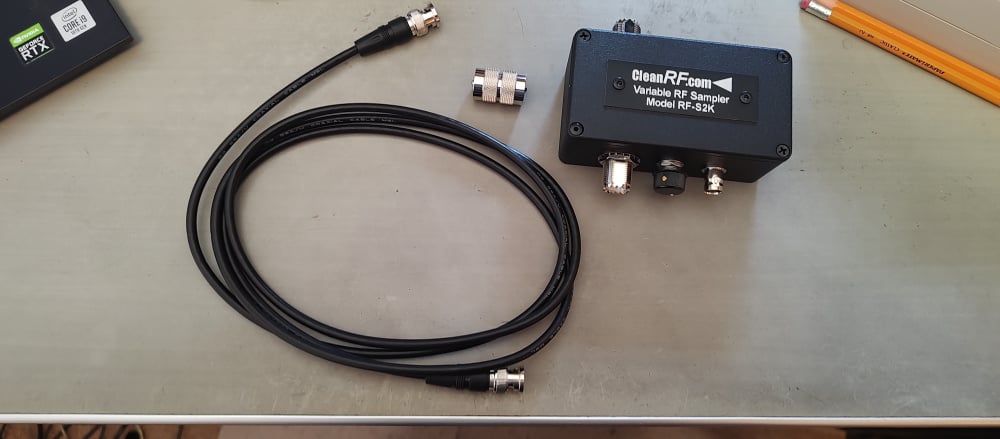
I ordered it on Thursday afternoon and it got here today (Monday).
I have it all hooked up to my KPA 500 amp and the tap to RXA. I put the rig in FDX and looked at my sig on RXA in a separate panadapter. It all looks great, so now I am ready for 4.2.18 to try the new APD (external) version.
0 -
Mike, how often does that happen? Let us know how your day goes tomorrow.
James
WD5GWY
0 -
From Tim's comment on removing old versions on the Maestro, I have this question. This weekend I want to operate the New England QSO party contest. I will use a remote 8600 running 4.1.5.
If I update my home 8600 to 4.2.18 and use the Maestro with the home Flex, will that cause the old versions on the Maestro to be deleted so that I can't use the Maestro with the remote 8600 on 4.1.5?
73 de K1ESE
John
0 -
So I'm a little unclear. how do we uninstall things on the 8400M? Or do we have too? Will it be as usual where it shows up in the startup, and select the update and the update will remove and install the 4.2??
Jeff
0 -
Only uninstall SmartSDR in Windows. The radio and M panel updates are as usual. This document covers everything.
https://helpdesk.flexradio.com/hc/en-us/articles/49065021252635-How-to-Install-SmartSDR-v4-2-18
Specific M version information is at the bottom.
0






Leave a Comment
Categories
- All Categories
- 391 Community Topics
- 2.2K New Ideas
- 665 The Flea Market
- 8.4K Software
- 161 SmartSDR+
- 6.5K SmartSDR for Windows
- 189 SmartSDR for Maestro and M models
- 444 SmartSDR for Mac
- 275 SmartSDR for iOS
- 265 SmartSDR CAT
- 207 DAX
- 387 SmartSDR API
- 9.5K Radios and Accessories
- 65 Aurora
- 304 FLEX-8000 Signature Series
- 7.2K FLEX-6000 Signature Series
- 978 Maestro
- 58 FlexControl
- 868 FLEX Series (Legacy) Radios
- 951 Genius Products
- 474 Power Genius XL Amplifier
- 348 Tuner Genius XL
- 129 Antenna Genius
- 308 Shack Infrastructure
- 216 Networking
- 472 Remote Operation (SmartLink)
- 143 Contesting
- 824 Peripherals & Station Integration
- 145 Amateur Radio Interests
- 1.1K Third-Party Software