SmartSDR v4.1.5 | SmartSDR v4.1.5 Release Notes
SmartSDR v3.10.15 | SmartSDR v3.10.15 Release Notes
The latest 4O3A Genius Product Software:
The latest 4O3A Genius Product Software and Firmware
If you are needing assistance with FlexRadio products, please refer to the product documentation or check the Help Center for known solutions. Need technical support from FlexRadio? It's as simple as creating a HelpDesk ticket.
Where did my waterfall go? (8600M)

Did I clik something wrong somewhere? My waterfall is gone !!
Best Answers
-
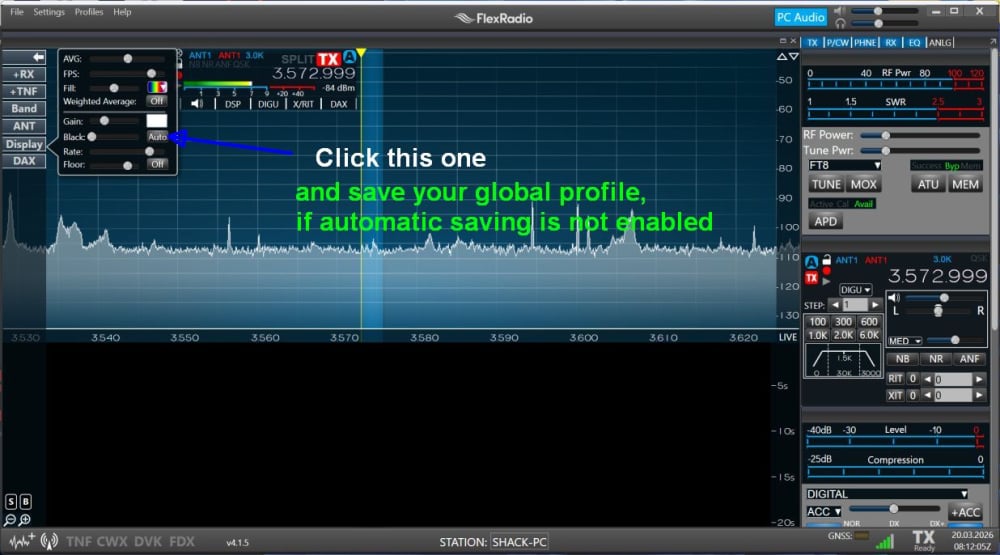
Then you get this
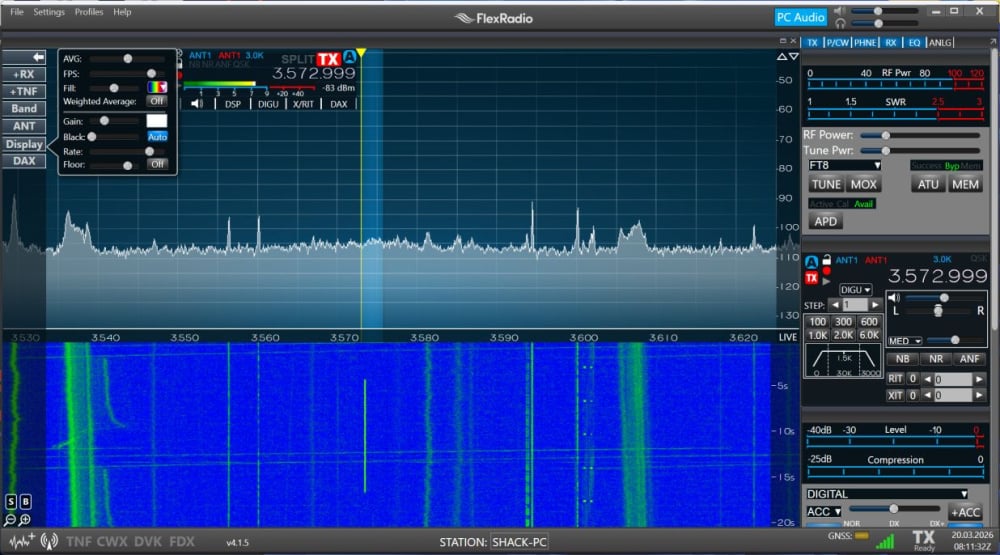
73 Klaus, DF3RP
0 -
Hello Eben,
please read the manual on page 105 to 106 or have a look at the video in the zip file.
The description may sometimes differ from the current version, but it's at least helpful.73 Klaus
0


Answers
-
Is this on SmartSDR or on the front panel?
Can you post a screenshot or picture of what you are seeing?
0 -
I'm guessing you didn't refill the water tank. hihi 😅
Sorry about that, but I just couldn’t resist
In SmartSdr, you may have moved the divider line too far down.
In the "M" model screen, go to the display. Above “Floor,” you'll find a slider labeled “Auto”
Click it, and your waterfall should reappear.
73 Klaus0 -
I rebooted completely and restarted SDR a few times and finally gave up and went to bed. This morning when I turned the radio on it was working. So who knows. I was fiddling with a lot so probably did and undid it moving the floor down possibly the issue.
Next I want to learn about filters and rejedcting noise etc.
0 -
Well darn. I minimized the SDR tonight to work on a net and other software logging same, when I went back to the radio the darned waterfall was gone again. yikes. I will try to send a pic if that helps.
0 -
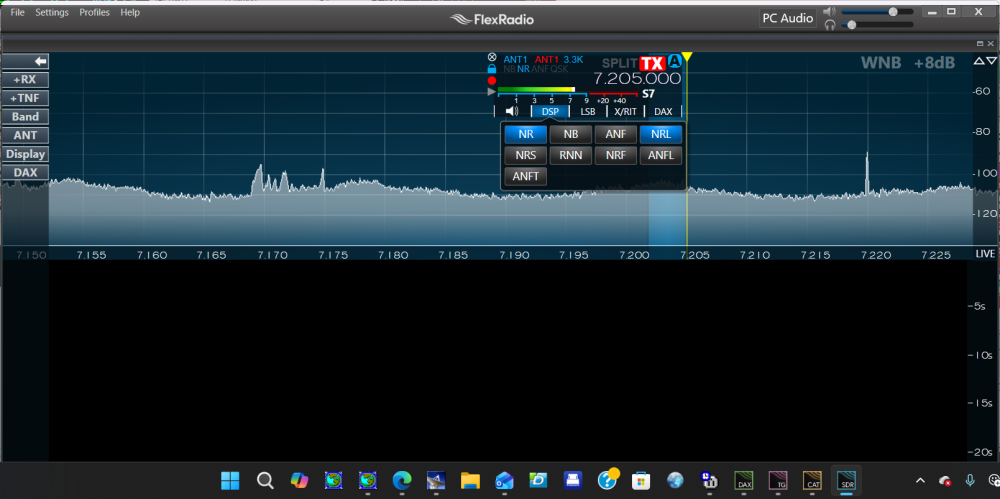 0
0 -
Ahhhh. putting it in AUTO did it. Tnx. Still wonder how/why it turned off.
I was looking for a preamp but never figured one out. Any clue?
0


Leave a Comment
Categories
- All Categories
- 388 Community Topics
- 2.2K New Ideas
- 658 The Flea Market
- 8.4K Software
- 156 SmartSDR+
- 6.5K SmartSDR for Windows
- 186 SmartSDR for Maestro and M models
- 439 SmartSDR for Mac
- 275 SmartSDR for iOS
- 265 SmartSDR CAT
- 204 DAX
- 386 SmartSDR API
- 9.4K Radios and Accessories
- 52 Aurora
- 297 FLEX-8000 Signature Series
- 7.2K FLEX-6000 Signature Series
- 970 Maestro
- 58 FlexControl
- 866 FLEX Series (Legacy) Radios
- 944 Genius Products
- 471 Power Genius XL Amplifier
- 347 Tuner Genius XL
- 126 Antenna Genius
- 306 Shack Infrastructure
- 215 Networking
- 468 Remote Operation (SmartLink)
- 142 Contesting
- 811 Peripherals & Station Integration
- 144 Amateur Radio Interests
- 1.1K Third-Party Software