SmartSDR v4.1.5 | SmartSDR v4.1.5 Release Notes
SmartSDR v3.10.15 | SmartSDR v3.10.15 Release Notes
The latest 4O3A Genius Product Software:
The latest 4O3A Genius Product Software and Firmware
If you are needing assistance with FlexRadio products, please refer to the product documentation or check the Help Center for known solutions. Need technical support from FlexRadio? It's as simple as creating a HelpDesk ticket.
ANT lights stay red.

I have taken the tuner and amp out and have a line direct to the antenna and it still shows as red on the pc. It isnt getting any signal in or out that I can tell. sound is thru the front of the 8600M.
Is there a switch to flip or button to push or software thingee I need to tweek to make my new puppy bark? Ive been digging in the manual and dont find such.
I bought this in Nov, just this last week got it out of the box. (long story, hospital twice, help getting hamshack setup, life… etc). I sure want to hear it going !
Comments
-
Hi Ruarto… I'm assuming that when you say the '…ant light is red..' you are referring to the ANT identifiers on the Slice Flag
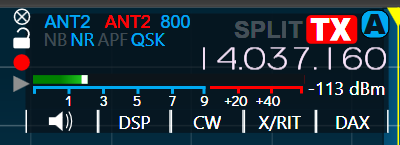
Or the entry in the menu on the right side of the screen
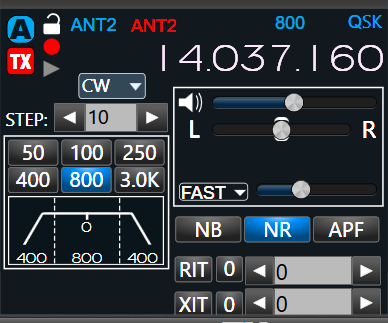
If so, these are simply identifying which antenna has been selected for Transmitter (TX) output. In the case above, I use ANT2 for both Receive (blue) input and Transmit (red) ouput. It is possible (and sometimes I do that as well) to select a different antenna for input or output.
Is that what you are referring to???
As far as not getting any power out, how are you determining that? Is there nothing showing on the RF Pwr meter when you transmit? Have you tried trying to transmit into a dummy load?
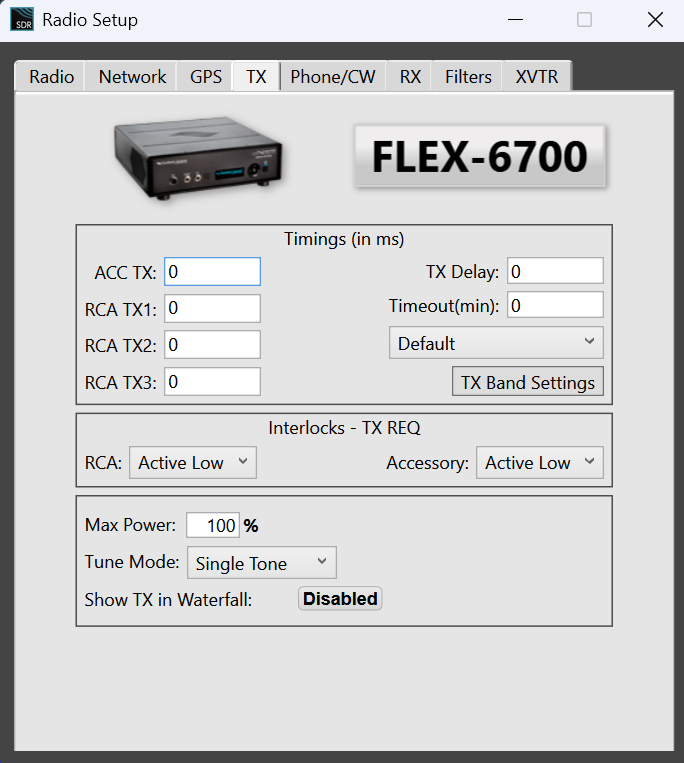
Under Settings/Radio Setup/TX tab, what is Max Power set to?
Also, what is the RF Power slider set to on the side panels?
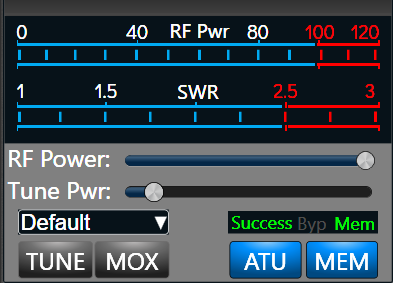
As in mine, it should be all the way to the right.
0 -
Those must be shots of computer screen not radio. I dont know how to show you my screen, but a friend that has a older version thinks he can help. We are going to do video chat and see if that helps/
Is there a way to make the pc screen match the screen of the flex?
0 -
He had something come up. Ive fiddled more, not heard any sign of any station
0 -
/.Yes, I have a 'non-M' radio (one of the older ones) so I can only show you screenshots of the PC screen. However, many of the elements look very much the same on the screen of the M radios.
Perhaps one of our more seasoned forum patrons :-) with an M unit could show/explain how what I've shown works on the radio's screen — where things are located, etc.
0 -
Ruarto, could you take a photo of the display of your 8600M using your phone and attach the photo here?
1 -
Ruarto,
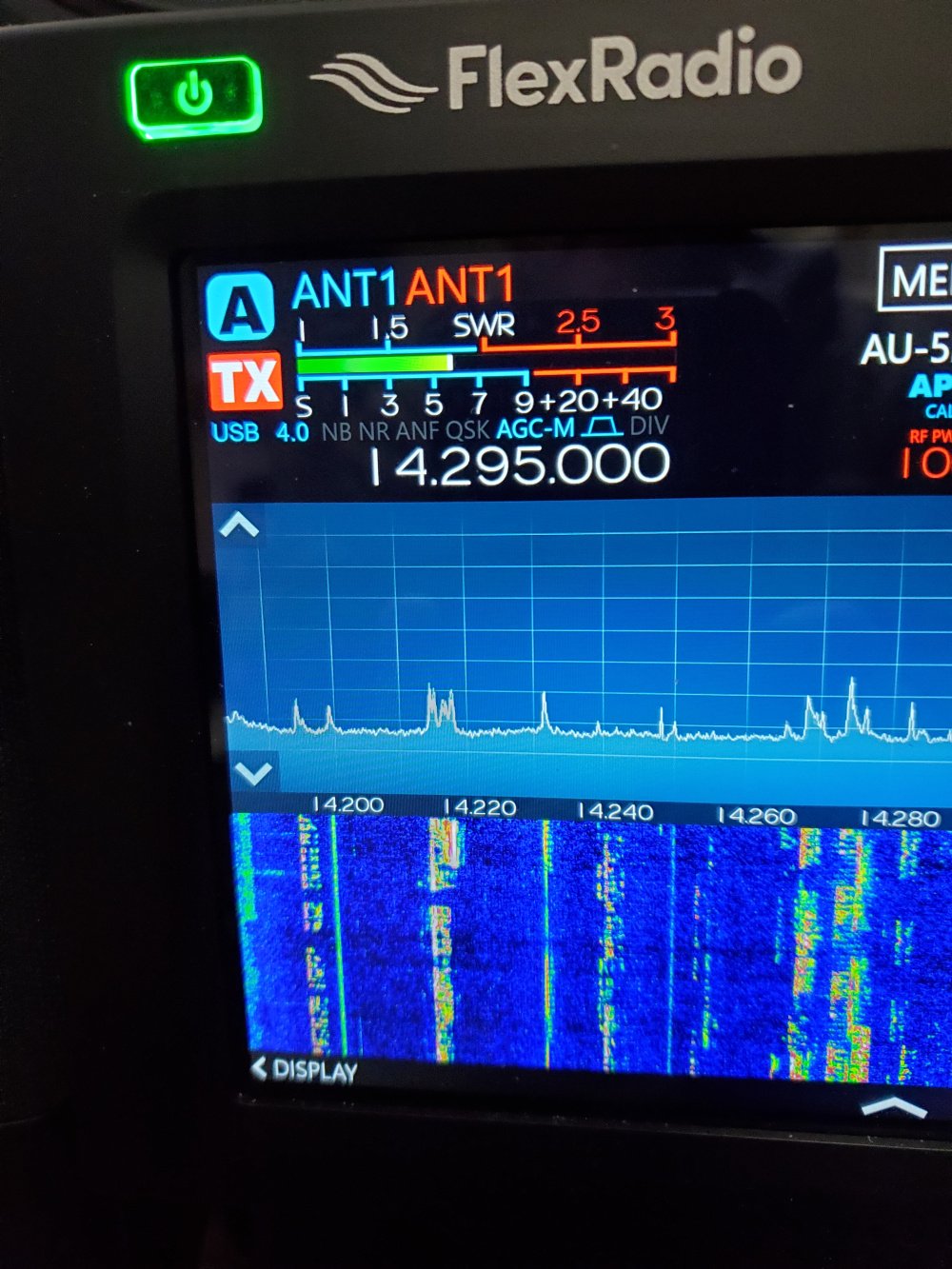
This is what your main screen should look like.
 1
1 -
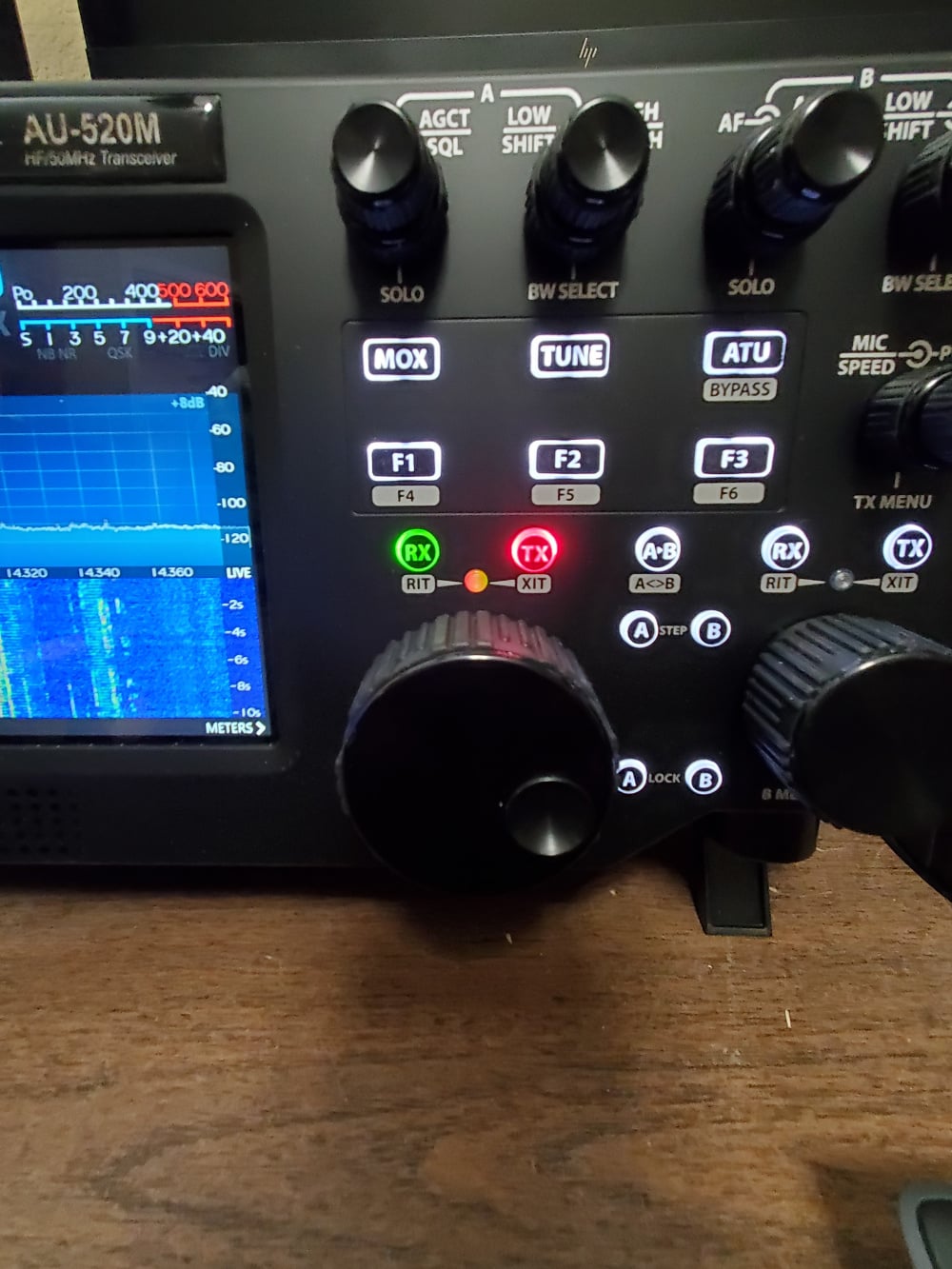
And the buttons above the main vfo knob should look like this:
 0
0 -
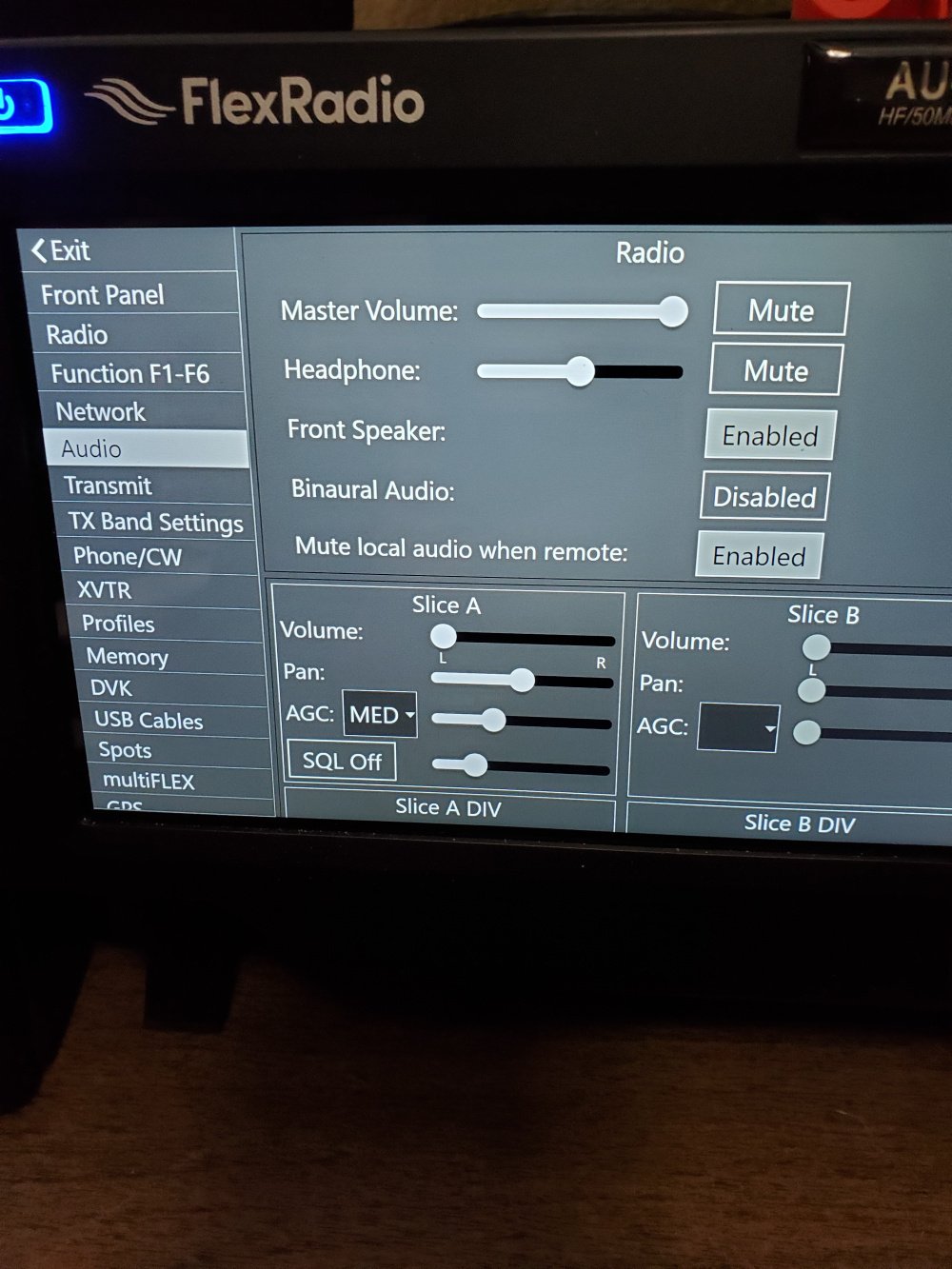
Under the Menu tab at the top of the screen on your radio, touch it and then touch Audio. You should see the below screen if the Front Speaker line has Disabled in White letters, you won't get Audio out of the front Speaker. If it shows Enabled ( black letters, white background) then you should have sound coming out of the front Speaker.
 0
0 -
I am getting sound out of the front speaker on the 8600M, just static.
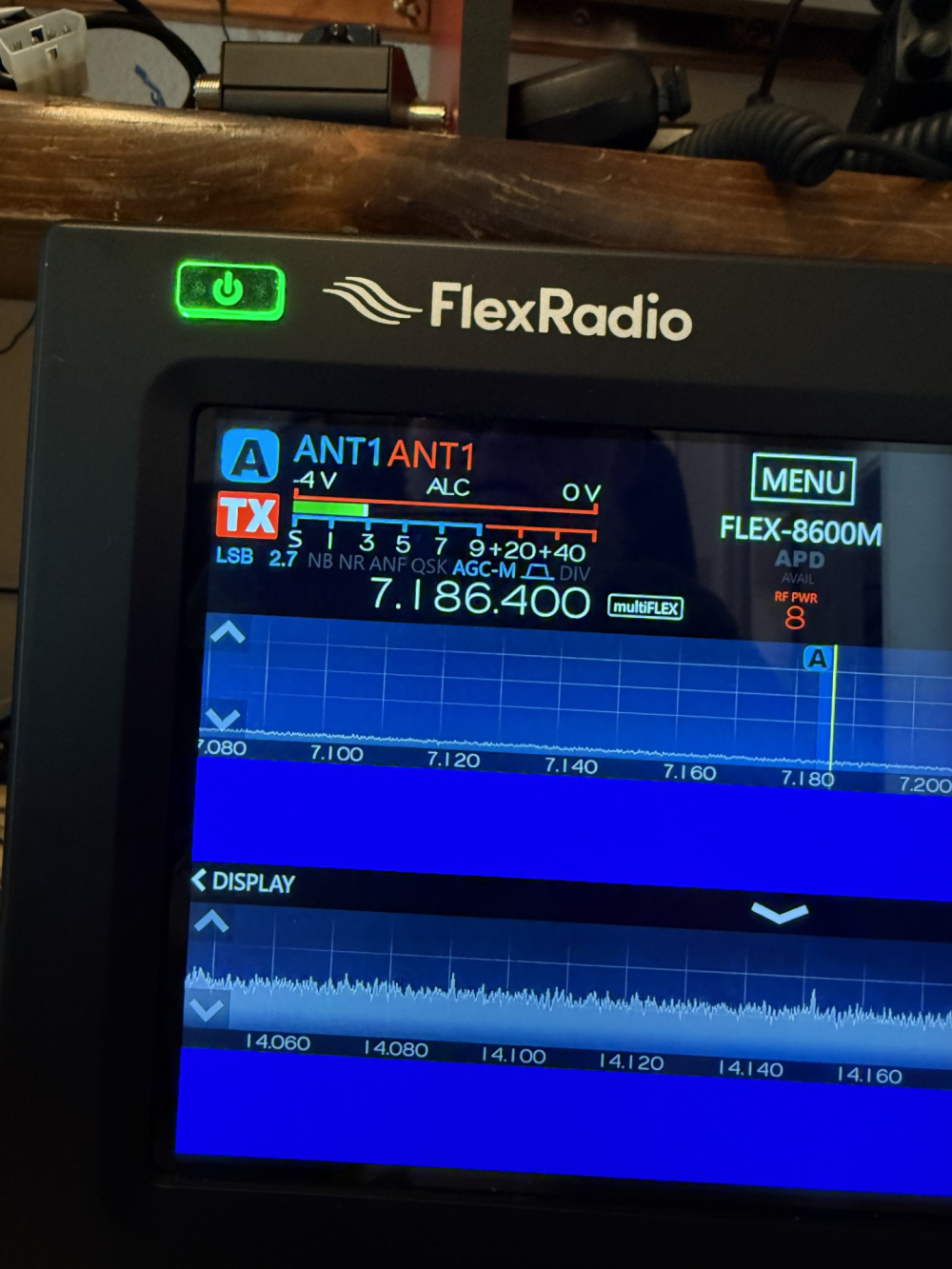
Your pictures are just what I see EXCEPT, no waterfall, no signals showing. Its as if the antenna didnt exist. I put 50 Ohme dummy on 2 got same, zippo. Do you think its possibly not connected inside the case or something?
ALSO… if I fire up the pc why doesnt that screen match the radio? At least show the same freq. They dont seem linked right either. On the pc 3 things installed, all v 4.15 SDR, CAT and DAX.
SDR brings up screens etc looks appropriate and similar to the radio,but doesnt do anything much to radio that I can tell. It sees the SN and name etc. has a setup I can get to, but otherwise inactive. DAX and CAT dont open anything that I can see.
0 -
 0
0 -
When you run SmartSDR on your computer it doesn't come up on the same settings, including band,mode and other settings unless you left both the radio and SmartSDR on the pc on the same band when you last shutdown. Flex Radio calls the radios, a "radio server ' and it act just like a server on a network. The only difference is the Flex Radio server can only handle two clients at one time. ( Front panel and a pc running SmartSDR, or two pc's running SmartSDR with the front panel disconnected from SmartSDR on the pc) SmartSDR on the radio and the pc are not linked. So, one doesn't mirror the other.
I think you need to download the SmartSDR manual and the Hardware manual for your radio and spend some time just getting the basics going.
James
WD5GWY
0 -
Does your front screen look exactly like this?
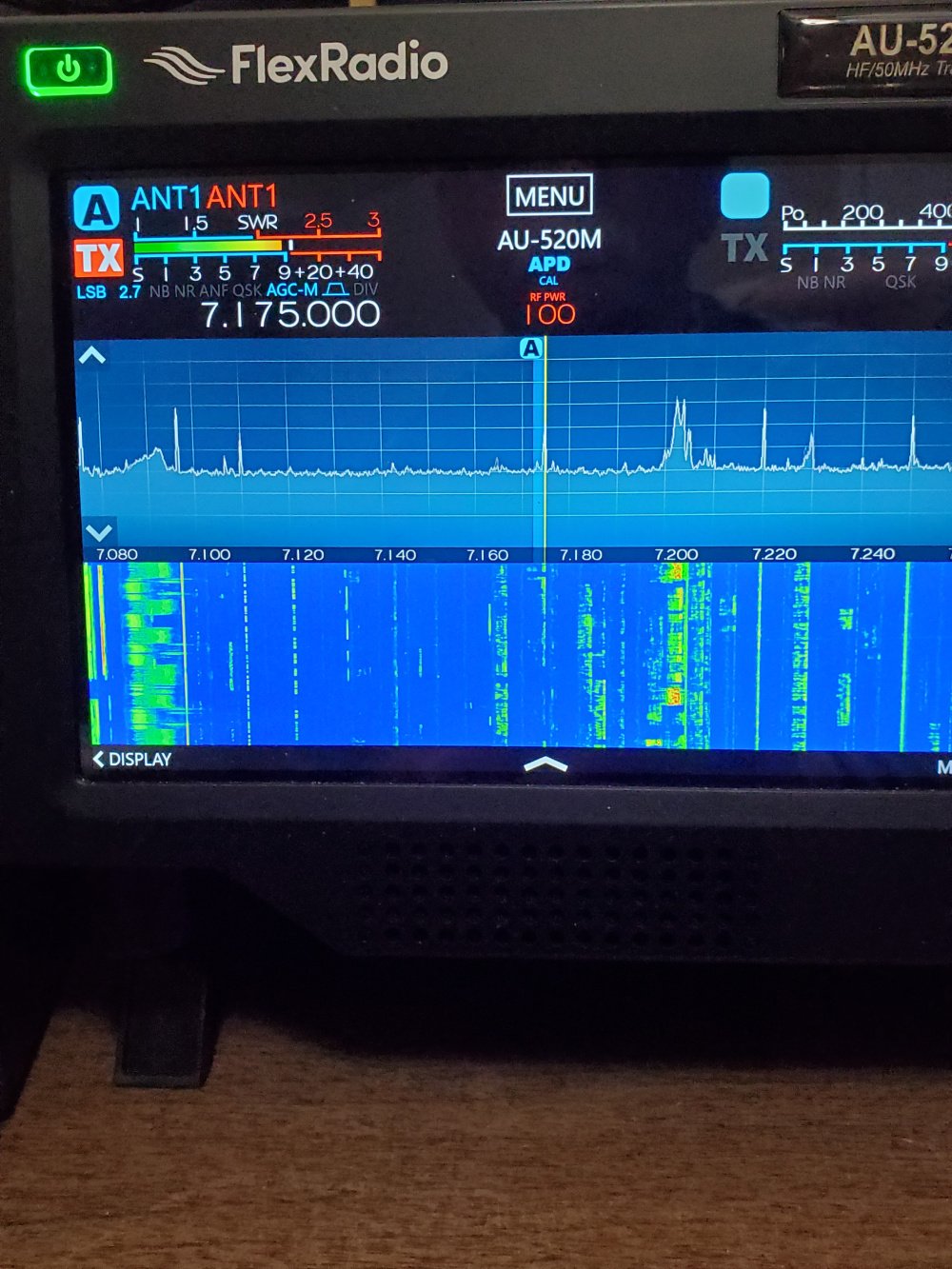
The Antenna selection should be for the same Antenna unless you are using two different antennas. One for receive and the other for transmit.
0 -
Ruarto,
You mentioned you have an amp and a tuner so I assume you have another radio? Can you confirm the antenna is presenting a signal to the other radio to eliminate that as an issue?
1 -
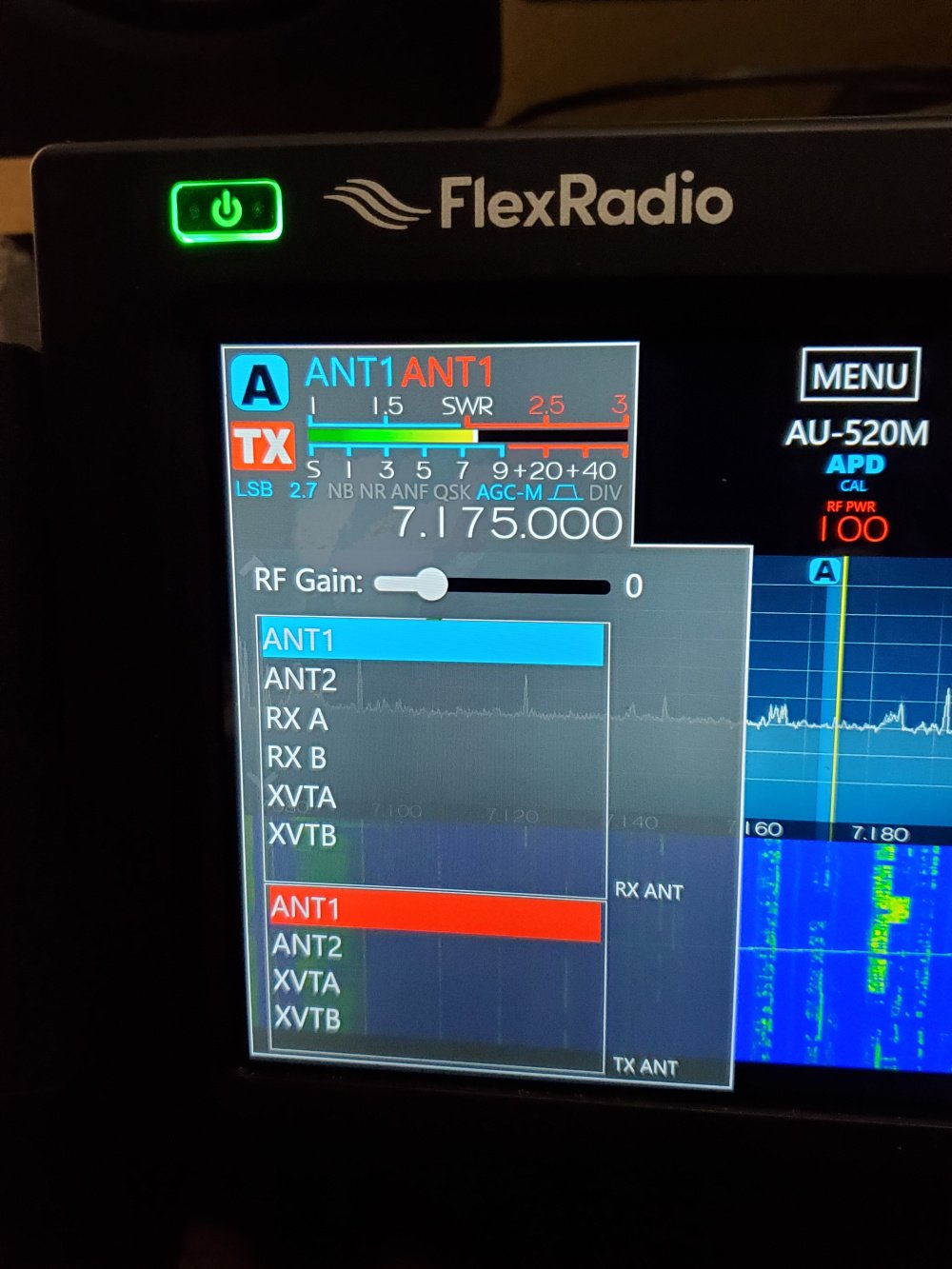
Connect your coax to the Antenna 1 connection on the rear of the radio. Then, touch the area at the top above the frequency display and above the meter. Just barely under the edge of the case edge around the display panel. You should get the big menu to select the transmit and receive Antenna inputs. Make sure that they are the same. Ant1 in Blue ( receive selection), Ant1 in Red ( Transmit selection) .
In addition to this, make sure that the Antenna you are using is setup for the band you are using. If all else fails, go to Flex Radio's website and open a Help Desk ticket. They will be able to determine if there is a problem with the radio itself or a hardware/software configuration problem.
James
WD5GWY
0 -
The reason the PC and panel don't track is that Flex versions 3 and above allow Multiflex, with the radio allowing two separate entities (operators, PC and panel or two PC's or panel and a Maestro) to operate the radio. Example - PC listening on slice 1 and another PC (or panel or a Maestro) to operate on slice 2.
0 -
I can get ant 1 on both red and blue (send/recv) but never get a waterfall. I have all other equip out of theloop right now. ant to radio period.
0 -
Help Desk ticket time.
James
WD5GWY
0 -
Ruarto,
Please forgive the suggestion, but are you absolutely sure the antenna is fully connected to the coax you are attaching to the 8600? Have you tried another radio to eliminate the antenna itself as a problem?1



Leave a Comment
Categories
- All Categories
- 388 Community Topics
- 2.2K New Ideas
- 658 The Flea Market
- 8.4K Software
- 156 SmartSDR+
- 6.5K SmartSDR for Windows
- 186 SmartSDR for Maestro and M models
- 439 SmartSDR for Mac
- 275 SmartSDR for iOS
- 265 SmartSDR CAT
- 204 DAX
- 386 SmartSDR API
- 9.4K Radios and Accessories
- 53 Aurora
- 297 FLEX-8000 Signature Series
- 7.2K FLEX-6000 Signature Series
- 970 Maestro
- 58 FlexControl
- 866 FLEX Series (Legacy) Radios
- 944 Genius Products
- 471 Power Genius XL Amplifier
- 347 Tuner Genius XL
- 126 Antenna Genius
- 306 Shack Infrastructure
- 215 Networking
- 468 Remote Operation (SmartLink)
- 142 Contesting
- 811 Peripherals & Station Integration
- 144 Amateur Radio Interests
- 1.1K Third-Party Software