SmartSDR v4.1.5 | SmartSDR v4.1.5 Release Notes
SmartSDR v3.10.15 | SmartSDR v3.10.15 Release Notes
The latest 4O3A Genius Product Software:
The latest 4O3A Genius Product Software and Firmware
If you are needing assistance with FlexRadio products, please refer to the product documentation or check the Help Center for known solutions. Need technical support from FlexRadio? It's as simple as creating a HelpDesk ticket.
SmartSDR Mac - Work with Aurora?

Answers
-
You will need to email him directly as he does not monitor the community.
However, I have used the current version with a test unit and it worked fine other than the watt meter was for only 100 watts (not 600 watts as in SmartSDR).
73
0 -
Received my AU520 today. Working well with PC and Mac versions of SmartSDR.
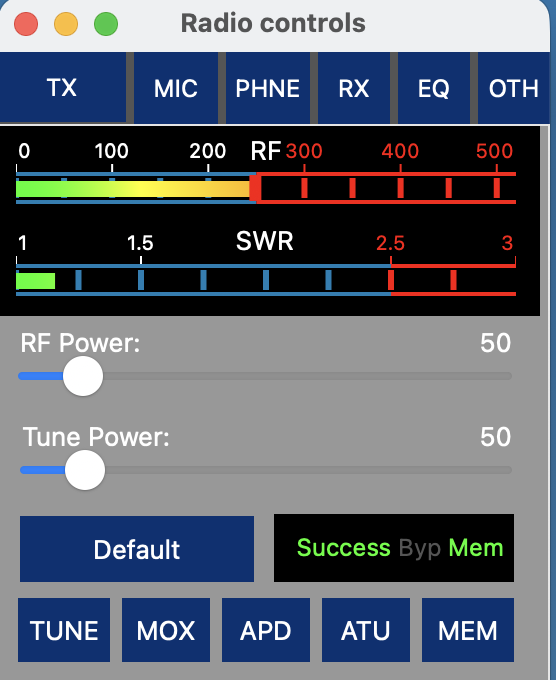
The power meter in the Mac version needs to be expanded for 500 watts. Operating at full power it pins. Setting the RF Power to 20% the power meter indicates 100 watts on SSB peaks
Setting the Tune slider to 10% shows 50 watts which makes sense.
1 -
I see the same thing. I hope Marcus will give us an update soon.0
-
I don't know exactly what caused my 520M to go whacko but it happened after I saved a RTTY transmit and global profile from Macos Smartsdr. When I turned on the radio the next day, no PTT, no tx audio. I rebooted the radio - no waterfall. Tried again - same. Factory reset radio. The radio didn't return to normal until I turned power off on the back panel and waited awhile before turning it back on again. Other symptoms noted were no ATU function and no receive audio. I had to use the main power switch a couple of times before it returned to normal. Marcus does state Aurora is not supported. (However, I did have a good RTTY QSO.)
0 -
Got this SmartSDR update today….
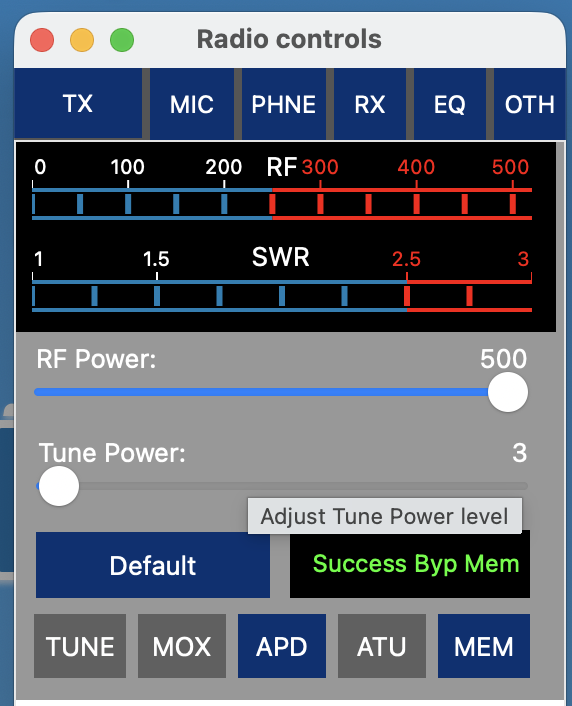
Also says he added WSPR!
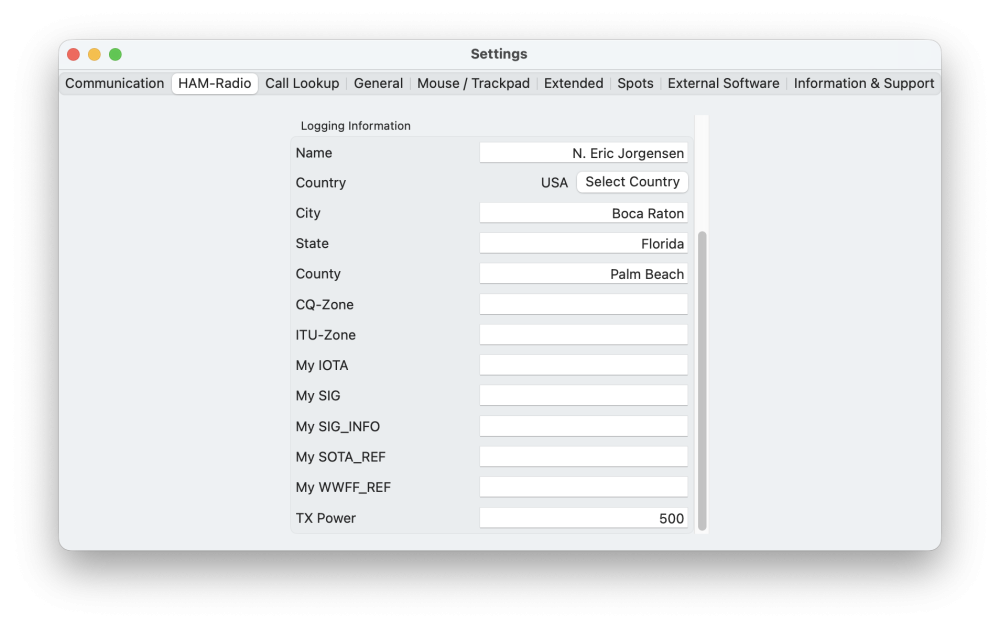
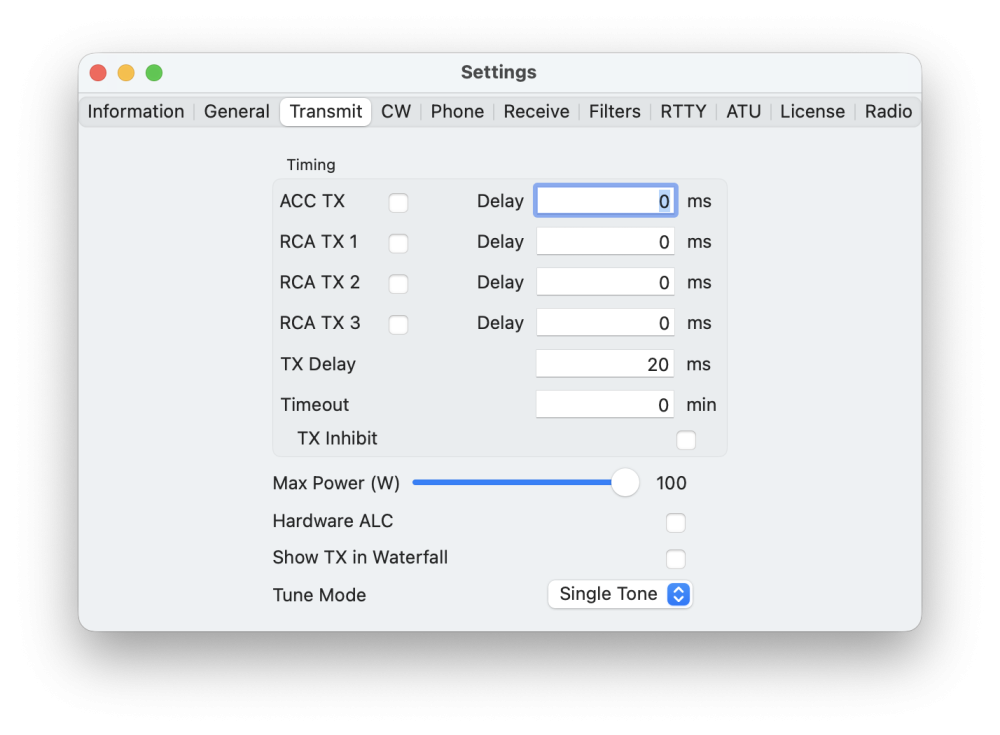
But I am not sure it is working properly, or else I do not understand. Setting the power on the power slider to 500 watts, as soon as I transmit it changes to 100 watts, but the power meter indicates transmitting at 500+ watts.
I did set the TX Power in Settings > Ham Radio to 500 watts, and also tried to set it to 500 in the TX Band Settings, but it will not allow setting to higher than 100. Perhaps this is in percent not power?
 0
0 -
The power slider is in 100%, not wattage. I am not sure on the Settings menu and maybe that should not displayed in wattage. You may wish to check with Marcus.
0 -
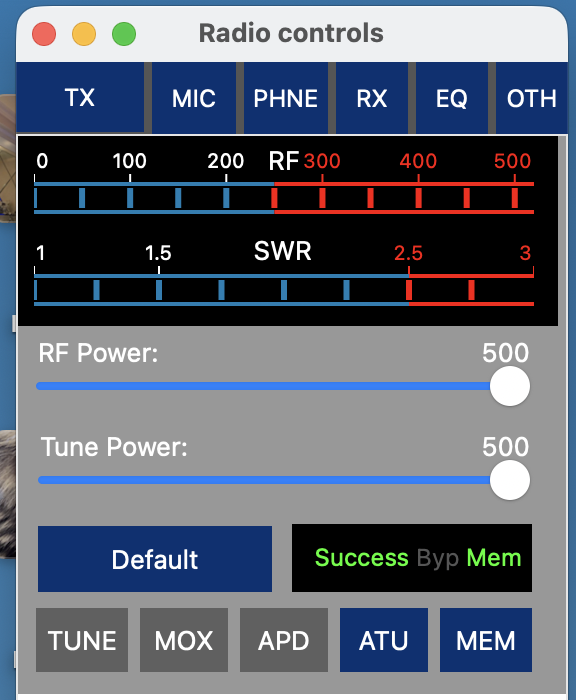
If it is in percent, it goes to 500%!
 1
1 -
It does seem to work in percent up to 100, but why it then goes on to 500 is strange to me.
Sliding Tune Power from zero to 100 gives a uniform and linear increase up to 500 watts on the output meter, continuing from 101 to 500 does not increase output power.
Perhaps the power setting in "Settings" is just informational?
 0
0



Leave a Comment
Categories
- All Categories
- 390 Community Topics
- 2.2K New Ideas
- 664 The Flea Market
- 8.4K Software
- 157 SmartSDR+
- 6.5K SmartSDR for Windows
- 186 SmartSDR for Maestro and M models
- 441 SmartSDR for Mac
- 275 SmartSDR for iOS
- 265 SmartSDR CAT
- 206 DAX
- 386 SmartSDR API
- 9.5K Radios and Accessories
- 58 Aurora
- 297 FLEX-8000 Signature Series
- 7.2K FLEX-6000 Signature Series
- 974 Maestro
- 58 FlexControl
- 867 FLEX Series (Legacy) Radios
- 946 Genius Products
- 473 Power Genius XL Amplifier
- 347 Tuner Genius XL
- 126 Antenna Genius
- 308 Shack Infrastructure
- 216 Networking
- 470 Remote Operation (SmartLink)
- 142 Contesting
- 816 Peripherals & Station Integration
- 144 Amateur Radio Interests
- 1.1K Third-Party Software