SmartSDR v4.1.5 | SmartSDR v4.1.5 Release Notes
SmartSDR v3.10.15 | SmartSDR v3.10.15 Release Notes
The latest 4O3A Genius Product Software:
The latest 4O3A Genius Product Software and Firmware
If you are needing assistance with FlexRadio products, please refer to the product documentation or check the Help Center for known solutions. Need technical support from FlexRadio? It's as simple as creating a HelpDesk ticket.
Save power setting for individual slices.

Could we have a facility to remember the power setting for each individual slice.
I use my Flex6600M on 144Mhz with a Q5 transverter, I use a solid state PA for Meteor Scatter/FT8 and other digi modes utilising 2 slices. I also have 2 slices open, 1 on the calling channel and 1 on my local repeater, a total of 4 slices at once.
If I change from slice A (Meteor Scatter) with a power setting at 52, which gives me 400w output, when I change to slice D (Local Repeater) if the setting remains at 52 I get well over 400w NFM into my local repeater. Currently the only way is to manually adjust the power down to 15-20 to give me 50w output, sometimes the old grey matter forgets and the repeater gets 500w.
Comments
-
Peter,
You should be able to this using profiles. Global, Transmitter and Mic.
Roughly, try this:
- Set for MSK144 and FT8 on 2M in DIGIU (both are in the same mode group)
- Set all your mic, drive, bandwidth, filters, etc.
- DAX ON
- Create a Transmitter profile after you are all setup. Call it something like 2M-DIGU
- Create a MIC profile - Digital so you can use it on other bands
- Now, once you are happy, save it all as a Global Profile - 2M-Digital as example.
Next, repeat all the above for 2M FM
- Mode NFM
- Power, offset, CTCSS, etc
- Mic settings
- DAX OFF
- Save MIC Profile (FM - as you can use this on other bands)
- Save Transmitter Profile (2M-FM)
- Now, save it all as a Global Profile "2M FM"
Now that you have your new Global Profiles you can toggle back and forth by selecting the Global Profile you want.
Add a StreamDeck and FRStack and you can hotbutton right from your desktop.
Give that a try. Mike va3mw
0 -
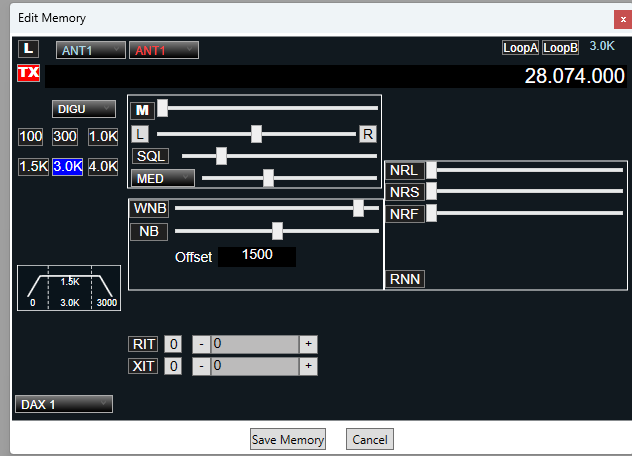
Another option is the memories in FRstack. They store much more information than the the Flex profiles and most of it is in one place.
0 -
I don't think FRStack memories remember power level.
 0
0 -
Hi Michael
Thanks for your input, I already have over 30 profiles set up and stored, as well as TX and Mic profiles.
My point is that when I have four slices open using Data and NFM, or SSB or any other mode, if I change from a Data slice to a slice for NFM for example, the power slider remains at the same level, irrespective of what slice is selected.
All the other settings including volume, squelch, tone, mute, mode etc are all saved in the slices apart from the transmit power.
I don't want to be changing profiles if I hear somebody on the 2m NFM calling frequency, I want to change to that slice and immediately be able to transmit at the power level I have set for that particular slice.
At the moment if I have all four slices active the power remains constant and does not change when I select a different slice.
I also have a fully programmed Stream Deck and Corsair Keyboard with programmed G keys and I am a user of FRStack, but again this does not fix the issue.I hope I have explained this clearly enough for you to understand, its not an issue with profiles etc I understand these and how they function, but I also believe it would be beneficial to be able to set the power level independently for each slice.
Peter
0 -
Further to my last, after looking more closely at this it would also be beneficial if the TX profile and Mic profiles could be allocated or stored to each slice, this would also solve the power slider issue as this is part of the TX profile.
0 -
Profiles are far from perfect and they do need a revisit.
I did this slide deck some time ago. Have a look at it and see if it helps at all.
0 -
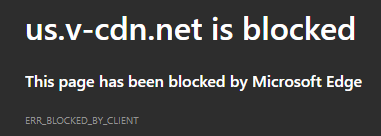
Mike, this is what I get when I try to access your pdf file.
 0
0 -
Dewey it must be something local to you as the link worked fine for me.
0 -
Try a different browser?
0





Leave a Comment
Categories
- All Categories
- 388 Community Topics
- 2.2K New Ideas
- 658 The Flea Market
- 8.4K Software
- 156 SmartSDR+
- 6.5K SmartSDR for Windows
- 186 SmartSDR for Maestro and M models
- 439 SmartSDR for Mac
- 275 SmartSDR for iOS
- 265 SmartSDR CAT
- 204 DAX
- 386 SmartSDR API
- 9.4K Radios and Accessories
- 52 Aurora
- 297 FLEX-8000 Signature Series
- 7.2K FLEX-6000 Signature Series
- 970 Maestro
- 58 FlexControl
- 866 FLEX Series (Legacy) Radios
- 944 Genius Products
- 471 Power Genius XL Amplifier
- 347 Tuner Genius XL
- 126 Antenna Genius
- 306 Shack Infrastructure
- 215 Networking
- 468 Remote Operation (SmartLink)
- 142 Contesting
- 811 Peripherals & Station Integration
- 144 Amateur Radio Interests
- 1.1K Third-Party Software