SmartSDR v4.1.5 | SmartSDR v4.1.5 Release Notes
SmartSDR v3.10.15 | SmartSDR v3.10.15 Release Notes
The latest 4O3A Genius Product Software and Firmware
Need technical support from FlexRadio? It's as simple as Creating a HelpDesk ticket.
headphone slider on smart sdr - what can it control?

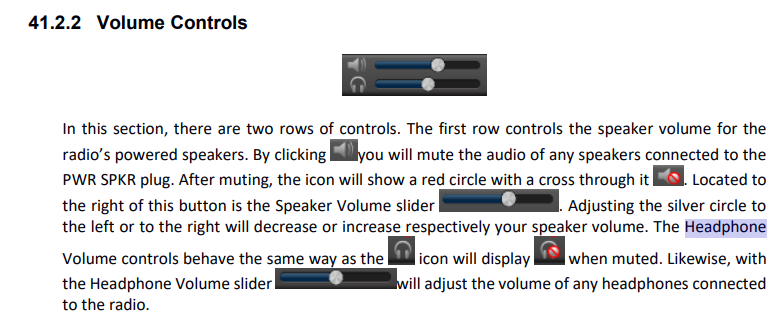
Hi, I believe the purpose of the headphone slider on the smartSDR 4.1.5 right under the volume control is just for the hardwire headphone jack on the radio itself?
it would be great if I could make that be a seperate audio channel on the PC where I could route it to my PC based headset, and yet continue to have the bluetooth pc speaker also operate independently and normally, just by sliding up headphones, sliding down speakers, etc.
I know in the pc I can just change from speaker to headphone, but I want both at the same time if I am working at my bench, and want to throw on the headset and respond to a call then it would be great to have the audio there in the speaker and the headset. I read about using windows stereo mix, and other work arounds, I never was sucessful with those, but anyway wondered if this slider could do what I was asking, or if it is only for the hardwire headset?
Answers
-
In my experience it exclusively controls the gain of the headphone port on the rear of my 6600M.
0 -
 1
1 -
Thanks, so based on this information, I conclude the headphone slider is exclusively for hard wired headphones directly at the radio, and have no correlation to anything on your PC.
thanks,
k4kfi
0 -
Yes, that is correct.
1



Leave a Comment
Categories
- All Categories
- 386 Community Topics
- 2.2K New Ideas
- 655 The Flea Market
- 8.4K Software
- 155 SmartSDR+
- 6.5K SmartSDR for Windows
- 185 SmartSDR for Maestro and M models
- 438 SmartSDR for Mac
- 274 SmartSDR for iOS
- 264 SmartSDR CAT
- 202 DAX
- 385 SmartSDR API
- 9.4K Radios and Accessories
- 52 Aurora
- 293 FLEX-8000 Signature Series
- 7.2K FLEX-6000 Signature Series
- 969 Maestro
- 58 FlexControl
- 866 FLEX Series (Legacy) Radios
- 940 Genius Products
- 470 Power Genius XL Amplifier
- 344 Tuner Genius XL
- 126 Antenna Genius
- 306 Shack Infrastructure
- 215 Networking
- 466 Remote Operation (SmartLink)
- 142 Contesting
- 808 Peripherals & Station Integration
- 143 Amateur Radio Interests
- 1K Third-Party Software