SmartSDR v4.1.5 | SmartSDR v4.1.5 Release Notes
SmartSDR v3.10.15 | SmartSDR v3.10.15 Release Notes
The latest 4O3A Genius Product Software:
The latest 4O3A Genius Product Software and Firmware
If you are needing assistance with FlexRadio products, please refer to the product documentation or check the Help Center for known solutions. Need technical support from FlexRadio? It's as simple as creating a HelpDesk ticket.
Use of external antenna tuner with the Aurora
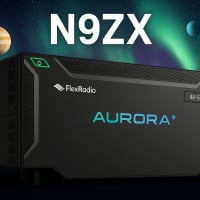
Can we get an official response from Flex on the procedure to using an external antenna tuner whether manual or automatic on the Aurora. In regards to using a non-resonant antenna.
I'm seeing posts that some are saying you need to using the 3:1 internal tuner on the Aurora with a external antenna tuner. I have always disabled the internal antenna tuner when using a external tuner. My external tuner is the tuner genius which has a 10:1 range far better than the 3:1 range of the internal tuner in the Aurora.
I have also read that using an internal tuner while using an external tuner will damage the internal tuner. (Never tried it.)
Another discrepancy that needs to be discussed is that the Tuner Genius wants you to set the power level to 20 watts when tuning, but a message from Tim at Flex mentioned that the Aurora should be set to no more than 9 watts for tuning.
Thank you,
Mike N9ZX
Comments
-
You can use an external antenna tuner with an Aurora.
- Put the Aurora Tuner in Bypass mode (must be off 100% of the time when using an external tuner)
- Set your TUNE slider to about 5% to provide about 10 watts drive. You can use lower if required.
- Put the Radio in TUNE
- Follow the procedure to TUNE your external Tuner
Mike va3mw
2 -
Thank you Michael for your reply, this confirms what I was thinking as well.
Mike
N9ZX
0 -
Mike, thanks for posting this. I wasn't absolutely sure if it would be safe to bypass the internal tuner since I use a Doublet and manual tuner for multi-band operation. I did read on the groups.io mailing list that the new Aurora radios are pretty aggressive in folding back output power. Steve had mentioned some time ago that the radios would fold back at 1.7:1. But, he also mentioned that the limit might be loosened at some point. This was well before actual production. So, it would appear that the limit hasn't changed. I wonder what device is being used in the transmitter section that cannot tolerate a very high SWR. It probably isn't LDMOS as those and other similar devices can tolerate high SWR for longer periods without damaging them. Maybe it is something similar to the transmitter section of the QRP Labs QMX+ as it is very sensitive to high SWR. ( also uses Polar Modulation)
James
WD5GWY
0 -
if you use the TGXL will the aurora automatically back down to 10 watts or does it have to be manually set tnx
0 -
TGXL to Aurora integration has not been completed, so you will need to do this manually. At this point, I can't share anything as it relates to a timeline.
1 -
ok still waiting for mine 520M
1 -
Me too! The suspense is starting to get to me. I am beginning to think my order has been lost in the shuffle.
James
WD5GWY
1 -
I use 2 for the tune power setting, which is 2% of 500, or 10 watts and my 998RT tunes fine with no error from the Aurora. When I tried 7, I still got the High SWR foldback error.
Mark - W0QL
1 -
Flex recommends using no more than 9 watts when tuning with the Aurora. Since I am using the Tuner Genius (External Tuner) I have the internal 3:1 tuner in bypass.
Mike
N9ZX
1 -
so far internal tuner on the 520M works with my antennas
0 -
but DO WISH for TGXL integration
0 -
I have TGXL integration with my AU510 running 1.2.17 firmware on 4.1.5 and windows 11
0 -
An additional observance, the Tuner Genius Widget did not appear on the radio side panel software version 4.1.5 when using TG firmware 1.2.11
0 -
ok tnx!! does the tuner automatically decrease the power output of the aurora?? down to 2-5% or do you have to set up a profile?; i have a 520M
0 -
I have that set in my global profile, and of course in memory in the tuner.
0 -
tnx i'll have to learn how to set that up rather than do it manually ; is it hard to set up? tnx
0 -
@Arnold Goldman Go into TX Band Settings and set TUNE power to 3 for TG XL. That is about 15 watts.
73
Dave wo2x
0 -
ok great will try it
0 -
I received my AU510 yesterday and been using it with the TG XL. Setting TUNE power to 3 seems to be the sweet spot. The software integration is still a work in progress but will be coming. You can use the TG app in the meantime.
73 Dave wo2x
0 -
Dave, could you elaborate on the integration issues you're seeing? I assume you have Flex 4.1.5 on the Aurora and what version on the TGXL?
0 -
I don’t have issues. Haven’t tested the Aurora and TG on release software but have read others were waiting for full integration.
TG 1.2.17 added TG panel to SmartSDR with 6k and 8k radios.
0 -
The TG widget also is on the radio panel with the Aurora 4.1.5 TG firmware 1.2.17
0





Leave a Comment
Categories
- All Categories
- 390 Community Topics
- 2.2K New Ideas
- 664 The Flea Market
- 8.4K Software
- 157 SmartSDR+
- 6.5K SmartSDR for Windows
- 186 SmartSDR for Maestro and M models
- 441 SmartSDR for Mac
- 275 SmartSDR for iOS
- 265 SmartSDR CAT
- 206 DAX
- 386 SmartSDR API
- 9.5K Radios and Accessories
- 58 Aurora
- 297 FLEX-8000 Signature Series
- 7.2K FLEX-6000 Signature Series
- 974 Maestro
- 58 FlexControl
- 867 FLEX Series (Legacy) Radios
- 947 Genius Products
- 473 Power Genius XL Amplifier
- 347 Tuner Genius XL
- 127 Antenna Genius
- 308 Shack Infrastructure
- 216 Networking
- 470 Remote Operation (SmartLink)
- 142 Contesting
- 816 Peripherals & Station Integration
- 144 Amateur Radio Interests
- 1.1K Third-Party Software