SmartSDR v4.1.5 | SmartSDR v4.1.5 Release Notes
SmartSDR v3.10.15 | SmartSDR v3.10.15 Release Notes
The latest 4O3A Genius Product Software:
The latest 4O3A Genius Product Software and Firmware
If you are needing assistance with FlexRadio products, please refer to the product documentation or check the Help Center for known solutions. Need technical support from FlexRadio? It's as simple as creating a HelpDesk ticket.
8600 does not work with V4 (interlock, grey TUNE/MOX)

Hi,
If upgrading from 3.9.19 to ANY V4 the 8600 immidiatelt shows the INTERLOCK error and the TUNE and MOX buttons remain grey. Resetting the redio did not help. It only works on the pre V4 versions. NB. The other Flex - 6600 does not have that problem running the V4.
Thank you.
Comments
-
 0
0 -
 0
0 -
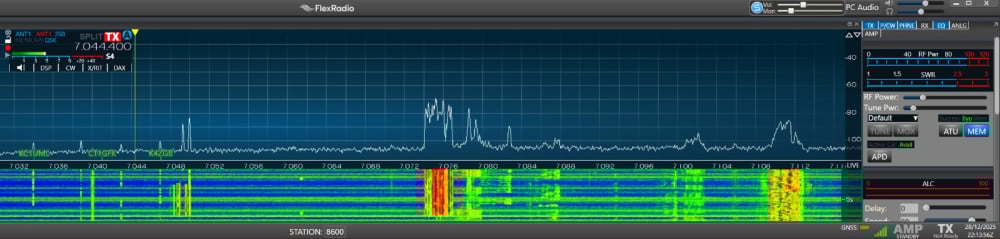
Flex 8600: only transmit under the V4 versions of the firmware. Namely, the buttons Tune and Mox are grey under the V4 (like the current one 4.1.5) as well as there appears the "Interlock" issue warning. Downgrading back to 3.9.19 does cure the issue. My other Flex 6600 works fine with the 4.1.5 ! HELP please
0 -
Did you read the release notes?
Do you have a backup of your profiles from before upgrade?
Perform the upgrade. Shut down the radio and remove DC for two minutes, then when powering up, hold the power button until it turns white, then release. This performs a factory reset.
Test transmit with just the factory reset. Use the same client you use with the working radio. If it is working, import your profiles from the previous version but uncheck Preferences. Test again.
If you continue to have problems, oper a Help Desk ticket
https://helpdesk.flexradio.com/hc/en-us/
73 Dave wo2x
0 -
Hi Dave,
No, it did not help: Tune and Mox are grey, and when attempting to click on the ATU on 8600 the interlock message comes up.
I have opened a support ticket.
73 !
0 -
PS.
Tried to run the 8600 on a different PC where thee 6600 is connected (the 6600 works fine with any V4) - same result - grey TUNE / MOX…
0 -
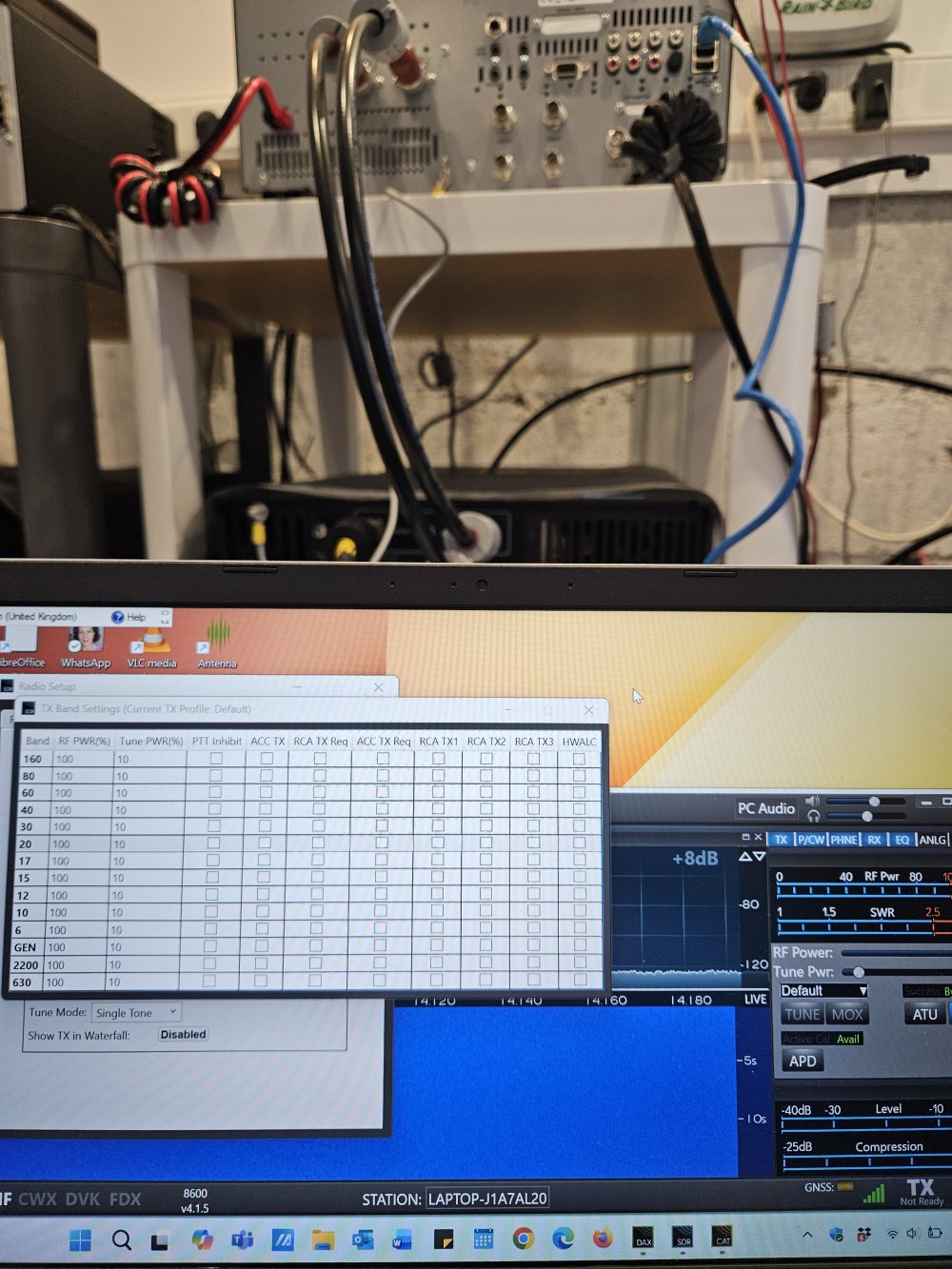
Tried the 88600 on the 3rd independent PC - same story - Tune and Mox are gret. PTT inhibuit etc are OFF.
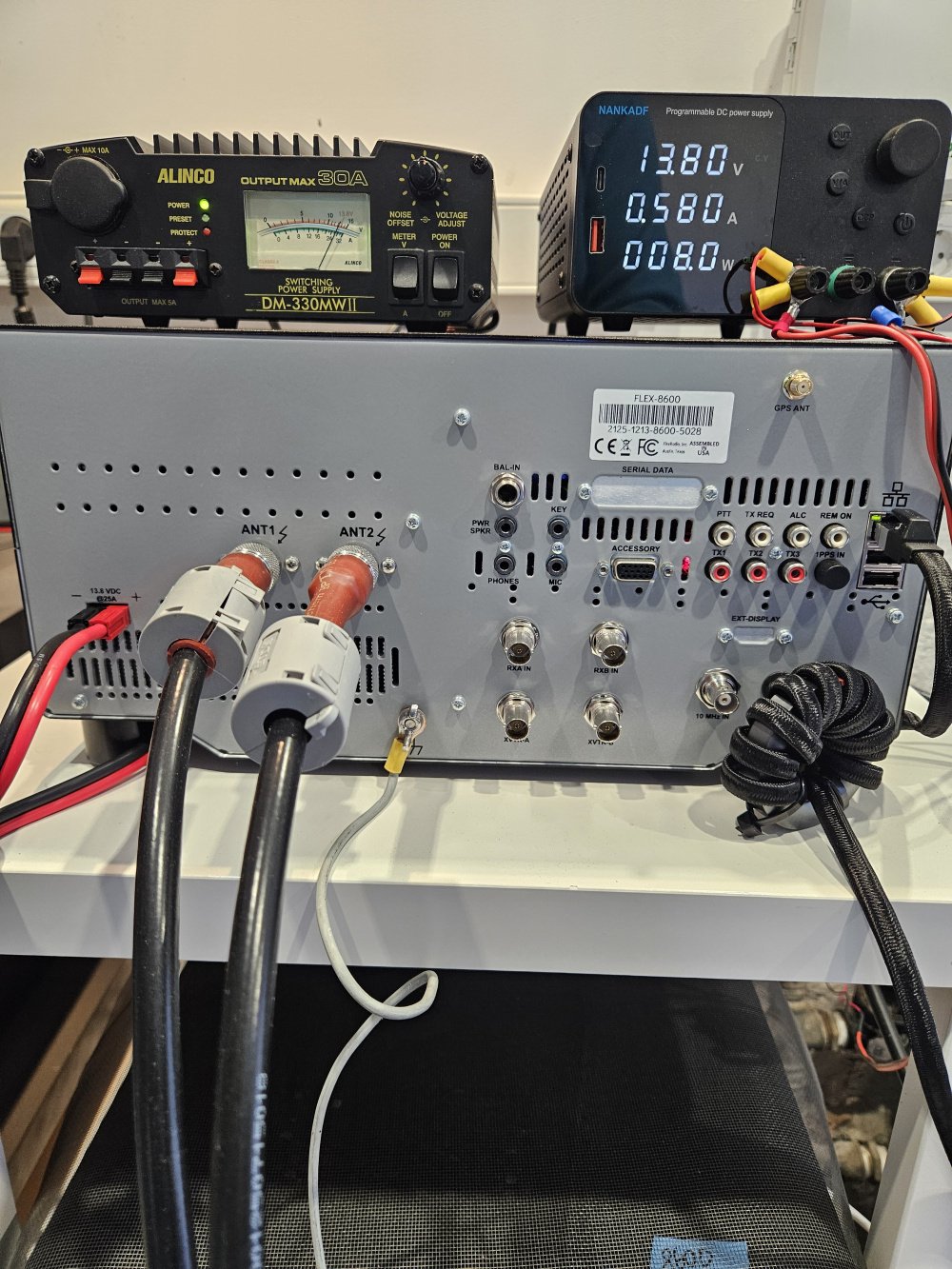
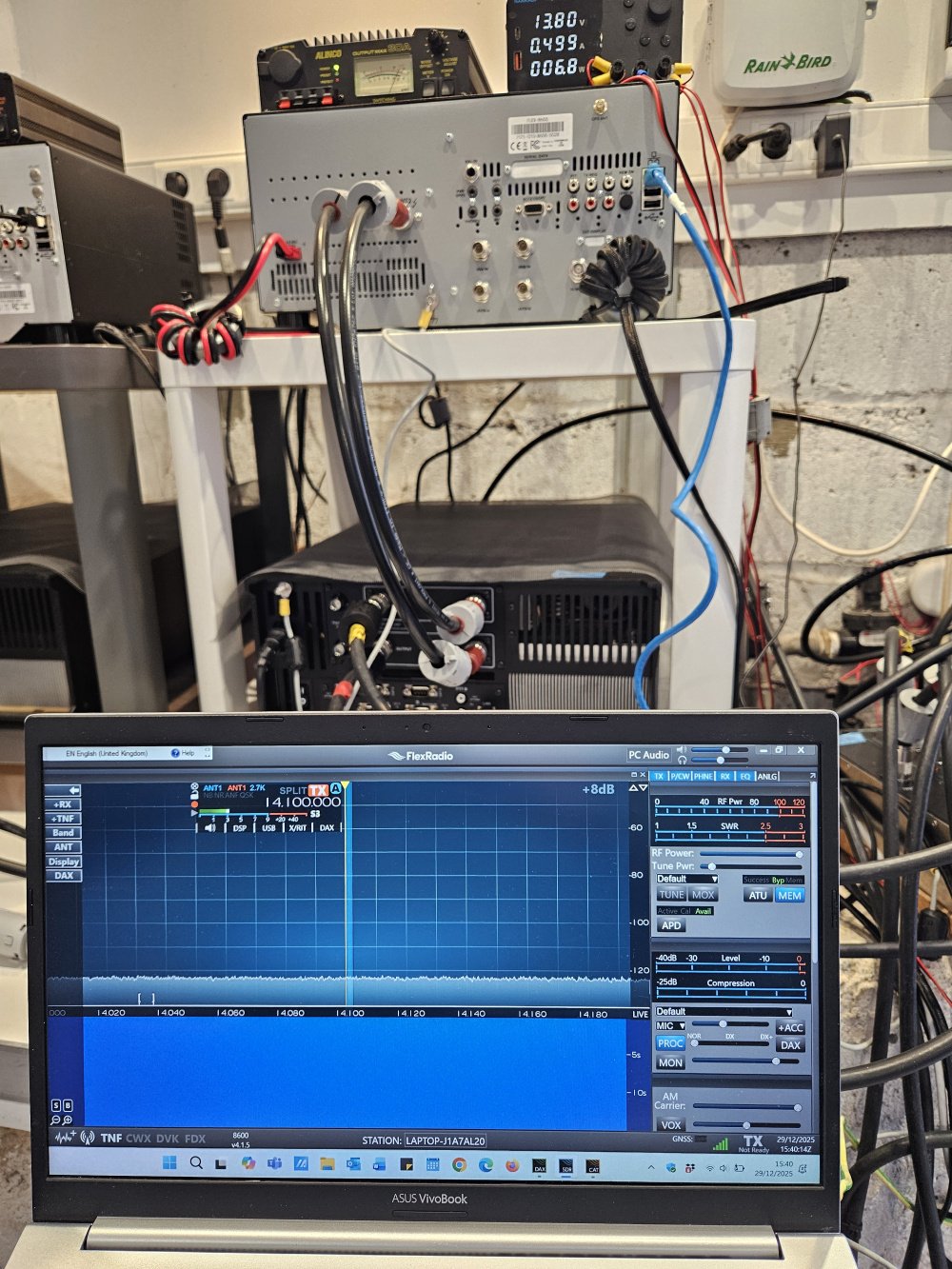
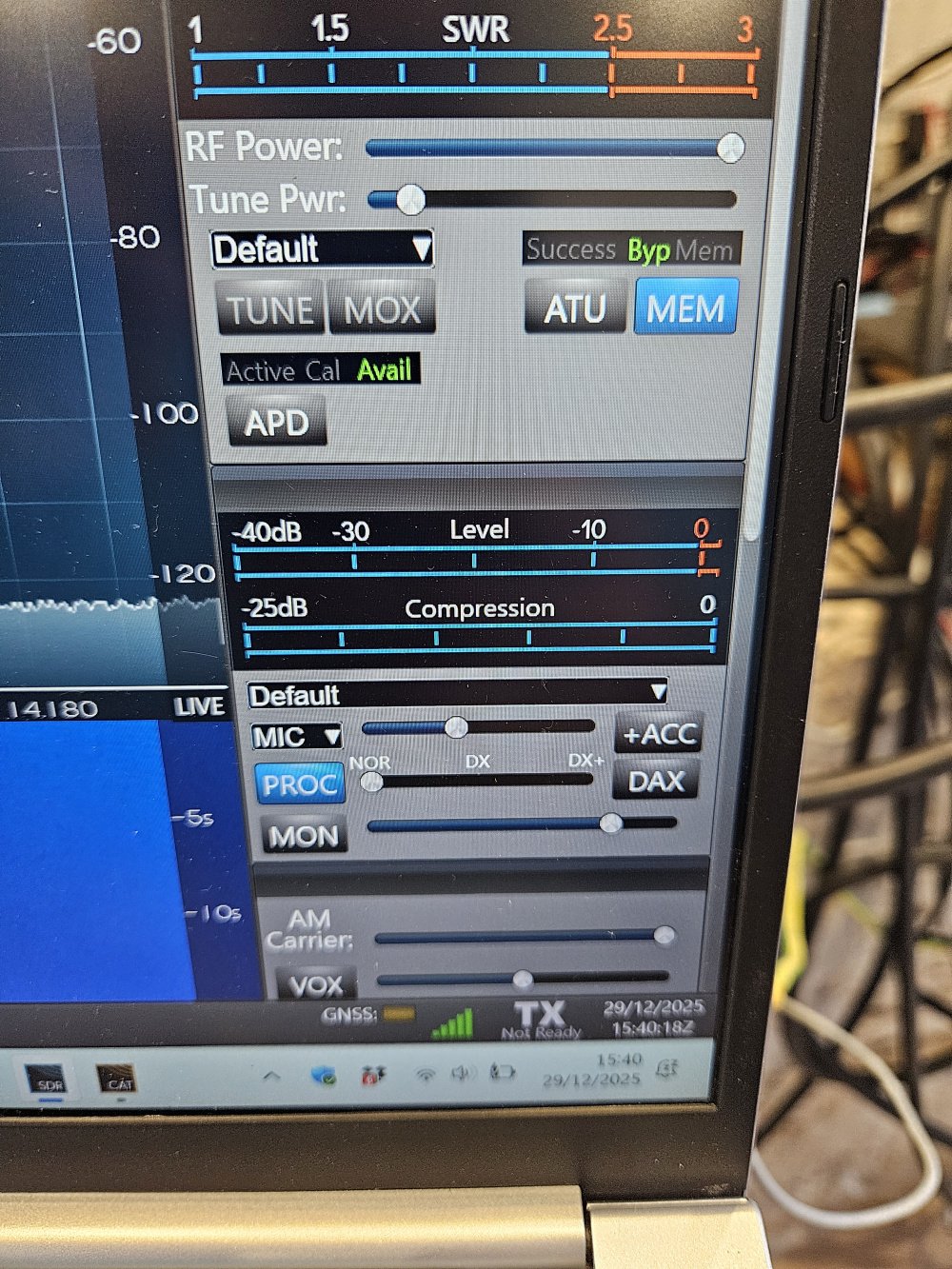
 0
0 -
Hi ED8M,
they are not greyed out, they are just not active. Click one and you should see the radio go into transmit.Sorry, I just saw the Not Ready indicator. Hopefully Flex support will be able to help.
0 -
Equipment: 8600+PGXL 1+AG 1 ; 6600+PGXL 2 + AG 2; via a Gigabit HUB. Each Flex transceiver is connnected to each own powerful i7 laptop.
0 -
 0
0 -
I wonder what happens if you temporarily remove the PGXL and Antenna Genius from the network. Could one of them be keeping the radio in a Not Ready state?
On another topic - I would remove the ferrite beads from your ground wires. With them on there, they provide a DC ground, but not an RF ground which is their intended purpose.
0 -
Hi Len,
I have removed the 6600 + PGXL 2 and AG 2 from the network - no change. I will now remove all except the 8600, leaving just the DC lead and the LAN.
0 -
No, it did not help :—(

Still, every time I come back to the V 3.9.19 on the 8600, everything works fine ! I have copied this thread to the Flex support. I do hope they can help.
Chat GPT has now also given up: it said open a ticket (done!) :-)
1 -
Sorry it wasn't something easy. Hopefully Flex Support will find the issue.
0 -
Is it possibly something with "default " profile I see loaded is bad. Is it possible GNSS is not locked and no frequency reference???
0 -
"Is it possibly something with "default " profile I see loaded is bad. Is it possible GNSS is not locked and no frequency reference???"
****** I connected the GNSS antenna yesterday and moved the head away from the shack - and the magic did happen - MOX and TUNE came live ******
But the setting has always been set for the TXCO and "locked".
I will try to switch on today and see how it goes.
A handy man is coming today to drill a hole in the wall so I could route the GNSS cable out.
0 -
NB: The 8600 came with the GNSS module installed; it has caused the issues before by making the 8600 frequncy drit (I never connected the GNSS antenna to 8600 before).
0 -
Switched the 8600 line on today - it is WORKING.
So, the culptit was the GNSS module/setting/feature that was "thinking" that I am in the wrong region of something.
I hope this thread helps others when this issue arises.
73 and HNY !
EA8BW
0 -
Glad I could be of assistance . . . 73
1 -
Can you make sure you open a support ticket regarding this please. We would like to track it.
0 -
Hi Mike.
I did open a ticket 2 days ago, it is still pending the response from Flex. I have copied everything there, too: https://helpdesk.flexradio.com/hc/en-us/requests/77685?page=1
0 -
PS
My region has changed from EUR 03 to NOR….Does it matter ?
That said, I have today paid for the SDR+ but it did not update:
https://community.flexradio.com/discussion/comment/20624166
0 -
The 2nd issue has been sorted, too: the 8600 was NOT directly connected to the internet. Having connected it the update has been done in 1 click.
Apparently, I have been running my Flexes solelt on the local network only all these years.
73 !
0









Leave a Comment
Categories
- All Categories
- 388 Community Topics
- 2.2K New Ideas
- 658 The Flea Market
- 8.4K Software
- 156 SmartSDR+
- 6.5K SmartSDR for Windows
- 186 SmartSDR for Maestro and M models
- 439 SmartSDR for Mac
- 275 SmartSDR for iOS
- 265 SmartSDR CAT
- 204 DAX
- 386 SmartSDR API
- 9.4K Radios and Accessories
- 53 Aurora
- 297 FLEX-8000 Signature Series
- 7.2K FLEX-6000 Signature Series
- 970 Maestro
- 58 FlexControl
- 866 FLEX Series (Legacy) Radios
- 944 Genius Products
- 471 Power Genius XL Amplifier
- 347 Tuner Genius XL
- 126 Antenna Genius
- 306 Shack Infrastructure
- 215 Networking
- 468 Remote Operation (SmartLink)
- 142 Contesting
- 811 Peripherals & Station Integration
- 144 Amateur Radio Interests
- 1.1K Third-Party Software