SmartSDR v4.1.5 | SmartSDR v4.1.5 Release Notes
SmartSDR v3.10.15 | SmartSDR v3.10.15 Release Notes
The latest 4O3A Genius Product Software:
The latest 4O3A Genius Product Software and Firmware
If you are needing assistance with FlexRadio products, please refer to the product documentation or check the Help Center for known solutions. Need technical support from FlexRadio? It's as simple as creating a HelpDesk ticket.
SmartSDR v4.0.1 Basic - How do you adjust NB/NR settings?

Release notes say that these features are the same but the algorithms have been improved and should be immediately available in "Basic". But there are no sliders in the Slice Receiver Menu to make adjustments.
Ted W4NZ
Best Answer
-
Hi Ted.. there's another discussion thread about this, and apparently the adjustment sliders for NB and NR have been removed in favour of the application auto setting the 'optimum settings'.
Lots of people have expressed surprise that they were removed, so they may come back…
0

Answers
-
Hello Don, thanks for responding. I did a search and missed the other thread. Although I did not mention it, the same thing applies to the APF feature. The slider for it is gone too. Oh well, I'll just wait and see what happens.
73, Ted W4NZ
0 -
Just downloaded V4.1.5 installed on Dell i7 PC windows 11 and updated my 6500, still no sliders to adjust NR and NB.0
-
Also CW issue not fixed either. I still get disappearing entries in Maestro F keys assignments. Still no tune in RTTY. It is a shame.
0 -
Erik, make sure that the CW issue is reported and you have a SMART number for support. A week ago, I asked engineering and there was no CW issues that they were working on or being reported by the Alpha team. If you can recreate it 100% of the time, they want to hear from you please.
I just checked TUNE in RTTY on my MAC and PC it worked on my FLEX-8600 on 4.1.3. You may want to reset your radio.
0 -
RE the CW return to receive issue:
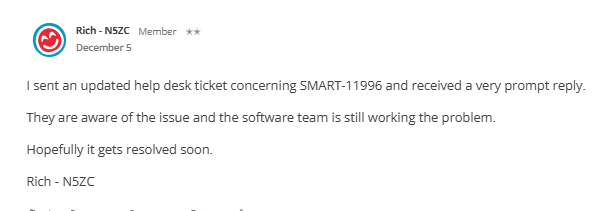
Don't want to cross threads but here is a comment from 5 Dec with a SMART reference - has this been resolved, didn't see it on the change log for 4.1.3 or 4.1.5?
This is from this thread on here
https://community.flexradio.com/discussion/8032561/version-4-cw-return-to-receive-issue
 0
0 -
Hi Rich,
No the CW return to RX issue is not fixed in 4.1.5. I just measured it again with Audacity, the TX→RX delay is more than double that chosen in the Maestro menu. I also reported this ages ago and was told it was part of SMART-11996.
73, Jonathan
0 -
I believe that SMART-11996 is closed in 4.1. The CW Delay issue is SMART-12071and is scheduled currently for SmartSDR 4.2.
1 -
Thanks Mike,
I guess what may have happened is SMART-11996 was closed when the TX→RX noise was fixed. Thanks for letting us know that the delay has a new SMART number, so that should be fixed in due course. There's a simple work-around for now to set the delay in the menu to about half what you want and then its very useable.
73, Jonathan
0 -
Ok on 4.2 for the CW issue.
I have reset the radio many times, no tune in RTTY mode. There have been other reports besides mine but it does seem that not everyone has the problem. My radio is the 8400M. The last I heard from Flex on this was that it is being tracked as SMART-11864. But several updates have occurred since then so I guess those afflicted are stuck with the issue. It is not critical but in a contest it is nuisance changing modes, tuning, and then going back to RTTY.
The reset does not help with the F key assignments in the 8400M either. I can program them and they work just fine but on the next radio boot they have disappeared. If I revert to 3.9.19, although I cannot program DVK because it does not exist, the other functions when set in the F key selection do stick without issue.
0 -
Erik
That is strange. I tested on 3 model families on 4.1.3. But, that doesn't mean it still isn't an issue.
Can you follow up with support please as engineering believes it is fixed. Also, since you know of others, I need you to get them to report it as well.
Mike
0






Leave a Comment
Categories
- All Categories
- 388 Community Topics
- 2.2K New Ideas
- 658 The Flea Market
- 8.4K Software
- 156 SmartSDR+
- 6.5K SmartSDR for Windows
- 186 SmartSDR for Maestro and M models
- 438 SmartSDR for Mac
- 275 SmartSDR for iOS
- 265 SmartSDR CAT
- 204 DAX
- 386 SmartSDR API
- 9.4K Radios and Accessories
- 52 Aurora
- 297 FLEX-8000 Signature Series
- 7.2K FLEX-6000 Signature Series
- 970 Maestro
- 58 FlexControl
- 866 FLEX Series (Legacy) Radios
- 944 Genius Products
- 471 Power Genius XL Amplifier
- 347 Tuner Genius XL
- 126 Antenna Genius
- 306 Shack Infrastructure
- 215 Networking
- 468 Remote Operation (SmartLink)
- 142 Contesting
- 811 Peripherals & Station Integration
- 144 Amateur Radio Interests
- 1.1K Third-Party Software