SmartSDR v4.2.20 | SmartSDR v4.2.20 Release Notes
SmartSDR v3.10.15 | SmartSDR v3.10.15 Release Notes
The latest 4O3A Genius Product Software:
The latest 4O3A Genius Product Software and Firmware
If you are needing assistance with FlexRadio products, please refer to the product documentation or check the Help Center for known solutions. Need technical support from FlexRadio? It's as simple as creating a HelpDesk ticket.
ON 40m only power out goes to near zero when a RCV antenna is selected
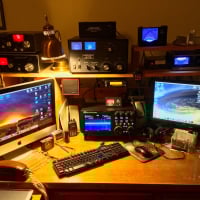
Despite 35 to 40+ MPH winds resulting in wind chill of 11.8F I built and installed a HI-Z 3 element receive antenna. I am an ex Submarine Sailor and although we don't think so, others think we're all a little crazy. I built this mostly for 160m CW. It also hears very well on 80 and 40m. This afternoon at 1530 CST I could hear 9K2MU Kuwait on 40m CW using the Hi-Z antenna. When I called I got almost no power out. After trouble shooting I discovered that if I turned off RCV antenna an used my transmit antenna for both xmit an rcv I got full power out. However then I could not hear 9K2MU. Arrrrgh! This does not happen on 160m CW or 80M CW, only on 40m. Again....Arrrrrrrrgh! Any ideas?
Comments
-
Can you post a screen shot of SmartSDR please in the failing condition?
0 -
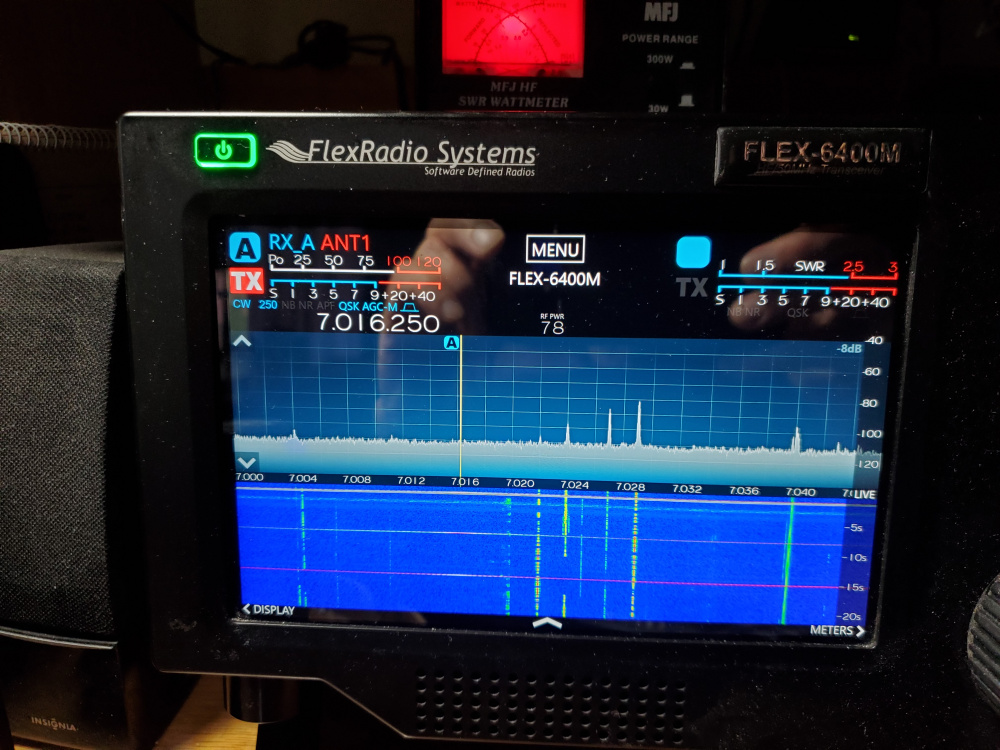
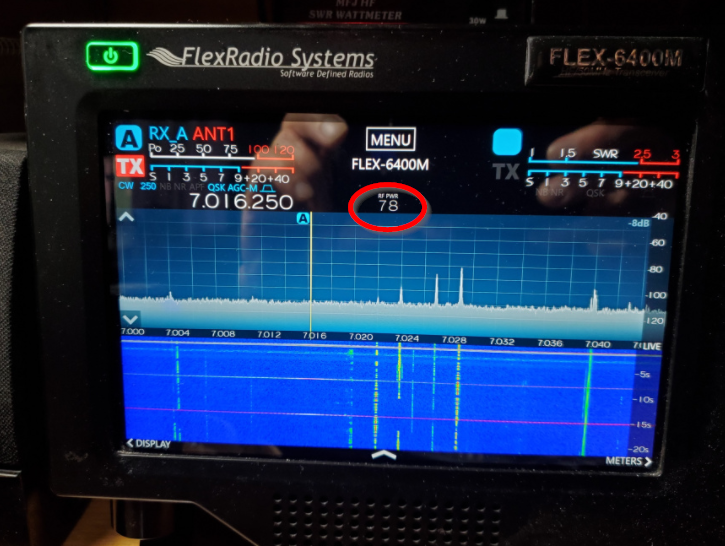
How do you want me to set the display on the radio so you can see what you are looking for. On my transmit antenna (a full sized 40m vertical) I get 700 watts out. When I shift to the listening antenna the watt meter barely moves, if at all. As soon as I stop using the listening antenna I once again get 700 watts out. This also happens when I am operating split. This photo was taken while I was trying to transmit. I don't think the radio is transmitting on the RX port as it would destroy my HI-z listening antenna and that still works.
 0
0 -
Hi Stephen, you don't have full duplex (FDX) turned on, do you?
Can you try it using SmartSDR instead of the front panel? I think that is the view Mike was looking for.
0 -
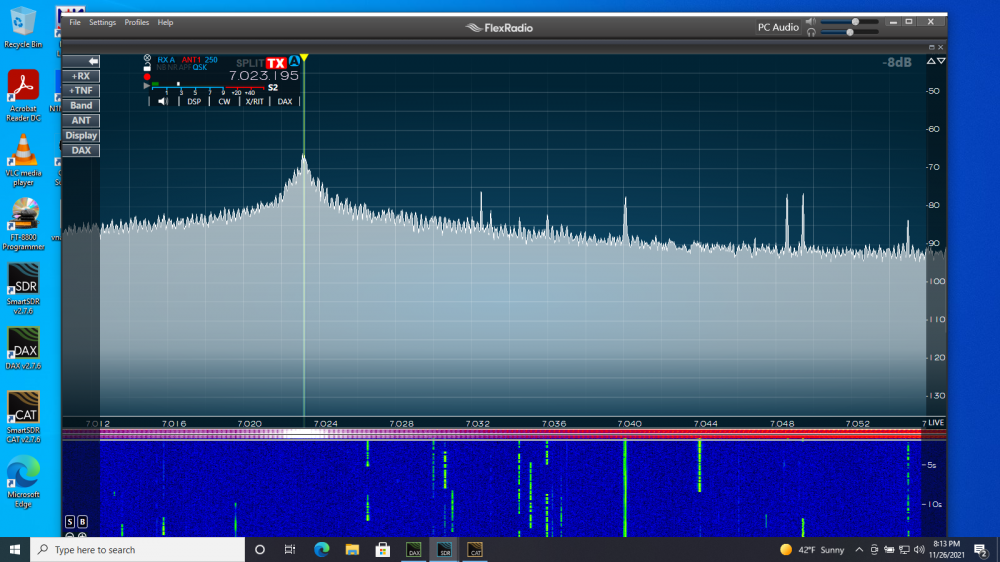
I never use SmartSDR or Windows. I no longer own a windows computer. I borrowed one. It looks on the screen like it is working. But instead of 700 watts I was getting 150 to 200 watts out. When I turned off RX-A I got 700 watts out. I hope this is what you are looking for.
 0
0 -
I don’t have an answer, but Mike is probably going to need a screen shot of the radio control panel which seems to have been “popped out” of the provided screen shot.
this panel shows the transmit and receive equalizers, the bandwidth controls, and other parameters that may be relevant.
This is probably a settings issue, not a defect in the radio.
0 -
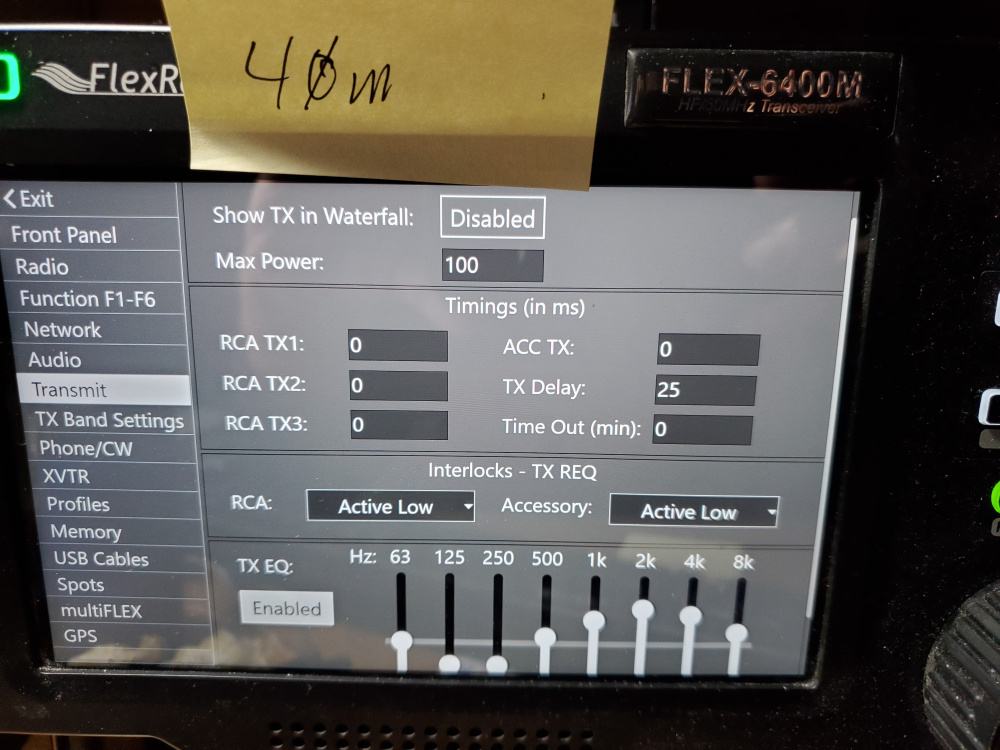
Is this what you want? I compared these two screens to the same ones for 160m. They are identical

 0
0 -
On this screen, your transmitter is disabled. Your 78 needs to be Red not Grey. I can't tell on the SmartSDR picture as you have the side window with all the controls hidden.
What does your TX Band settings look like? Is PTT Inhibit checked on any band?
 0
0





Leave a Comment
Categories
- All Categories
- 398 Community Topics
- 2.2K New Ideas
- 678 The Flea Market
- 8.6K Software
- 191 SmartSDR+
- 6.6K SmartSDR for Windows
- 196 SmartSDR for Maestro and M models
- 456 SmartSDR for Mac
- 278 SmartSDR for iOS
- 268 SmartSDR CAT
- 218 DAX
- 392 SmartSDR API
- 9.6K Radios and Accessories
- 93 Aurora
- 335 FLEX-8000 Signature Series
- 7.2K FLEX-6000 Signature Series
- 988 Maestro
- 58 FlexControl
- 872 FLEX Series (Legacy) Radios
- 962 Genius Products
- 478 Power Genius XL Amplifier
- 352 Tuner Genius XL
- 132 Antenna Genius
- 317 Shack Infrastructure
- 222 Networking
- 480 Remote Operation (SmartLink)
- 143 Contesting
- 845 Peripherals & Station Integration
- 147 Amateur Radio Interests
- 1.1K Third-Party Software