SmartSDR v4.2.20 | SmartSDR v4.2.20 Release Notes
SmartSDR v3.10.15 | SmartSDR v3.10.15 Release Notes
The latest 4O3A Genius Product Software:
The latest 4O3A Genius Product Software and Firmware
If you are needing assistance with FlexRadio products, please refer to the product documentation or check the Help Center for known solutions. Need technical support from FlexRadio? It's as simple as creating a HelpDesk ticket.
SmartSDR Mac and sending frequency information to HF-Auto Tuner

Ken, N7KD
Comments
-
Hey Ken, I'm using an HF-Auto with "SmartSDR for Mac" and the auto sensing works perfect for me without any helper software. I just click the "Tune" button on the "Radio Controls" panel and the HF-Auto detects the transmit frequency and tunes until the SWR is within the thresholds I set via the front panel of the HF-Auto.
I might be missing the use case for sending the frequency data to the HF-Auto via an external software source but if you are looking for it to just "tune", you can do so without the W1TR software or any other helper software using "SmartSDR for Mac".
0 -
Ken
I use the W1TR app for sending CAT frequency data to my Palster HF-Auto, on my Mac running Parallels, with all sorts of Flex clients.
As Ken says, using CAT frequency input to HF-Auto is a "secondary" source of frequency for the tuner. CAT is not mandatory, but "nice" to have, since it will follow your TX slice and move the tuner before you TX. On the first TX, the tuner's frequency sense takes over and does the final movement of the servos if necessary. The W1TR app also has controls to access all of the HF-Auto functions. It can also "replicate" the tuner control, if you desire.
HF-Auto will memorize the settings for each frequency segment, so as it learns, the time to tune is reduced.

Now, back to your question on getting the Flex frequency to the W1TR app:
I am not familiar with DDutl but it probably works like FRStack, which I have, to use a TCP connection to the Flex Server. Doing so, it does not rely on what type of client device or software you are running. In my case, I run all forms of SDR; Mac, IOS, Windows, and Maestro and FRStack runs in the background sending frequency CAT data to HF-Auto.
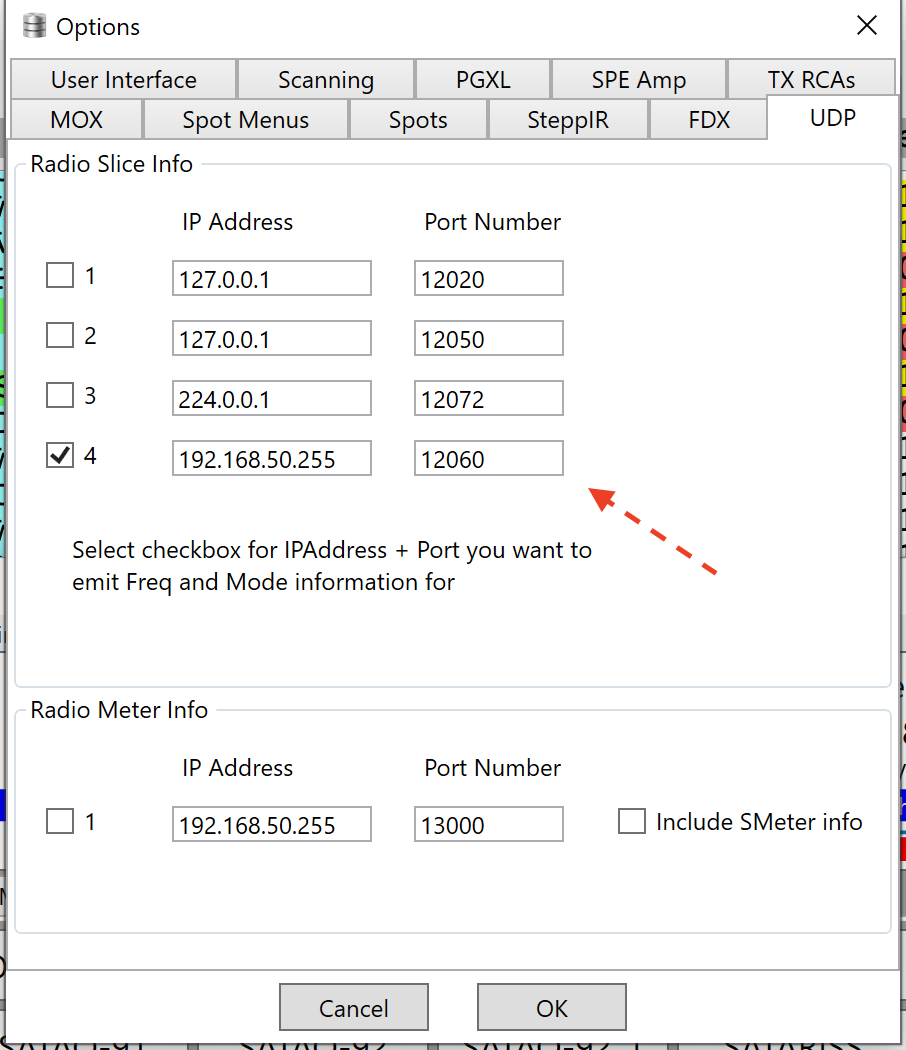
I use a DB9 serial to TCP convertor to allow remote control between the W1TR app and the HF-Auto, in my remote garage.
Alan. WA9WUD
0 -
0
-
Thanks guys for the input. The reason I want to control the HF-Auto with frequency data instead of RF frequency sensing is that I am usually using an amplifier and want to avoid the possibility of operator brain damage when changing bands and then transmitting with the amp activated prior to tuning with low power and thus **** up the untuned tuner with too high an RF level. If I can control the HF-Auto with frequency data instead of RF frequency sensing I can avoid this self-inflicted wound.0
-
Can’t you use a “USB Cable” defined in SSDR, plugged into the back of the Flex, and connected to the amp? The client software shouldn’t need to be involved in the server(radio) to amp client connection.
0


Categories
- All Categories
- 398 Community Topics
- 2.2K New Ideas
- 678 The Flea Market
- 8.6K Software
- 191 SmartSDR+
- 6.6K SmartSDR for Windows
- 196 SmartSDR for Maestro and M models
- 456 SmartSDR for Mac
- 278 SmartSDR for iOS
- 267 SmartSDR CAT
- 218 DAX
- 392 SmartSDR API
- 9.6K Radios and Accessories
- 91 Aurora
- 335 FLEX-8000 Signature Series
- 7.2K FLEX-6000 Signature Series
- 988 Maestro
- 58 FlexControl
- 872 FLEX Series (Legacy) Radios
- 962 Genius Products
- 478 Power Genius XL Amplifier
- 352 Tuner Genius XL
- 132 Antenna Genius
- 317 Shack Infrastructure
- 222 Networking
- 479 Remote Operation (SmartLink)
- 143 Contesting
- 845 Peripherals & Station Integration
- 147 Amateur Radio Interests
- 1.1K Third-Party Software