SmartSDR v4.2.20 | SmartSDR v4.2.20 Release Notes
SmartSDR v3.10.15 | SmartSDR v3.10.15 Release Notes
The latest 4O3A Genius Product Software:
The latest 4O3A Genius Product Software and Firmware
If you are needing assistance with FlexRadio products, please refer to the product documentation or check the Help Center for known solutions. Need technical support from FlexRadio? It's as simple as creating a HelpDesk ticket.
Interlock error solution for the Aurora
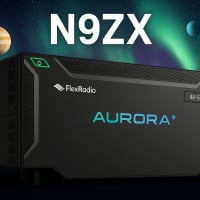
I was having a interlock issue using my Aurora and Tuner Genius and Flex responded quickly and had me send the radio back to them for testing. The radio performed perfectly without the TGXL inline. The solution from the repair tech to prevent an interlock problem noted below.
Problems / Issues Found:
The following issues were found during the problem assessment phase of the service request:
- The reported faults (SWR Fault, Return Loss Fault, Overcurrent Fault, and Interlock) occur when using an external Tuner like the TGXL if the Tune Power is set above 3%.
Corrective Action Taken or Service(s) Performed:
The following corrective actions were performed to resolve the issues noted above.
- To avoid these issues while using an external tuner, please ensure to follow these steps:
- Set the Aurora ATU to Bypass mode at all times while using an external Tuner.
- Set the TUNE PWR slider to 3% or less.
- Follow the standard tuning procedure for customer's external Tuner.
- You may find the formal document at this link:
TGXL Info: Aurora software integrates the TGXL tuner with the radio; however, tuner performance is still a “work in progress”. You may encounter situations where the TGXL fails to find a match or aborts the tune with low power, high power, or radio faults. We are working to correct this situation in a future software release.
Comments
-
Thanks for sharing this.
0

Leave a Comment
Categories
- All Categories
- 401 Community Topics
- 2.2K New Ideas
- 689 The Flea Market
- 8.6K Software
- 196 SmartSDR+
- 6.6K SmartSDR for Windows
- 200 SmartSDR for Maestro and M models
- 460 SmartSDR for Mac
- 279 SmartSDR for iOS
- 268 SmartSDR CAT
- 220 DAX
- 395 SmartSDR API
- 9.6K Radios and Accessories
- 109 Aurora
- 348 FLEX-8000 Signature Series
- 7.2K FLEX-6000 Signature Series
- 999 Maestro
- 58 FlexControl
- 872 FLEX Series (Legacy) Radios
- 975 Genius Products
- 482 Power Genius XL Amplifier
- 358 Tuner Genius XL
- 135 Antenna Genius
- 322 Shack Infrastructure
- 227 Networking
- 483 Remote Operation (SmartLink)
- 145 Contesting
- 847 Peripherals & Station Integration
- 147 Amateur Radio Interests
- 1.1K Third-Party Software