SmartSDR v4.1.5 | SmartSDR v4.1.5 Release Notes
SmartSDR v3.10.15 | SmartSDR v3.10.15 Release Notes
The latest 4O3A Genius Product Software:
The latest 4O3A Genius Product Software and Firmware
If you are needing assistance with FlexRadio products, please refer to the product documentation or check the Help Center for known solutions. Need technical support from FlexRadio? It's as simple as creating a HelpDesk ticket.
client disconnect returns 'Invalid client handle (not found)'
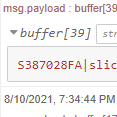
I am trying to disconnect a non gui client and it fails with a not found error message.

As you can see the non gui client handle in the discovery message. I am sending :
client disconnect 0x6EA67CEC
Which according to the wiki should disconnect a gui or non gui client
C[D]<seq_number>|client disconnect <handle>
<handle> = an optional client handle (32-bit hex value sent to client on connection)
However I am getting and error that indicates an invalid client..
request: "client disconnect 0x6EA67CEC"sequence_number: 15 status_code: "0x50000062"
From what I can tell I am sending the cmd correctly.
Thanks in advance
Answers
-
Hi Mick, I did some experiments with disconnects some time ago and could only get the non-specific (disconnects everything) one to work.
As it turns out, I didn't really need it for any of my applications.
So I wonder if you really need it or not. You might want to comment on what you are using it for.
0 -
Ken,
You saw my dashboard where I show the gui. I have it tracking the active slice in SmartSDR. When I disconnect SmartSDR the client gui is deleted but not this one. It shows up as an active client and the only way to clear it is to power the radio off. If I start SmartSDR again, then I get the message that all clients are in use.
0 -
Oh, I see… Try a plain client disconnect without the client ID.
0 -
I tried that Ken it does not work either. The only way I clear out the client is to disconnect the entire flow. I can do that but I was hoping for a more elegant solution.
Regards
0 -
Hi Mick, I just looked through my TeensyMaestro code and see that the disconnect code that Enzo, IW7DMH created in his Flex Arduino library does indeed do an Ethernet stop. So I suppose that he had the same issue getting the disconnect API command to work.
I had the same issue as you at one point, so in my power-down callback routine, I do a disconnect (actually an Ethernet stop) when powering off the TeensyMaestro. In my case, since I only connect as a GUI client under very specific conditions, this isn't as important but can be quite annoying. My normal operation is as a non-GUI client.
0 -
Thanks Ken. Maybe some one on the dev team could take a stab at describing why it works after all the effort to ship out the radios calm down.
Regards
0

Leave a Comment
Categories
- All Categories
- 389 Community Topics
- 2.2K New Ideas
- 658 The Flea Market
- 8.4K Software
- 157 SmartSDR+
- 6.5K SmartSDR for Windows
- 186 SmartSDR for Maestro and M models
- 439 SmartSDR for Mac
- 275 SmartSDR for iOS
- 265 SmartSDR CAT
- 204 DAX
- 386 SmartSDR API
- 9.4K Radios and Accessories
- 53 Aurora
- 297 FLEX-8000 Signature Series
- 7.2K FLEX-6000 Signature Series
- 971 Maestro
- 58 FlexControl
- 866 FLEX Series (Legacy) Radios
- 945 Genius Products
- 472 Power Genius XL Amplifier
- 347 Tuner Genius XL
- 126 Antenna Genius
- 307 Shack Infrastructure
- 215 Networking
- 468 Remote Operation (SmartLink)
- 142 Contesting
- 811 Peripherals & Station Integration
- 144 Amateur Radio Interests
- 1.1K Third-Party Software