Welcome to the FlexRadio Community! Please review the new Community Rules and other important new Community information on the Message Board.
Need the latest SmartSDR or 4O3A Genius Product Software?
SmartSDR v4.1.5 | SmartSDR v4.1.5 Release Notes
SmartSDR v3.10.15 | SmartSDR v3.10.15 Release Notes
The latest 4O3A Genius Product Software and Firmware
SmartSDR v4.1.5 | SmartSDR v4.1.5 Release Notes
SmartSDR v3.10.15 | SmartSDR v3.10.15 Release Notes
The latest 4O3A Genius Product Software and Firmware
If you are having a problem, please refer to the product documentation or check the Help Center for known solutions.
Need technical support from FlexRadio? It's as simple as Creating a HelpDesk ticket.
Need technical support from FlexRadio? It's as simple as Creating a HelpDesk ticket.
Flex6600M Wide Band Noise Blanker Works Great - See Video !

mikeatthebeach .
Member ✭✭
Flex6600M Wide Band Noise Blanker Works Great - See Video !
Main Reason why I got the Flex Radio !

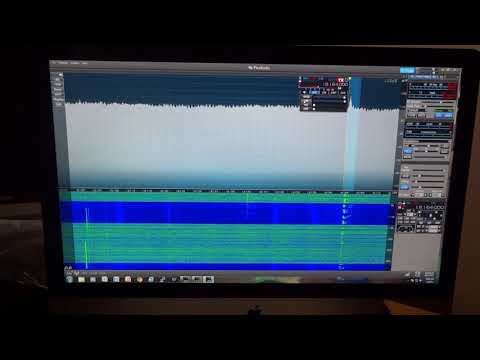 https://youtu.be/hDZq9BqLI_I
73 Mike
Main Reason why I got the Flex Radio !
https://youtu.be/hDZq9BqLI_I73 Mike
2
Comments
-
You turn both the WNB an NB together. What happens when you use one at time? I find the NB does a great job at cutting noise. The WNB does not have as much impact for the noise in my area. There is have been a lot of discussion around the WNB and it is seems to be more effective in differ locations depending on the type of noise sources. Just curious how much the WNB vs NB improves things for you.
0 -
WNB cleans up WaterFall ( Most 95% removed from Audio )
NB alone take noise off Audio butter WaterFall Total washed out signals
NB take 5% more noise out to eliminate all the Noise 100%
73 Mike
0 -
Mike ... adjust your Panadapter s/n level thats displayed (by adjusting the arrows at the top right of your Panadapter) to display a 40DB to 140db range on the right vertical display. Unless of course you prefer it set the way you have it. My preference is to see the noise floor displayed at the very bottom of the screen with less fill but ymmv. Once you set it to your preferred range just save it as part of your global profile for that Band. Each Band panadapter level range can be set separatelyto your preference and particular antenna gain.
Regards.0 -
Sorry i missed my edit window on this post...I wanted to mention that it is better to set the associated WNB and NB sliders as far back from Maximum you can but still do what you want to accomplish. Max WNB can cause audio popping and max NB settings causes distortion/colorization of the received audio
1


Leave a Comment
Categories
- All Categories
- 386 Community Topics
- 2.2K New Ideas
- 656 The Flea Market
- 8.4K Software
- 155 SmartSDR+
- 6.5K SmartSDR for Windows
- 185 SmartSDR for Maestro and M models
- 438 SmartSDR for Mac
- 275 SmartSDR for iOS
- 264 SmartSDR CAT
- 202 DAX
- 385 SmartSDR API
- 9.4K Radios and Accessories
- 52 Aurora
- 294 FLEX-8000 Signature Series
- 7.2K FLEX-6000 Signature Series
- 969 Maestro
- 58 FlexControl
- 866 FLEX Series (Legacy) Radios
- 942 Genius Products
- 470 Power Genius XL Amplifier
- 346 Tuner Genius XL
- 126 Antenna Genius
- 306 Shack Infrastructure
- 215 Networking
- 466 Remote Operation (SmartLink)
- 142 Contesting
- 808 Peripherals & Station Integration
- 144 Amateur Radio Interests
- 1.1K Third-Party Software