SmartSDR v4.2.20 | SmartSDR v4.2.20 Release Notes
SmartSDR v3.10.15 | SmartSDR v3.10.15 Release Notes
The latest 4O3A Genius Product Software:
The latest 4O3A Genius Product Software and Firmware
If you are needing assistance with FlexRadio products, please refer to the product documentation or check the Help Center for known solutions. Need technical support from FlexRadio? It's as simple as creating a HelpDesk ticket.
CW Autotune One Shot by StreamDeck button

I am setting up a StreamDeck button for clicking Flexradio Autotune Oneshot in CW.
I can not find this command in FRStack latest version and it would be excellent to have this during upcoming WPX contest.
A Stream Deck button click would be much quicker compared to finding the mouse click button in SmartSDR when everything is focused on listening on CW pileup and logbook input.
Is there a Stream Deck command for this?
/Erik SM0JCA
Answers
-
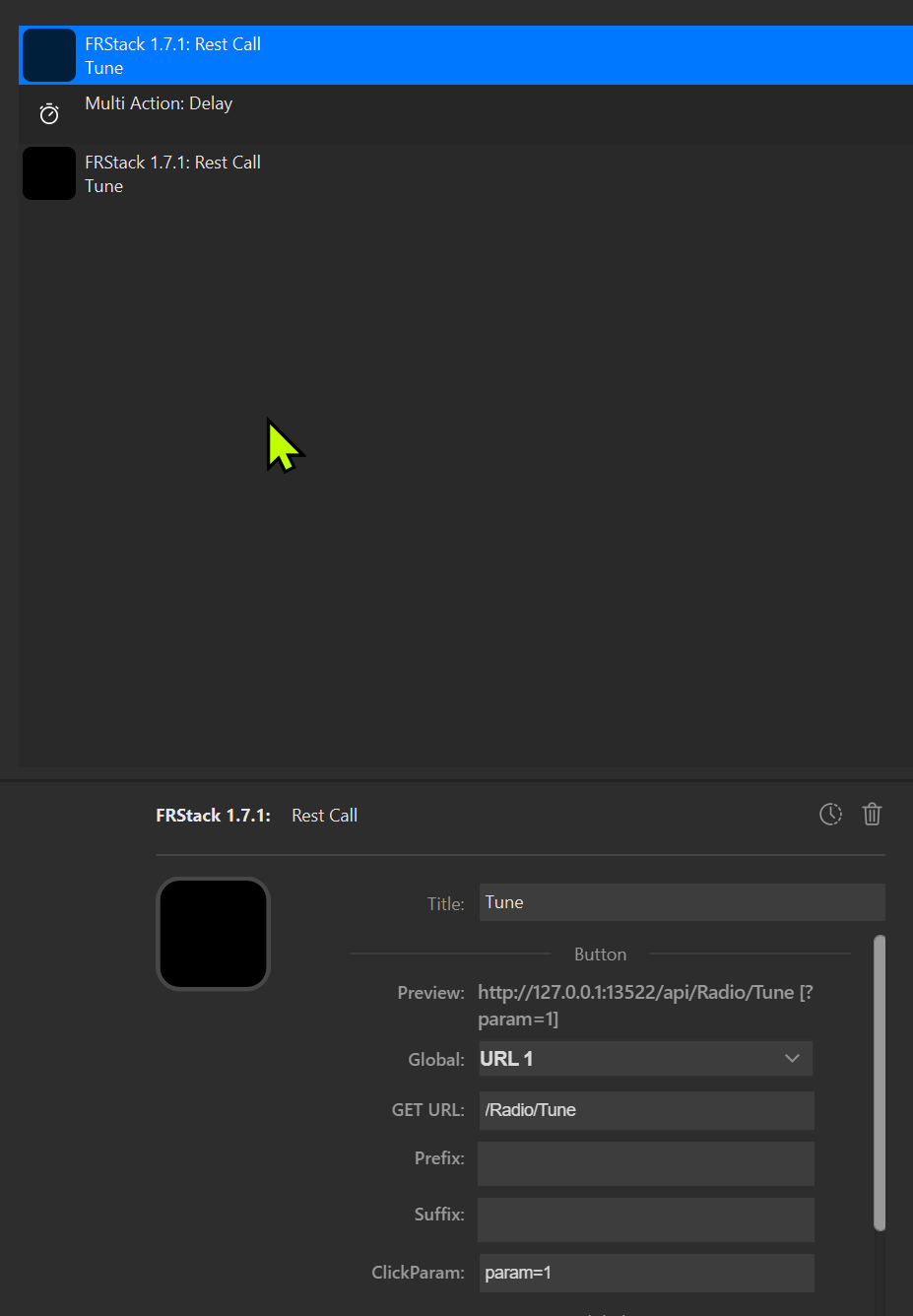
You can modify this to suit yourself, example have it so that you are manually in control of ON / OFF or have it as I do with delay = time on. Mine is 5000ms.
The third entry is identical to the first except that param=0 (1=on, 0=off).
It is, as it is shown, a single button on the Deck as you will know.
0 -
Sorry, I completely misunderstood the question.
CW Autotune has not yet been added to the REST commands. You could ask W3II for more information.
0


Leave a Comment
Categories
- All Categories
- 401 Community Topics
- 2.2K New Ideas
- 685 The Flea Market
- 8.6K Software
- 195 SmartSDR+
- 6.6K SmartSDR for Windows
- 200 SmartSDR for Maestro and M models
- 456 SmartSDR for Mac
- 278 SmartSDR for iOS
- 268 SmartSDR CAT
- 220 DAX
- 395 SmartSDR API
- 9.6K Radios and Accessories
- 102 Aurora
- 348 FLEX-8000 Signature Series
- 7.2K FLEX-6000 Signature Series
- 994 Maestro
- 58 FlexControl
- 872 FLEX Series (Legacy) Radios
- 971 Genius Products
- 481 Power Genius XL Amplifier
- 357 Tuner Genius XL
- 133 Antenna Genius
- 321 Shack Infrastructure
- 226 Networking
- 482 Remote Operation (SmartLink)
- 144 Contesting
- 845 Peripherals & Station Integration
- 147 Amateur Radio Interests
- 1.1K Third-Party Software