SmartSDR v4.2.20 | SmartSDR v4.2.20 Release Notes
SmartSDR v3.10.15 | SmartSDR v3.10.15 Release Notes
The latest 4O3A Genius Product Software:
The latest 4O3A Genius Product Software and Firmware
If you are needing assistance with FlexRadio products, please refer to the product documentation or check the Help Center for known solutions. Need technical support from FlexRadio? It's as simple as creating a HelpDesk ticket.
N1MM and StreamDeck
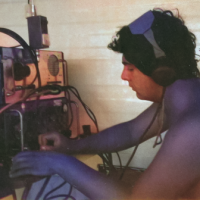
StreamDeck is very popular in the Flex world, and I thought it would be even more powerful if integrated with N1MM.
While using SmartSDR and N1MM on the same computer it can happen that you are focusing the radio software instead of N1MM because you are tuning the radio or adjusting filters and controls.
I'm aware of the autofocus SmartSDR function, but in this scenario, sending an F-key message can take some time and you have to move the focus back and forth between the radio software and N1MM.
I thought that having a physical device to send F-Message (and commands) would have been a great help and I started investigating how to use a StreamDeck (any model) for that specific task.
Well, it can be done and works extremely well.
N1MM offers a 'not fully supported' control feature over UDP, which is perfect for this scope and can be enjoyed with the StreamDeck.
To integrate StreamDeck and N1MM all you need is the CommandSender
plugin. This plug-in generates custom UDP and TCP packets when pressing
or releasing a button. The plug-in can be downloaded here:
As an example, the F5+F2 N1MM sequence requires sending the following XML code
<RadioCmd><RadioNr>1</RadioNr><FocusEntry></FocusEntry><RadioCommand>{F5}{F2}</RadioCommand></RadioCmd>
as an UDP packet to port 13064 of the computer running N1MM, usually the same computer running the StreamDeck software, therefore, 127.0.0.1.
I just played around with F-KEYS, but I'm assuming any command manually entered in the N1MM entry window can be sent this way.
Some UDP commands, like changing frequency, are described in the N1MM
manual. They use a different XML syntax but can be programmed in the
StreamDeck plugin as well. This is a changing frequency example:
<?xml version="1.0"
encoding="utf-8"?><radio_setfrequency><app>WaterfallBandmap</app>
<radionr>1</radionr><frequency>28020.000</frequency><mousebutton>Left</mousebutton></radio_setfrequency>
I hope this helps in having an even better experience with N1MM.
If any questions feel free to reach out to me.
73 de Max, N5NHJ (I8NHJ)
one of EL2PP, 1A0KM, JT1Y, E30GA, T77V, TT8MM, T32R, K5K, XR0X, S05X,
4O3T, BS7H, K4M, PJ7E, PJ7DX, 6Y1V, C6ANA, VP5/I8NHJ, ZF2NH, KP4/N5NHJ,
HQ9CW and...

Comments
-
would you be willing to share this profile? I really like the backgrounds you have setup.
0 -
No problems, but I need a bit of time.
I just moved back to Italy and much of my stuff are still in the garage.
I'll not forget about this.
73, Max
0
Leave a Comment
Categories
- All Categories
- 401 Community Topics
- 2.2K New Ideas
- 689 The Flea Market
- 8.6K Software
- 196 SmartSDR+
- 6.6K SmartSDR for Windows
- 200 SmartSDR for Maestro and M models
- 460 SmartSDR for Mac
- 279 SmartSDR for iOS
- 268 SmartSDR CAT
- 220 DAX
- 395 SmartSDR API
- 9.6K Radios and Accessories
- 109 Aurora
- 348 FLEX-8000 Signature Series
- 7.2K FLEX-6000 Signature Series
- 999 Maestro
- 58 FlexControl
- 872 FLEX Series (Legacy) Radios
- 975 Genius Products
- 482 Power Genius XL Amplifier
- 358 Tuner Genius XL
- 135 Antenna Genius
- 322 Shack Infrastructure
- 227 Networking
- 483 Remote Operation (SmartLink)
- 145 Contesting
- 847 Peripherals & Station Integration
- 147 Amateur Radio Interests
- 1.1K Third-Party Software