SmartSDR v4.1.5 | SmartSDR v4.1.5 Release Notes
SmartSDR v3.10.15 | SmartSDR v3.10.15 Release Notes
The latest 4O3A Genius Product Software:
The latest 4O3A Genius Product Software and Firmware
If you are needing assistance with FlexRadio products, please refer to the product documentation or check the Help Center for known solutions. Need technical support from FlexRadio? It's as simple as creating a HelpDesk ticket.
SmartMTR - for those Mac users who love analog s-meters.

I've just created SmartMTR, a native macOS application that brings classic analog S-meter visualization to your FlexRadio setup. If you miss the feel of watching a traditional meter respond to signals in real-time, this might be exactly what you're looking for.
SmartMTR connects directly to your FlexRadio via the API and provides beautifully animated analog-style meter that move just like the real thing.
Check out the demo video to see it in action:
https://youtu.be/58S15B1POyA
The app is currently pending Apple App Store verification. I'll post download details once it's approved.
Looking forward to your feedback.
Comments
-
That looks great - nicely done!
0 -
Nice. Looking forward to it.
0 -
Very nice, will be a great addition for us Mac users0
-
I’ll download it once it’s published 👍🏻
0 -
Great news - SmartMTR for FlexRadio is now available on the Apple App Store:
https://apps.apple.com/pl/app/smartmtr-for-flexradio/id67587650081 -
Thank you for creating that. I installed it. Works great!
One thing I like to monitor on the PC side is the main fan speed. Might be nice to have a Mac app for that too.
73, John N1JM
0 -
I’ve downloaded and am currently using the app. Thank you, Darek, for creating a clean and visually appealing analog S-Meter. I noticed that it only uses Discovery to find the radio. Is there any plan to provide users with the option to specify the IP address of the radio? This option is particularly useful when the client and the radio are connected to different VLANs.
73' Frank - KP4IP
0 -
Hi Everyone, first of all thank you for your great feedback. I listen to it very carefully and will pick best ideas when I decide to create next releases.1
-
Got some interesting feedback from a user. He's running Maestro without the SDR app on his Mac, and asked if I could add some basic radio controls to SmartMTR - band switching, mode selection, that kind of thing.
What do you guys think? Would basic controls be useful for Maestro users, or should SmartMTR stick to what it does - just metering?
Would love to hear your opinions!0 -
Since I run SSDR on my Mac and usually run my Maestro in SmartCotrol mode, it might be okay to have it as an option in case I use my Maestro without SSDR, but for me just keep as a meter. As I mentioned before, it would be good to have it monitor other functions such as main fan speed.
0 -
Options would be good, but you should alway allow the meter only display option for those who just want the clean meter display.
0 -
If you decide to include these options, make them user-selectable whenever possible. As a user who runs SSDR for macOS, I prefer an analog meter that appears clean and elegant. However, I understand the needs of other users with different setups.
73' Frank - KP4IP
0 -
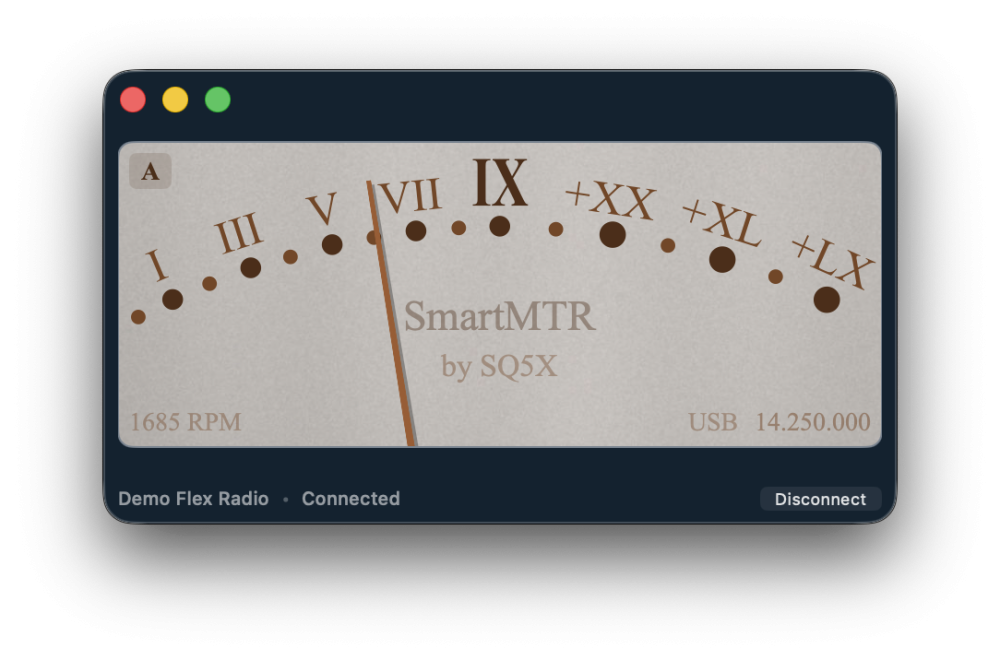
New features are coming… :-)
1 -
🧐
0 -
I love the retro look! But it would be nice if you can position the pivot point of the meter needle so that it is directly under the IX. It looks a bit odd in the photo!
0 -
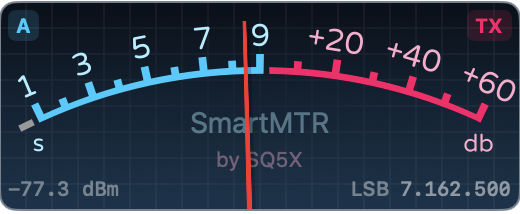
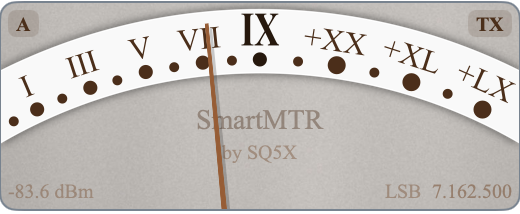
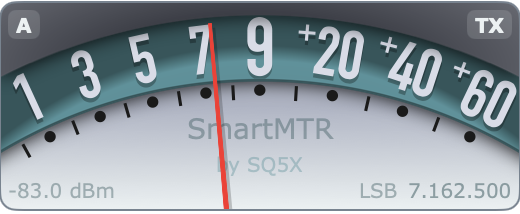
Any ideas for cool names for each of those skins? :-)
0 -
🎉 SmartMTR v1.1 - an update with new features is already available on the Mac App Store:
2 -
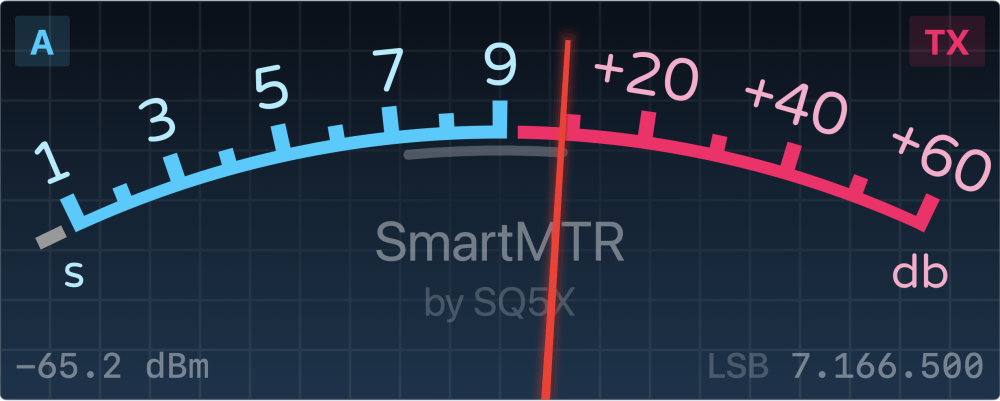
New features are coming soon, such as showing signal strength extremes over the last few seconds (see the gray arc below the meter scale on the screen). Stay tuned for updates on the App Store.
Share what you would like to see in future versions of SmartMTR.1 -
This really illustrates the Flexability of our radios. Thanks for the work (not a Mac person).
1 -
Could the extremes indicator be brighter?
John N1JM
8600, 6400, Maestro-C, FlexControl (2)
0 -
Thank you for the feedback John, I will try to make it more visible in future versions.
0 -
I would like ot see a way to disable meters per slice so you can select how many and what slices are showing.
0 -
Hello all,
SmartMTR is a nice application and remembers me S-Meters from old radios.
When I installed it for the first time it worked quite fine, but latest releases can not discovery port 4991, it says all the time Discovery port 4991 unavailable. I do not know what happened to cause this behaviour. Could be possible to solve this problem ??
Best 73 and have a nice weekend.
CT1DRB/OK8RB
David Quental
0 -
Hello again,
just to tell that now it is working well, it was a question to enable SmartMTR to access to local network.
Best 73 and have a nice weekend.
CT1DRB/OK8RB
David Quental
1 -
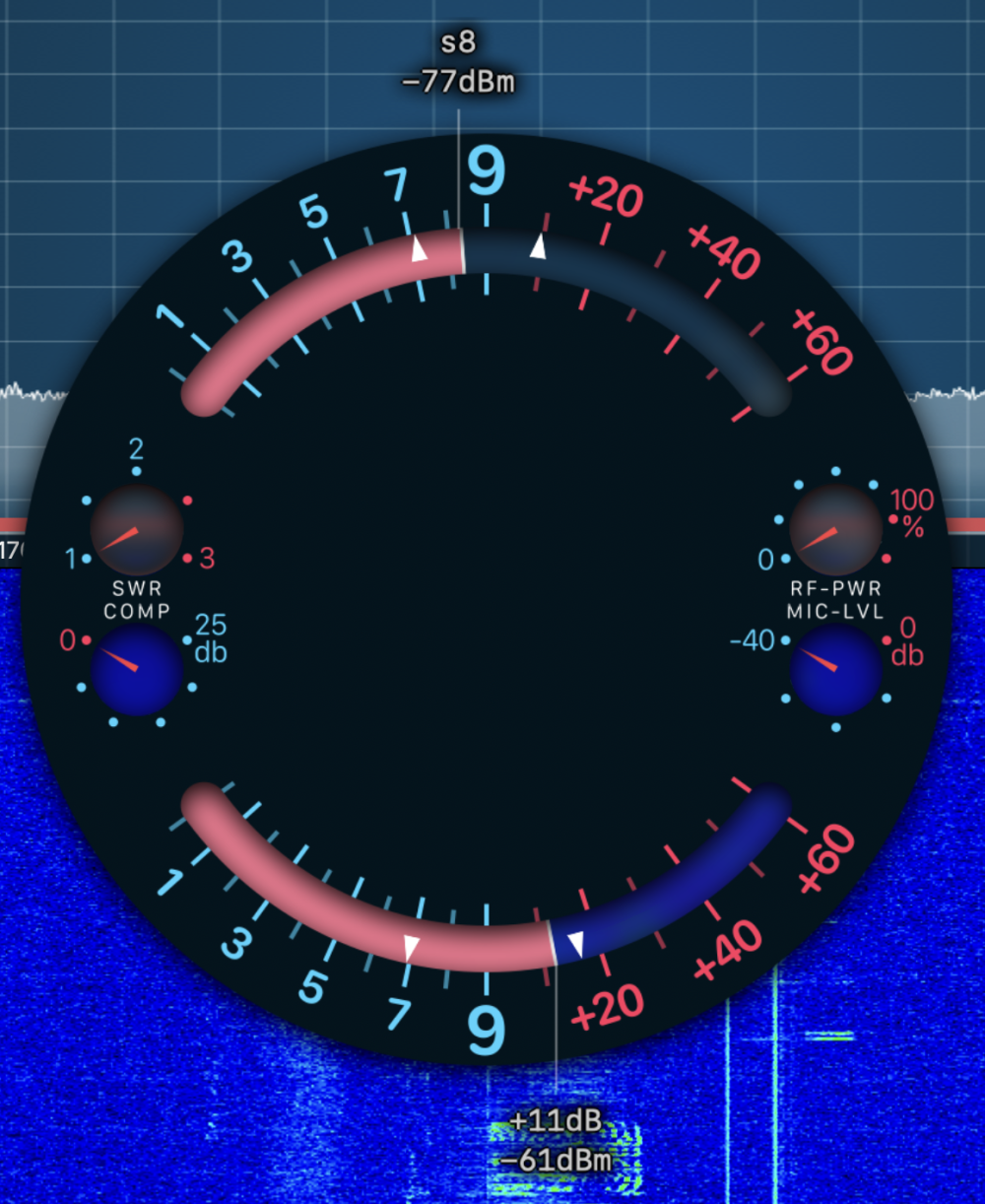
new things are coming…
1 -
SmartMTR 2.0 is almost here — and this time it's not just Mac. iPhone and iPad support is finally coming, along with a completely redesigned interface, new features, and an exceptionally precise S-meter with natural ballistics.


Still in final testing, but getting close.
What features matter most to you in a companion app?1 -
Quick update — SmartMTR 2.0 for macOS is ready and waiting for release.
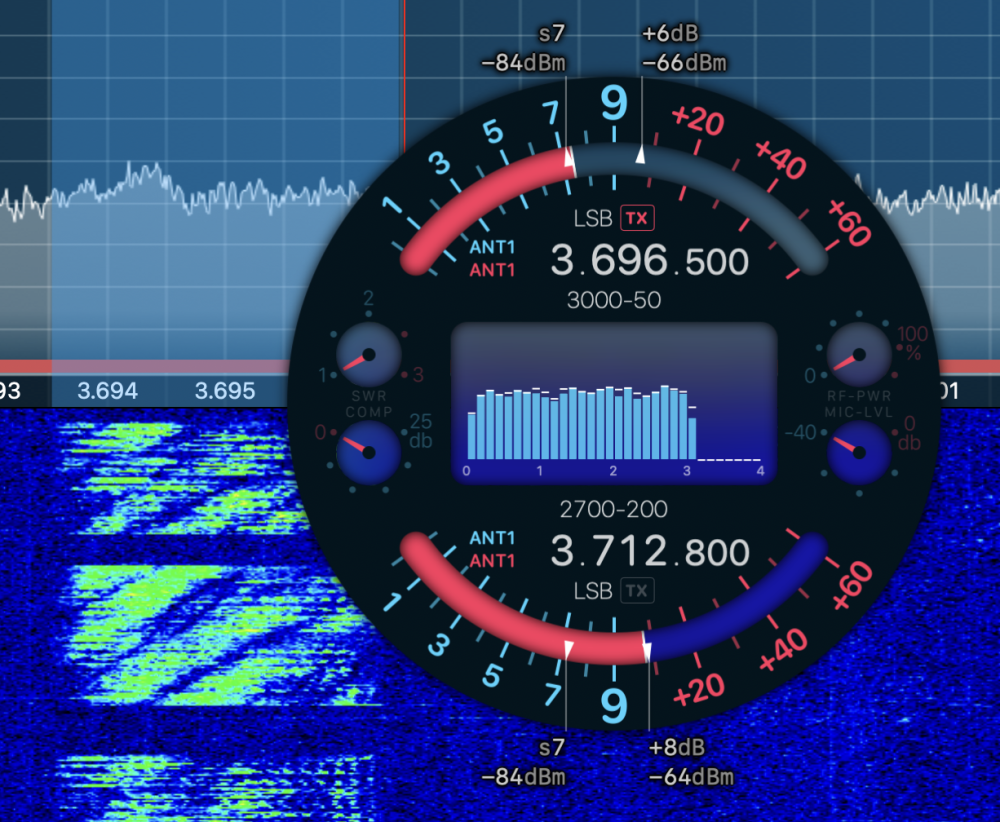
Honest question though: after reading some recent feedback about the iOS version, I'm wondering if a small subscription is the wrong model for this audience? What would make it worth it to you?
0



Leave a Comment
Categories
- All Categories
- 390 Community Topics
- 2.2K New Ideas
- 664 The Flea Market
- 8.4K Software
- 157 SmartSDR+
- 6.5K SmartSDR for Windows
- 186 SmartSDR for Maestro and M models
- 441 SmartSDR for Mac
- 275 SmartSDR for iOS
- 265 SmartSDR CAT
- 206 DAX
- 386 SmartSDR API
- 9.5K Radios and Accessories
- 59 Aurora
- 297 FLEX-8000 Signature Series
- 7.2K FLEX-6000 Signature Series
- 974 Maestro
- 58 FlexControl
- 867 FLEX Series (Legacy) Radios
- 947 Genius Products
- 473 Power Genius XL Amplifier
- 347 Tuner Genius XL
- 127 Antenna Genius
- 308 Shack Infrastructure
- 216 Networking
- 470 Remote Operation (SmartLink)
- 142 Contesting
- 816 Peripherals & Station Integration
- 144 Amateur Radio Interests
- 1.1K Third-Party Software