Welcome to the FlexRadio Community! Please review the new Community Rules and other important new Community information on the Message Board.
The latest SmartSDR Software:
SmartSDR v4.1.5 | SmartSDR v4.1.5 Release Notes
SmartSDR v3.10.15 | SmartSDR v3.10.15 Release Notes
The latest 4O3A Genius Product Software:
The latest 4O3A Genius Product Software and Firmware
SmartSDR v4.1.5 | SmartSDR v4.1.5 Release Notes
SmartSDR v3.10.15 | SmartSDR v3.10.15 Release Notes
The latest 4O3A Genius Product Software:
The latest 4O3A Genius Product Software and Firmware
How to Receive Technical Support::
If you are needing assistance with FlexRadio products, please refer to the product documentation or check the Help Center for known solutions. Need technical support from FlexRadio? It's as simple as creating a HelpDesk ticket.
If you are needing assistance with FlexRadio products, please refer to the product documentation or check the Help Center for known solutions. Need technical support from FlexRadio? It's as simple as creating a HelpDesk ticket.
Power Up hangs after v3.1.11 upgrade

Thomas NE7X
Member ✭✭
I performed the v3.1.11 upgrade and now my 6400M no longer boots. It stops at the FLEX-6400M blue logo screen. I power cycle and reboot again and again and again. I can not get the radio to come back up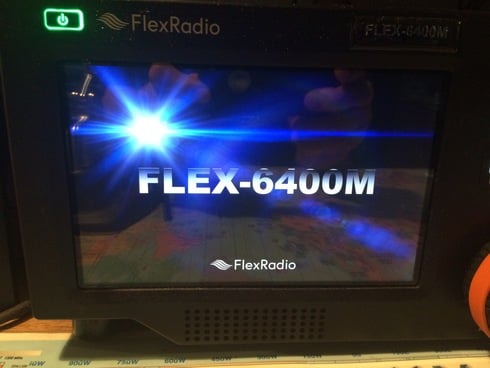
0
Comments
-
I don't own a 6400M but perhaps a factory reset would solve the problem
0 -
And shut it down, remove DC power after 1 Minute, UNPLUG the DC power cable,, leave off for 5 minutes, then re-power the radio!!0
-
if the above doesn't work then I would DO a trouble ticket!
Pretty sure my F6600M lost the SDCARD again with this updated because it is doing the same as you described and the same as 1 year ago when I had to replace the SDCARD.
There have been several others on here that have the same issues so I know Flex will sort this out for us, Luckley the Flex6600M is my backup radio to my FLEX 6700.
One of the Fix's in this firmware was to fix the SDCARD from getting corrupted if I remember right,
Just guessing but Maybe the reason these issues come up with THIS update may be if the SDCARD in the radio has already been corrupted and it dumps the OS and won't boot the radio any longer if the checksum of the OS is wrong or something.
Probably wrong but that's my guess
73's
Bret
0 -
You have to unplug the radio from the power supply. to get a clean reboot. Mine drove me crazy until I did that. Plug back in a minute or two.
73
Bill0 -
Hi Tom, The release notes specifically called out the “cold boot” process so I imagine there are some volatile memory contents that needed to be wiped out to be compatible with the new version. Even after removing DC power for 30 seconds, that first boot took a lot longer than normal. John W9EN0
-
Cold boot over night, powered up in morning, booted OK. Keeping my fingers crossed the issue is resolved.
NE7X...
1 -
Cold Boot followed by cold **** works every time!1



Leave a Comment
Categories
- All Categories
- 389 Community Topics
- 2.2K New Ideas
- 658 The Flea Market
- 8.4K Software
- 157 SmartSDR+
- 6.5K SmartSDR for Windows
- 186 SmartSDR for Maestro and M models
- 439 SmartSDR for Mac
- 275 SmartSDR for iOS
- 265 SmartSDR CAT
- 204 DAX
- 386 SmartSDR API
- 9.4K Radios and Accessories
- 53 Aurora
- 297 FLEX-8000 Signature Series
- 7.2K FLEX-6000 Signature Series
- 971 Maestro
- 58 FlexControl
- 867 FLEX Series (Legacy) Radios
- 945 Genius Products
- 472 Power Genius XL Amplifier
- 347 Tuner Genius XL
- 126 Antenna Genius
- 307 Shack Infrastructure
- 215 Networking
- 468 Remote Operation (SmartLink)
- 142 Contesting
- 811 Peripherals & Station Integration
- 144 Amateur Radio Interests
- 1.1K Third-Party Software