Welcome to the FlexRadio Community! Please review the new Community Rules and other important new Community information on the Message Board.
The latest SmartSDR Software:
SmartSDR v4.2.20 | SmartSDR v4.2.20 Release Notes
SmartSDR v3.10.15 | SmartSDR v3.10.15 Release Notes
The latest 4O3A Genius Product Software:
The latest 4O3A Genius Product Software and Firmware
SmartSDR v4.2.20 | SmartSDR v4.2.20 Release Notes
SmartSDR v3.10.15 | SmartSDR v3.10.15 Release Notes
The latest 4O3A Genius Product Software:
The latest 4O3A Genius Product Software and Firmware
How to Receive Technical Support::
If you are needing assistance with FlexRadio products, please refer to the product documentation or check the Help Center for known solutions. Need technical support from FlexRadio? It's as simple as creating a HelpDesk ticket.
If you are needing assistance with FlexRadio products, please refer to the product documentation or check the Help Center for known solutions. Need technical support from FlexRadio? It's as simple as creating a HelpDesk ticket.
Question: Extending physical connections for my Flex 6500

Val DM1TX
Member ✭✭
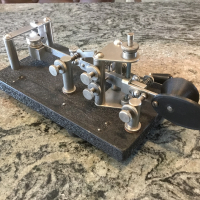
Hello. As I cannot win the war with my XYL I need to move the working position of my Flex about 4 meters away in the same room. That means that it will be desireable to have on my desk just the CW keyer and Flex mike. That means also that the actual grounding and antenna coax cables will need to be extended with about 4 meters. Now the questions are: 1. Extending the grounding and coax cables will have any impact on receive/transmit? 2. Can the mike cable be extended with a simple CAT6 cable? What would be the pinout to follow? The exttension cables can be close to each other or apart due to RF? I only run 80W here.
As a result I will have a clean desktop (most of the times) and most important a very happy XYL.
Appreciate your help. 73
As a result I will have a clean desktop (most of the times) and most important a very happy XYL.
Appreciate your help. 73
0
Answers
-
As long as you use proper terminations to extend the coax it should not be a problem. Extending the ground wire should not be a problem either if care is taken to make a solid connection.
You can purchase 8 pin microphone extension cables in 5 meter lengths from Giga Parts and other sources. That would be the easiest and error free way to extend the mic cable.
I doubt you will have any RFI issues if care is taken with extending the coax cable. They can probably be located together without issue.
0 -
I have three flex radios installed in a cupboard at a Scout centre. These work well in remote mode with all audio passing over the network, but we cannot use microphone and DVK in our contest logger (N1MM) in that set up. I build some long (about 5m) mic and headphone extender leads and they work just fine.
I am currently on v2 of the system as the first set was built with cheap multi core cable that could not cope with being moved around. The current system uses cable designed for professional musicians who take their equipment to shows and is very durable. There havent been any problems with this so far!
Good luck with keeping everyone happy
Steve, M0BPQ
0 -
Thanks everybody for input. Will go ahead with the plan :-) 730

Leave a Comment
Categories
- All Categories
- 398 Community Topics
- 2.2K New Ideas
- 678 The Flea Market
- 8.6K Software
- 191 SmartSDR+
- 6.6K SmartSDR for Windows
- 196 SmartSDR for Maestro and M models
- 456 SmartSDR for Mac
- 278 SmartSDR for iOS
- 268 SmartSDR CAT
- 218 DAX
- 392 SmartSDR API
- 9.6K Radios and Accessories
- 93 Aurora
- 335 FLEX-8000 Signature Series
- 7.2K FLEX-6000 Signature Series
- 988 Maestro
- 58 FlexControl
- 872 FLEX Series (Legacy) Radios
- 963 Genius Products
- 478 Power Genius XL Amplifier
- 353 Tuner Genius XL
- 132 Antenna Genius
- 317 Shack Infrastructure
- 222 Networking
- 480 Remote Operation (SmartLink)
- 143 Contesting
- 845 Peripherals & Station Integration
- 147 Amateur Radio Interests
- 1.1K Third-Party Software