Welcome to the FlexRadio Community! Please review the new Community Rules and other important updates on the Message Board.
The latest SmartSDR Software:
SmartSDR v4.3.19 | SmartSDR v4.3.19 Release Notes
SmartSDR v3.10.15 | SmartSDR v3.10.15 Release Notes
The latest 4O3A Genius Product Software: The latest 4O3A Genius Product Software and Firmware
How to Receive Technical Support: If you are needing assistance with FlexRadio products, please refer to the product documentation or check the Help Center for known solutions.
Need technical support from FlexRadio? It's as simple as creating a HelpDesk ticket.
connecting and station list

I have just had to change my PC after a major failure.
I,m trying to re-install Smartsdr but when I try to get the 8400M and the the PC to connect it fails.
I believe the reason being that in the "SmartControl" mode the 8400M shows the name of the defunct PC and no alternative.
How can I resolve this?
I only use SmartControl and have no need of remote working
Running Win10 PRO
Thanks Roger G0IUW
Answers
-
O n the front panel touch Menu, then Front Panel. Touch the box by Station Name and a onscreen keyboard will appear. You can edit the Station name there.
James
WD5GWY
0 -
James, thanks for that but the name(s) in question refer to the identity of the PC to which its trying to connect
Roger
0 -
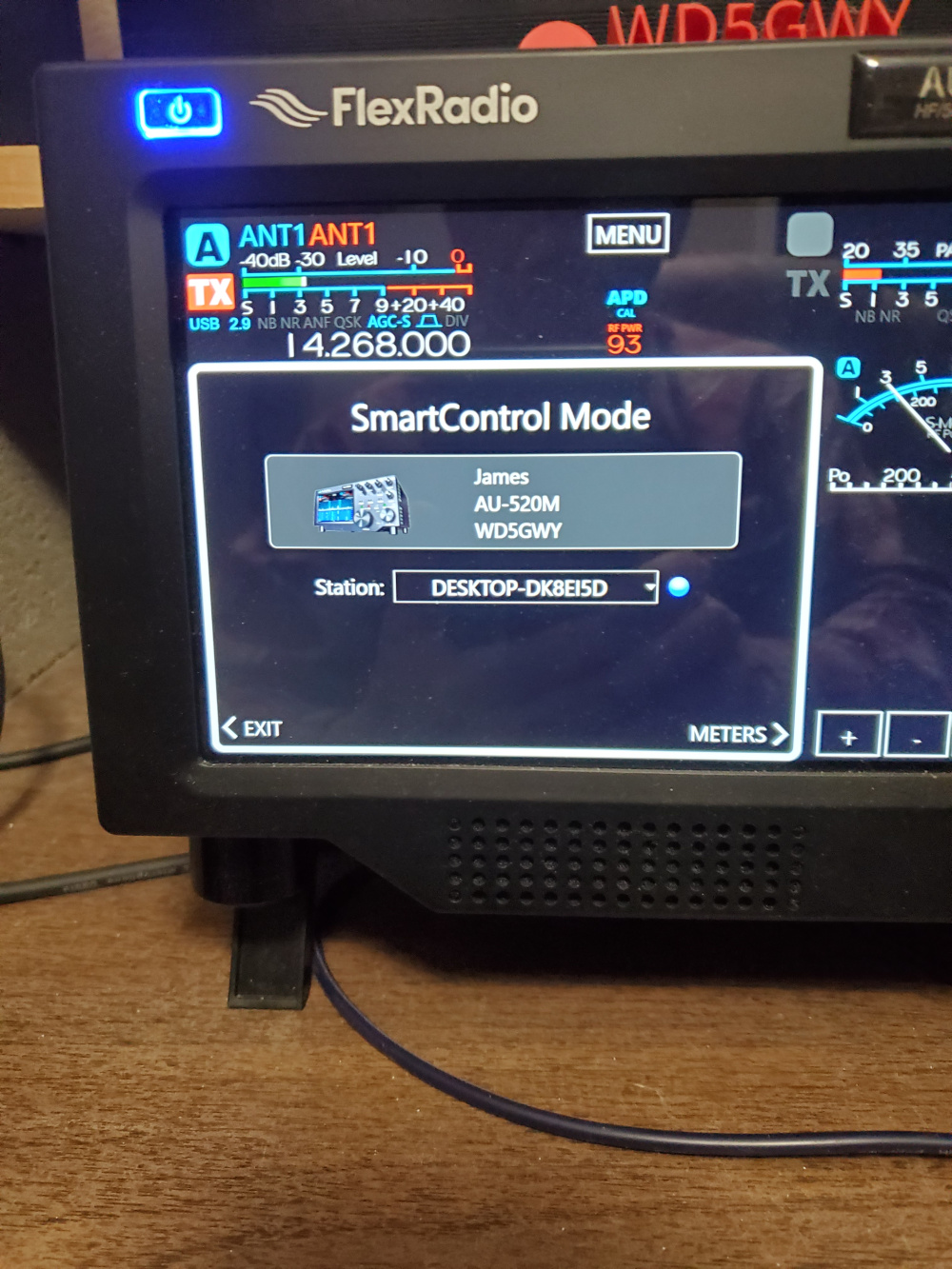
You should be able to select the correct pc from the drop down beside the Station name.
 0
-
James
Yes ok but the drop-down menu as in your photo ONLY shows the old defunct PC and not the new one
Roger
0 -
Have you checked your firewall settings to see if it's blocking the radio?
0 -
Can you run SmartSDR on the pc without using SmartControl? If so, and you cannot use SmartControl then you may need to do a Factory reset. Be sure to save your settings before you do the reset.
James
WD5GWY
0


Leave a Comment
Categories
- All Categories
- 419 Community Topics
- 2.2K New Ideas
- 719 The Flea Market
- 8.7K Software
- 229 SmartSDR+
- 6.6K SmartSDR for Windows
- 213 SmartSDR for Maestro and M models
- 474 SmartSDR for Mac
- 282 SmartSDR for iOS
- 270 SmartSDR CAT
- 225 DAX
- 397 SmartSDR API
- 9.7K Radios and Accessories
- 143 Aurora
- 390 FLEX-8000 Signature Series
- 7.3K FLEX-6000 Signature Series
- 1K Maestro
- 58 FlexControl
- 876 FLEX Series (Legacy) Radios
- 1K Genius Products
- 496 Power Genius XL Amplifier
- 366 Tuner Genius XL
- 139 Antenna Genius
- 335 Shack Infrastructure
- 237 Networking
- 500 Remote Operation (SmartLink)
- 150 Contesting
- 868 Peripherals & Station Integration
- 149 Amateur Radio Interests
- 1.2K Third-Party Software